One AI model for your whole brand
A brand model is one face that wears your whole catalogue, and Glammo AI lets you keep one: up to 20 products go in one shoot on the same fictional adult AI model, scene and look, and you choose that model again for every drop. On Pro and Studio, the model can be one you create yourself.
Try Glammo free with 10 credits. No card required.
Which models could be your brand's face?
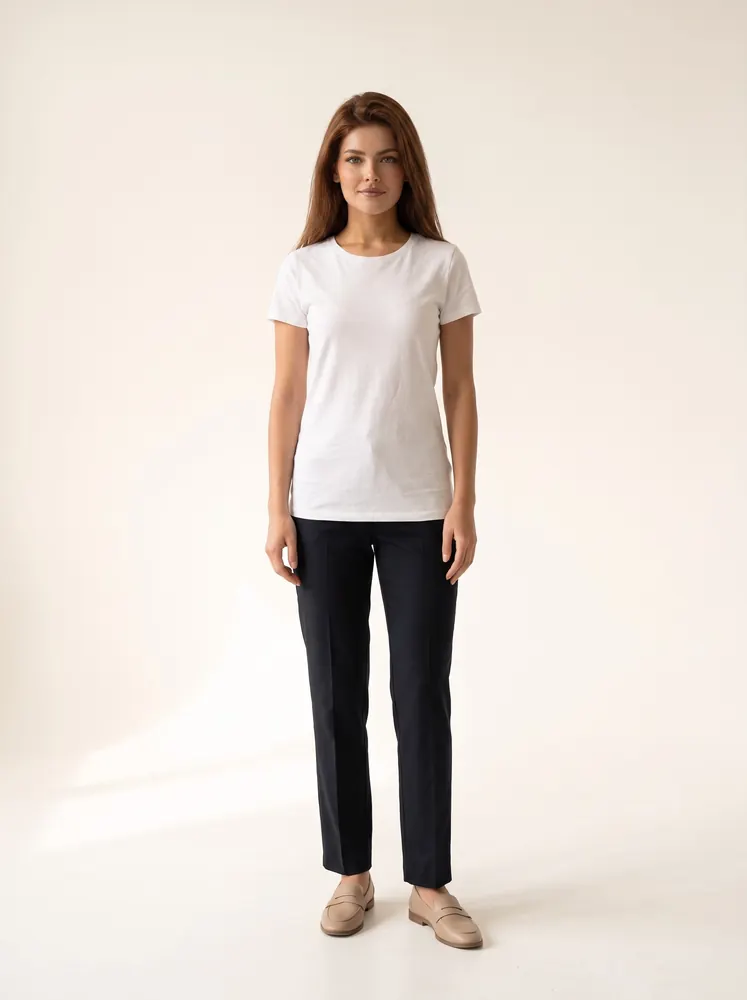
Amy · mid 20s
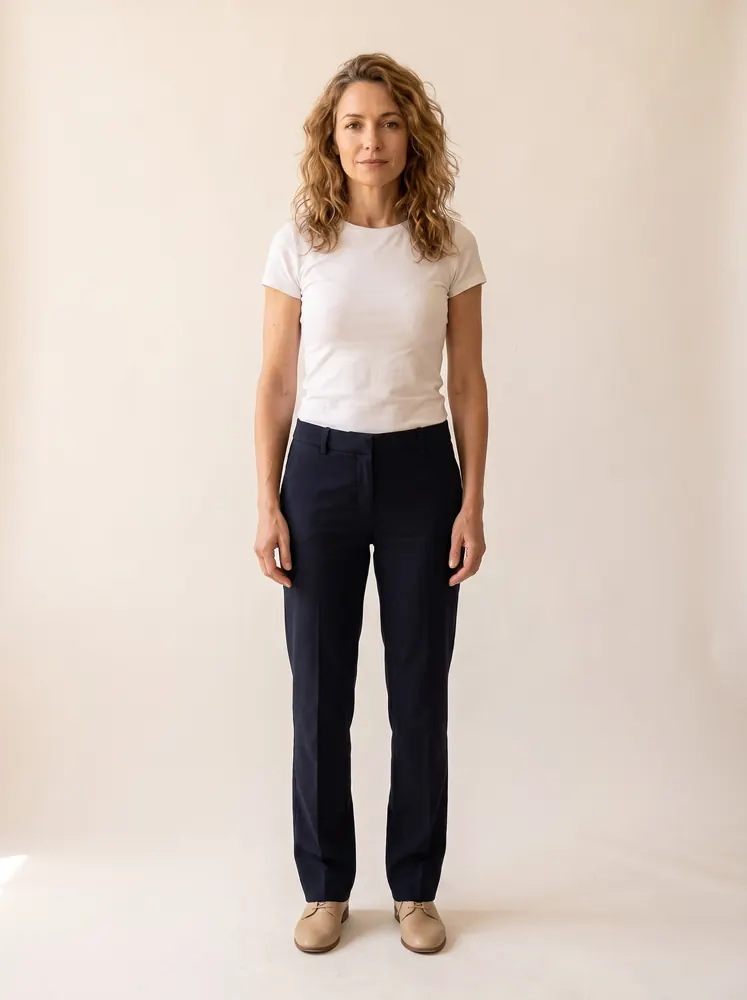
Colette · mid 40s
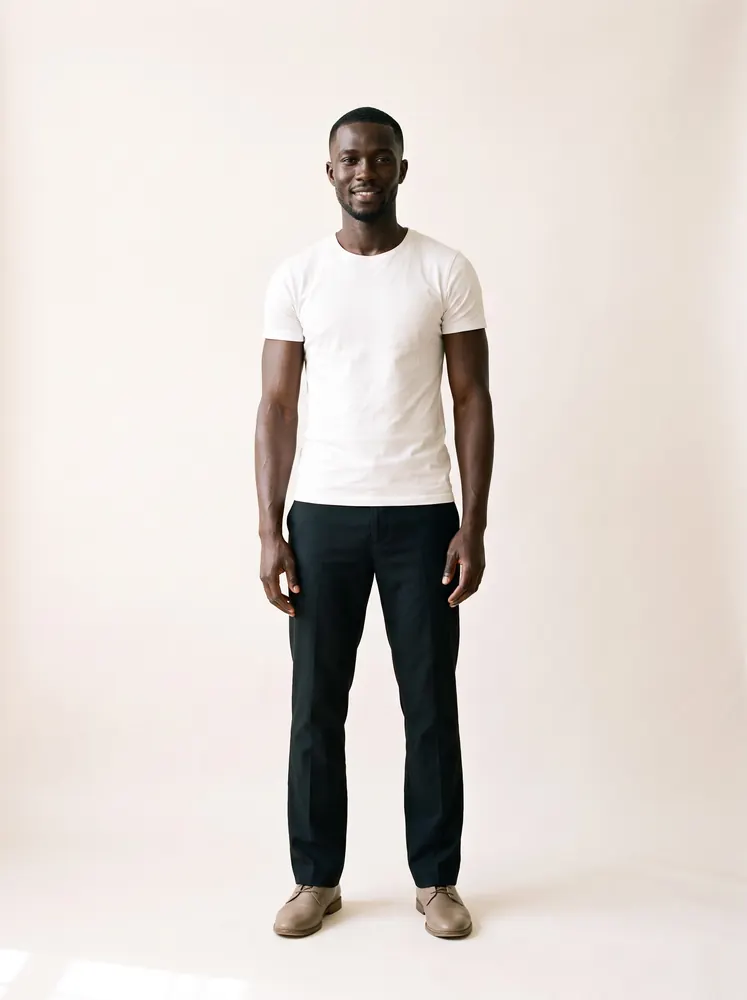
Kwame · mid 20s
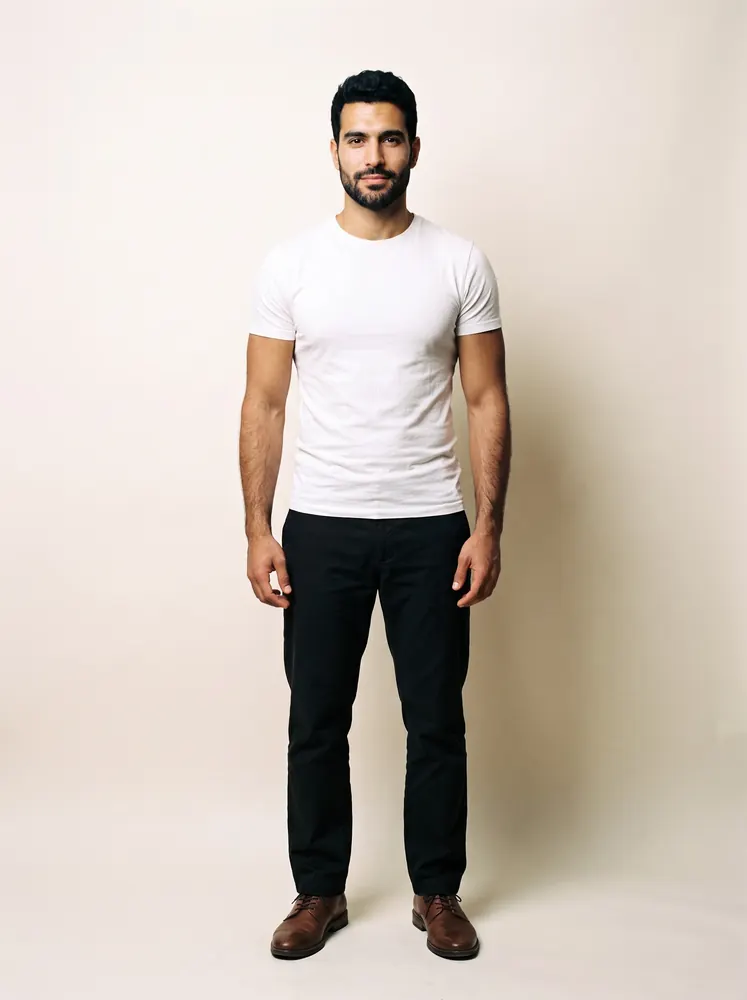
Karim · late 20s
Why give your brand one model?
Collection pages are grids. When every product is on the same model, in the same scene and light, shoppers compare the clothes rather than the faces, and the page reads as one collection instead of a mix of supplier photos.
A recurring face also ties your product pages, emails and social posts together. A shopper who saw the model in your launch post can recognise the same face on the product page.
One brand model doesn't mean one model for everything. If you sell womenswear and menswear, choose a woman and a man. If you have a curve or petite line, give it its own model. Keep one model per line, and keep each one for every drop.
What kind of brand suits each of these models?
Amy
Amy, in her mid 20s and listed as tall, is the original Glammo face, with long chestnut hair and blue-grey eyes. She suits a store with a large range of everyday pieces.
- Everyday catalogue
- Contemporary basics
Colette
Colette, in her mid 40s and listed as average height, has honey-brown waves and natural smile lines. She suits a grown-up label built on knitwear, coats and tailoring.
- Knitwear
- Coats
- Tailoring
Kwame
Kwame, in his mid 20s and listed as tall, has a sharp line-up and a broad smile. He suits a menswear brand that mixes streetwear with tailoring and casualwear.
- Streetwear
- Tailoring
- Casualwear
Karim
Karim, in his late 20s and listed as tall, has dark eyes and a trimmed beard. He suits polished, premium menswear.
- Tailoring
- Shirts
- Outerwear
How do you keep one model across every drop?
- 01
Choose your model with a test
Shoot your best-selling product on two or three shortlisted models, using free credits, and pick the one your customer would recognise as theirs.
- 02
Write down the house style
Note the model, the scene, the look and the aspect ratio, so anyone on your team can repeat the shoot.
- 03
Shoot each drop on it
Put up to 20 products in a shoot. For a bigger drop, run more shoots with the same model, scene and look.
- 04
Compare before you publish
Put the new images next to the last drop's. Check the garment, the model's hair and the light, then download on a paid plan and upload the images to your store.
What goes in a house style note?
Keep it to one page. Anyone who runs a shoot should be able to follow it without asking.
The model
The model's name for each line you sell, with a second choice in case a product doesn't suit the first.
The product-page scene
One plain studio scene for main images, the same for every product, so your collection grid lines up.
The campaign scene
One interior, city or outdoor scene for the season's lifestyle frames, such as Parisian Apartment for tailoring and knitwear or Brownstone Steps for coats and denim.
The look
The style you chose in Glammo for the drop, so every product in it has the same finish.
The aspect ratio
4:5 is the default for product pages. Use 1:1 for square grids, 9:16 for stories and 16:9 for banners.
The image set
Full length, another angle and a detail crop for each product, plus a campaign frame for the drop's hero piece.
Who signs off
The person who checks each image against the garment before it goes live.
When should you create your own model?
On Pro and Studio you can create your own fictional model and keep it in your library beside the catalogue. Other Glammo accounts can't choose a model you create, so another store can't pick your brand's face.
Create one when the catalogue doesn't have your customer: an age, a build or a heritage it lacks. Describe a fictional person in your own words, never a real person or a celebrity.
On Starter you choose from the catalogue's 60 models, and you can still keep one of them for every drop.
Which plan includes your own model?
Starter
$19/month
25 credits a month · 25 images, or 5 videos
Pro
Suggested$59/month
120 credits a month · 120 images, or 24 videos
Pro adds your own models and scenes, so your brand's face and setting can be ones you create and keep for every drop.
Studio
$149/month
375 credits a month · 375 images, or 75 videos
Every new account starts with 10 free credits, no card. On a plan, 10 more credits cost $9 any time. See full pricing
Common questions
Can I use the same AI model for my whole catalogue?
Yes. Choose the same fictional model, scene and look for every shoot, and each shoot takes up to 20 products. For a bigger catalogue, run several shoots with the same choices.
Will my brand model look the same in every shoot?
Choosing the same model, scene and look gives every drop the same starting point, but details such as hair, light and styling can still vary between shoots. Compare each new drop with the last one before you publish it.
Can I create my own AI model for my brand?
Yes, on Pro and Studio. You write a description of a fictional person, and Glammo creates that model for your library. Starter and free accounts use the catalogue models.
Is a custom model exclusive to my brand?
A custom model sits in your own library, and other Glammo accounts can't choose it. A custom model is still an AI-made fictional person, so it doesn't give you exclusive rights to that face outside Glammo.
Can one model cover menswear and womenswear?
Give each line its own model instead: one woman for womenswear, one man for menswear, and a separate model for a curve or petite line. Each line then stays consistent on its own.
Read next
Choose your brand's model. Test two or three models on your best-seller with 10 free credits.
Try Glammo free with 10 credits. No card required.