Product photo to video, in four seconds
Video is where AI apparel content usually falls apart: garments morph, hands melt, and you've paid for it. Glammo AI animates one photo — an upload, or a finished image you've already checked — with restrained motion designed to keep the garment stable.
Try Glammo free with 10 credits. No card required.
A little movement. A new dimension.
Storyboard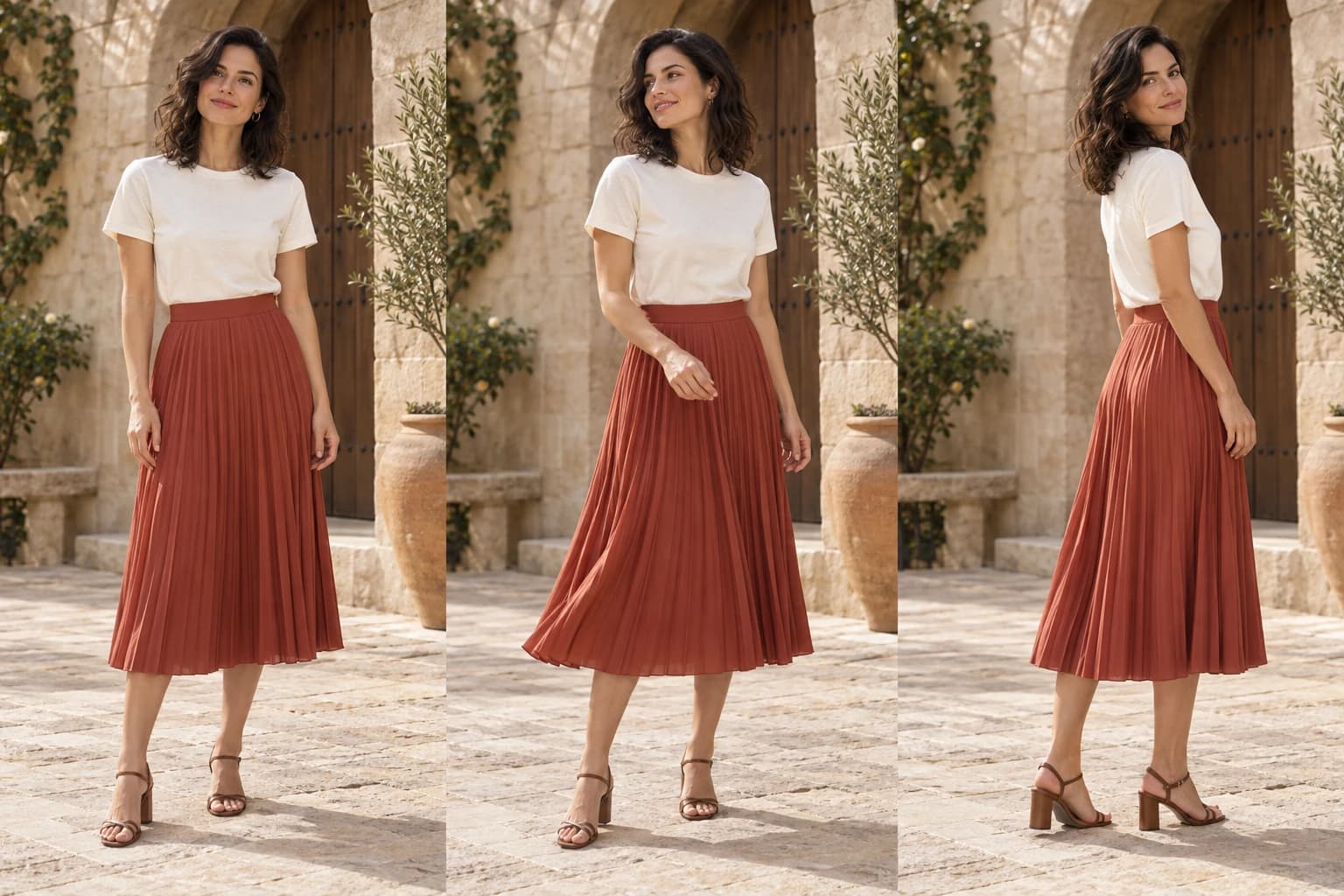
- 01Opening frame
- 02Gentle movement
- 03Closing frame
Motion starts from a frame you already trust
Every clip starts from one photo: a finished Glammo image from your Gallery, or a photo you upload. A finished image has already passed your review against the garment source, so what the clip contains was right before it moved. Add a written motion direction if you want one, or leave it to the preset.
Motion is deliberately restrained: a slow push-in, a gentle orbit, a subtle pan. The fabric, the model, and the scene stay steady, and nothing new appears. It's the difference between a product page that feels alive and one that looks generated. Watch each clip before you use it.
Five motion presets
Slow push-in
Camera eases toward the garment. The product-page default.
Gentle orbit
A small parallax turn around the model, with the garment kept steady.
Editorial pan
A subtle lateral move with the product centred — for social and lookbooks.
Static hold
Near-still frame with tiny natural drift — for grids and hero banners.
Fabric detail
Short motion that emphasises texture without changing the garment shape.
How it works
- 01
Choose the photo
In Studio, open Photo to video. Pick a finished image from your Gallery, or upload a photo. Fix fidelity issues before motion, not after.
- 02
Choose a motion preset
Pick from the five above and, if you like, describe the movement in a line. Portrait channels deliver 9:16; email and wide layouts deliver 16:9.
- 03
Generate
Each clip is 5 credits. Four seconds, 720p, silent — ready for music or voiceover in your editor.
- 04
Review and download
Watch it against the still. If it's right, download it and add it to your product page, ads, or social.
- clip length
- 4 s
- credits per video
- 5
- portrait delivery for social and PDP
- 9:16
- delivery resolution
- 720p
What stays, what moves
| Stays | Moves |
|---|---|
| Garment colour, print, logo, fabric | Camera — slowly |
| Model identity and pose continuity | Subtle natural drift |
| Scene, lighting, and framing | Only what you direct |
Common questions
How long are the clips?
Four seconds — long enough to show the garment move, short enough to loop cleanly on product pages and social.
Which plans include video?
All of them, including Free. A clip is 5 credits, so your free credits cover two. Using it commercially and downloading it needs a paid plan.
What if a photo can't be animated?
Now and then the video model declines a photo. When that happens you aren't charged, and you can try another photo.
Do clips have sound?
No. Clips are silent so you can add music or voiceover in your own editor.
Which aspect ratios are delivered?
Portrait clips are delivered at 9:16 for product pages, collections, and social. Email and wide placements deliver 16:9.
Read next
Your next drop. Make it a moment.
Try Glammo free with 10 credits. No card required.