AI clothing photography from the photos you already have
AI clothing photography turns a garment photo you already have into the images a product page needs: Glammo AI makes on-model images, garment-only packshots and short videos from that one upload. There's no studio to book, but every image still deserves a careful check before it goes live.
Try Glammo free with 10 credits. No card required.
What can one upload become?
A blue denim shirt with two flap pockets, photographed flat on a pale surface, gave this listing three images: a model on white, a floating packshot and a close detail of the pockets.
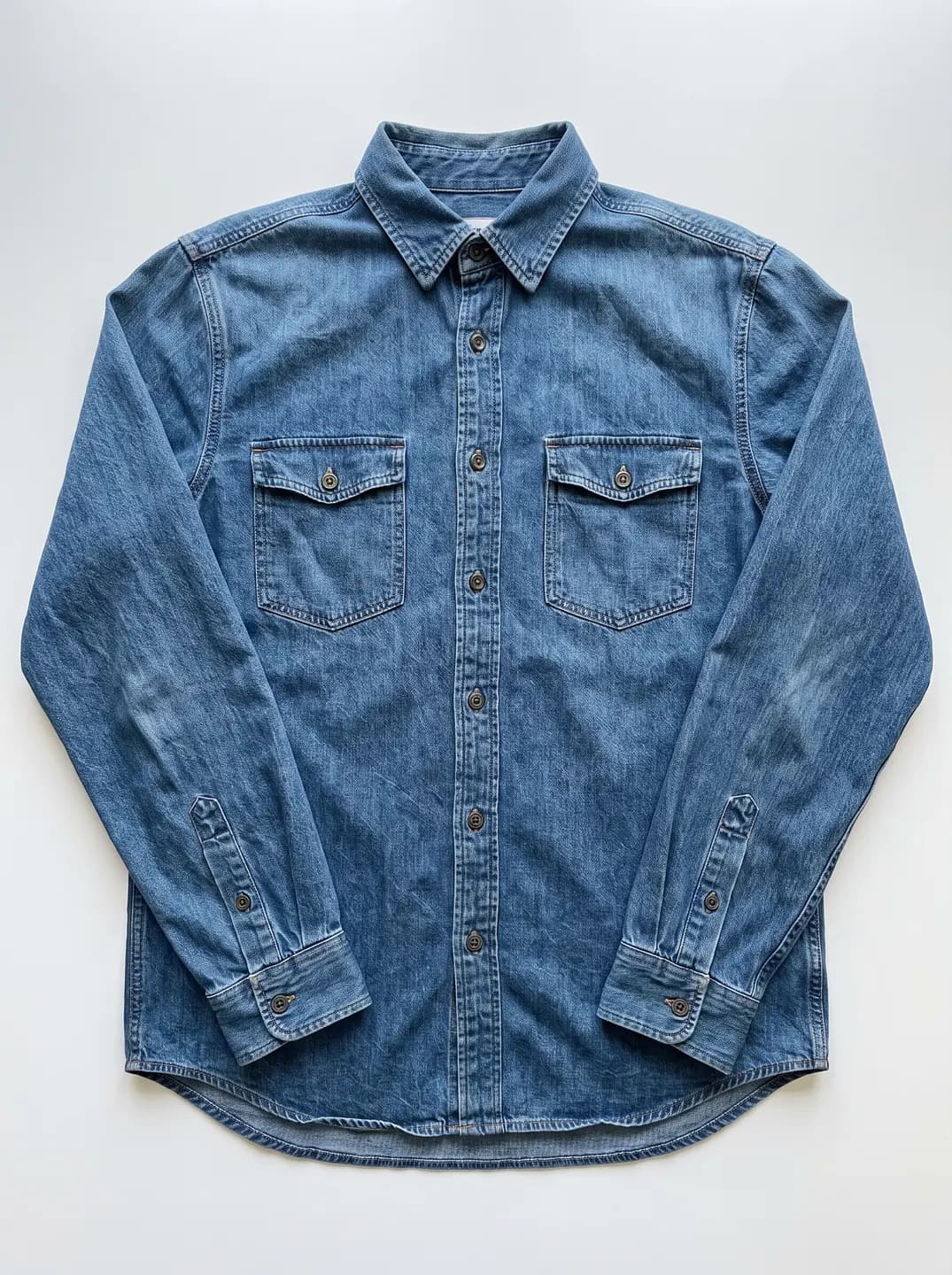
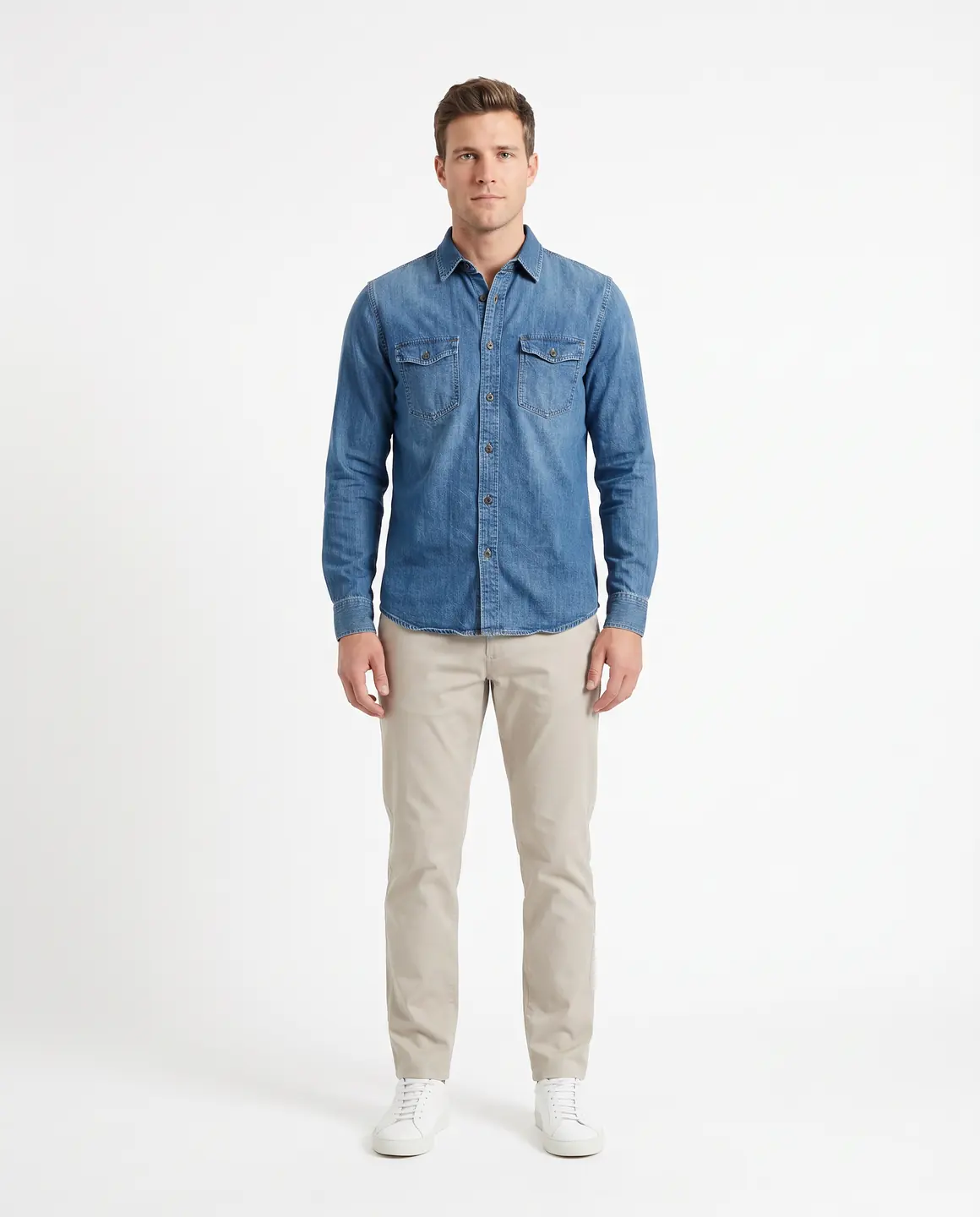
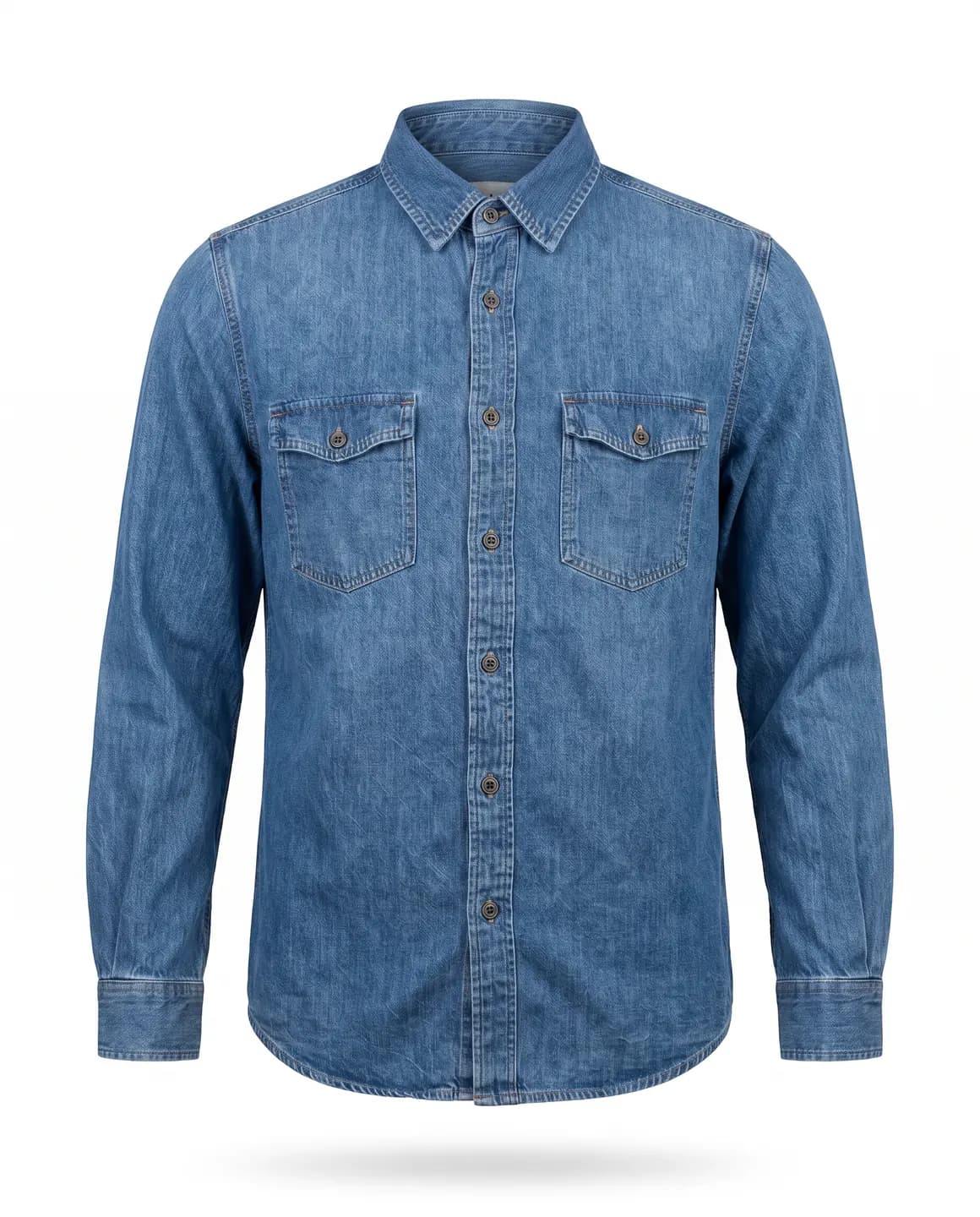
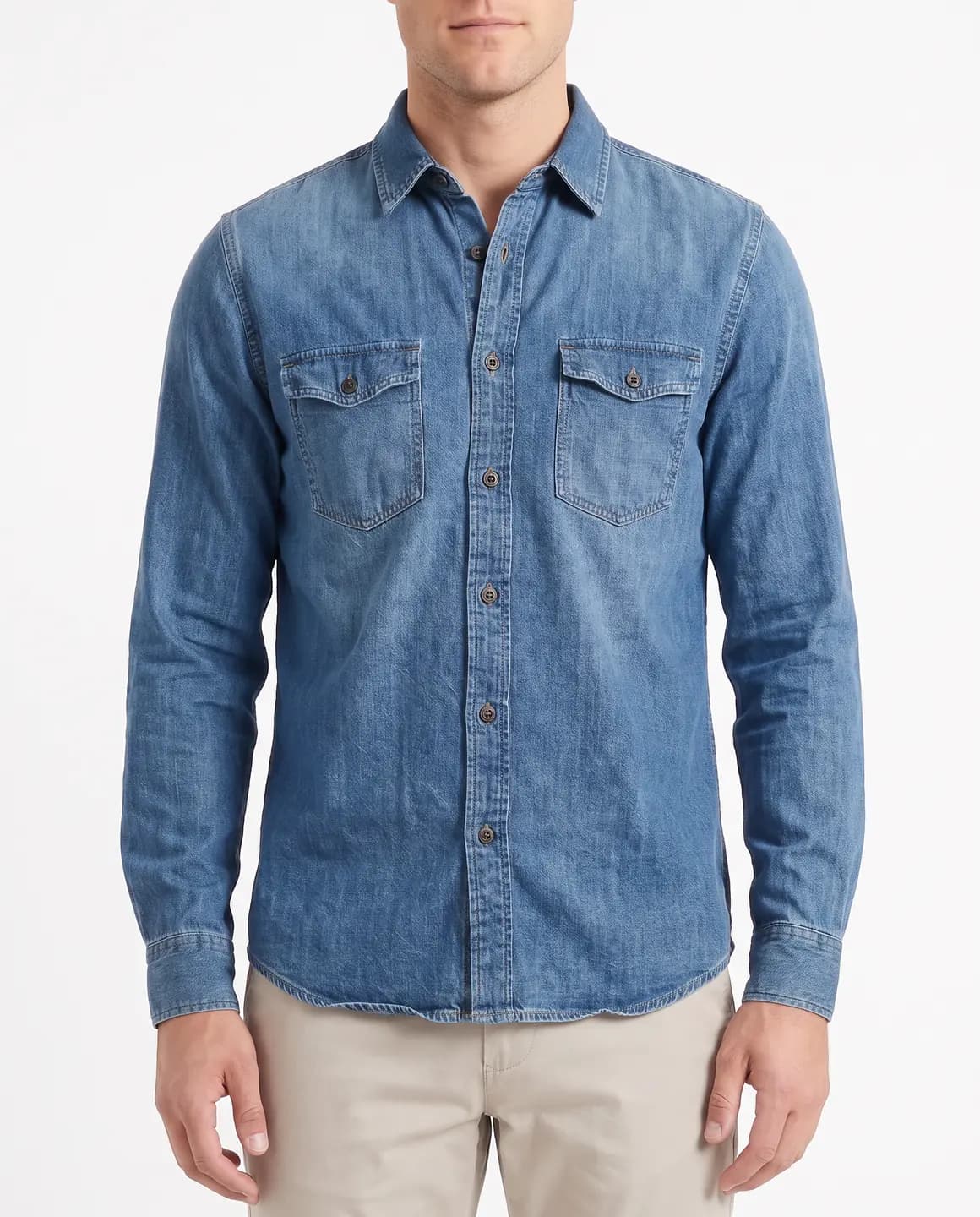
A sample photo and images made from it. Models are fictional and AI-generated.
What does each image do for a clothing store?
One upload can fill every slot on a listing. Each output is charged on its own, so make only the ones you'll use.
| Image | Where it earns its place | Credits |
|---|---|---|
| Full-length on-model image | The first image on a product page, or a marketplace main image | 1 |
| Detail frame | The second or third image, where shoppers zoom in on fabric, stitching and trims | 1 |
| Garment-only packshot | Supporting marketplace images, and items a platform wants shown without a model | 1 |
| Campaign frame | Homepage banners, launch emails and social posts | 1 |
| Written edit | A change to the light, background or crop of a finished image | 1 |
| Four-second video | Product pages and social posts where a little movement helps | 5 |
Videos are 720p and silent, made from an uploaded photo or a finished image. A generation that fails gives its credits back automatically.
What changes compared with booking a studio?
| Booking a studio | Starting from your photos |
|---|---|
| Samples travel to the shoot and back | Garments stay with you, and only photos are uploaded |
| A date has to be agreed and kept | A shoot can start as soon as the photos are ready |
| A model, a photographer and a set are hired for the day | A fictional adult AI model and a scene are picked in Glammo |
| A new colour means another booking | A new colour goes through the same model and scene as before |
| Retouching is a separate job after the shoot | A written edit changes the background, light or crop of a finished image |
| The garment is photographed on a real body | The images show the garment on a model but don't measure fit |
How does AI clothing photography work on Glammo?
- 01
Start from your existing photo
Use a flat lay, a hanger shot, a mannequin photo, a supplier image or a print-on-demand mockup. One clear photo of the whole garment is enough to begin.
- 02
Choose the outputs
Ask for on-model frames, packshots or both. On-model frames need a model and a scene; packshots need a white, ivory or light grey background.
- 03
Check every result
Hold each image up against the product photo, and use a written edit or a fresh frame wherever something has drifted.
- 04
Download and list
On a paid plan, download full-resolution files or a ZIP, then upload them to Shopify, Etsy, Amazon or your own website.
What should you check before the photos go live?
Treat the first batch like a printer's proof: slow down, compare, then approve.
The garment against your original
Colour, print, logos, buttons and hem length should all match your photo. If one detail is wrong, remake that frame rather than publishing it.
Pure white where a marketplace asks for it
Amazon asks for adult clothing's main image on a standing model against pure white (RGB 255), with the product filling 85% of the frame. Check the background in an image editor before upload.
The tag for images of AI people
Amazon asks that images of photorealistic AI-generated people carry the keyword contains-synthetic-performer in the XMP dc:subject field. Add it to every on-model file you list there.
Consistency across the set
Look at a product's images together: the model, light and crop should agree from frame to frame and from product to product.
Honest fit information
An image shows a garment on a model, not a measured fit. Keep size charts, measurements and fit notes in the product description.
Alt text for every image
Describe what each image shows, such as the colour, the garment and the view, so screen readers and search engines can read it.
Where do the Amazon rules come from?
Checked on .
Common questions
What is AI clothing photography?
AI clothing photography is product photography for garments made from an existing photo instead of a studio shoot. Glammo makes on-model images, garment-only packshots and short videos from one upload of each garment.
What photos do I need for AI clothing photography?
One clear photo of the whole garment is enough for AI clothing photography on Glammo: a flat lay, a hanger shot, a mannequin or ghost-mannequin photo, an on-model or supplier photo, or a print-on-demand mockup. A sharp, evenly lit photo is the best place to start.
Is AI clothing photography cheaper than a studio shoot?
On Glammo, an image costs 1 credit and a four-second video 5 credits, so the cost of a drop is known before it starts, and plans begin at $19 a month for 25 credits. Photo studio rates vary too widely for one figure, so compare your own quote with the credits your drop would use.
Can AI clothing photography make white-background packshots?
Yes. Glammo makes garment-only packshots on white, ivory or light grey, floating or laid flat and square by default, at 1 credit each.
Are AI clothing photos accurate enough to sell from?
Glammo is built to keep a garment's colour, print and construction, though AI can still get a detail wrong. Check every image against the product before listing it, and remake or drop any frame that doesn't match.
Do AI clothing photos need a tag on Amazon?
AI clothing photos need Amazon's tag when they show a person. Amazon asks for the keyword contains-synthetic-performer in the XMP dc:subject field of images showing photorealistic AI-generated people. A packshot shows no person, so the tag concerns on-model images.
Read next
Bring a photo you already have. See what it becomes for free.
Try Glammo free with 10 credits. No card required.