New arrivals photographed in an afternoon
When new stock arrives at your boutique, it should be online the same week, not after a shoot you have to book; Glammo AI turns a quick mannequin or flat-lay photo of each piece into on-model images for your site and social.
Try Glammo free with 10 credits. No card required.
From your shop mannequin to a model
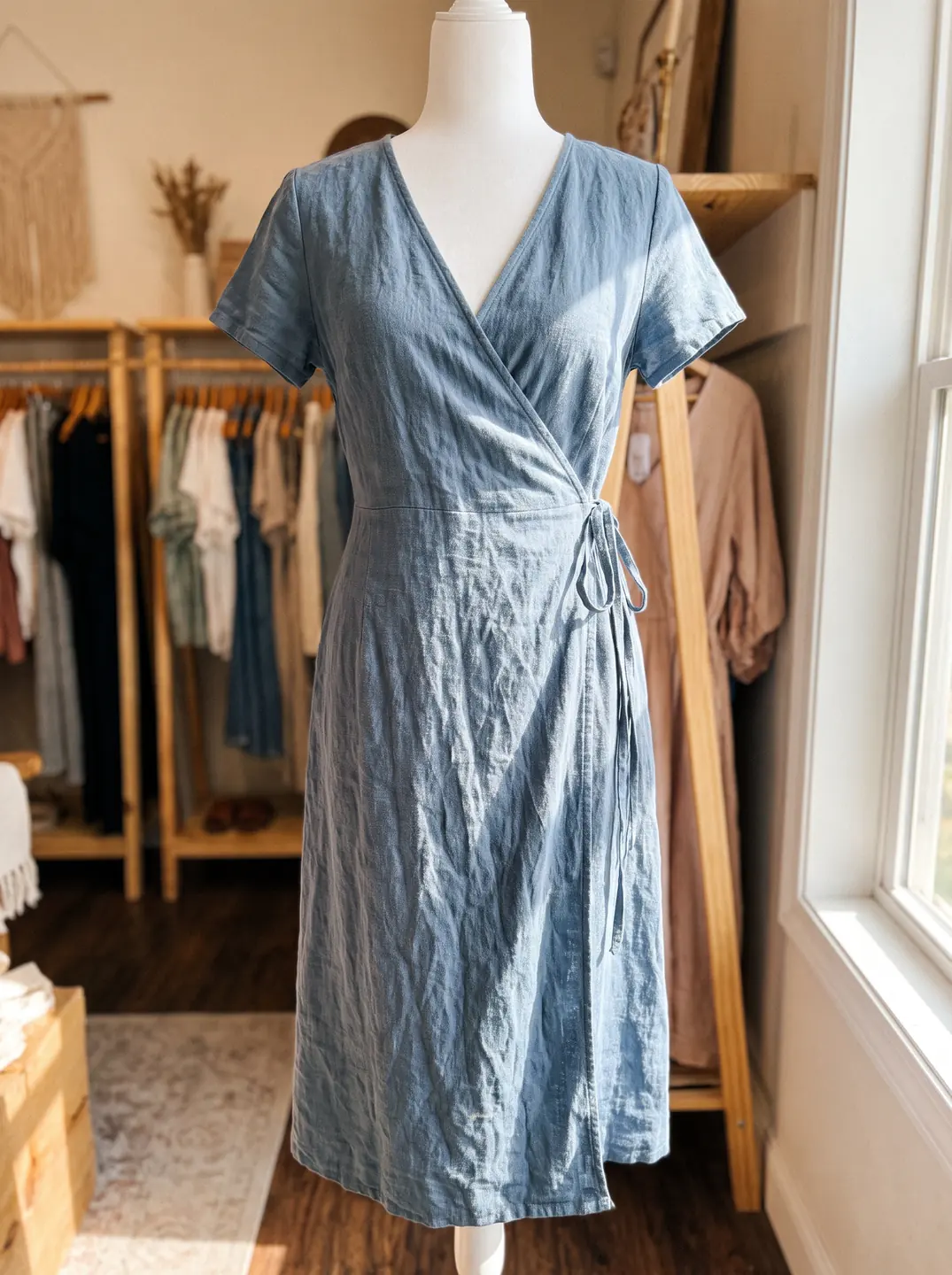
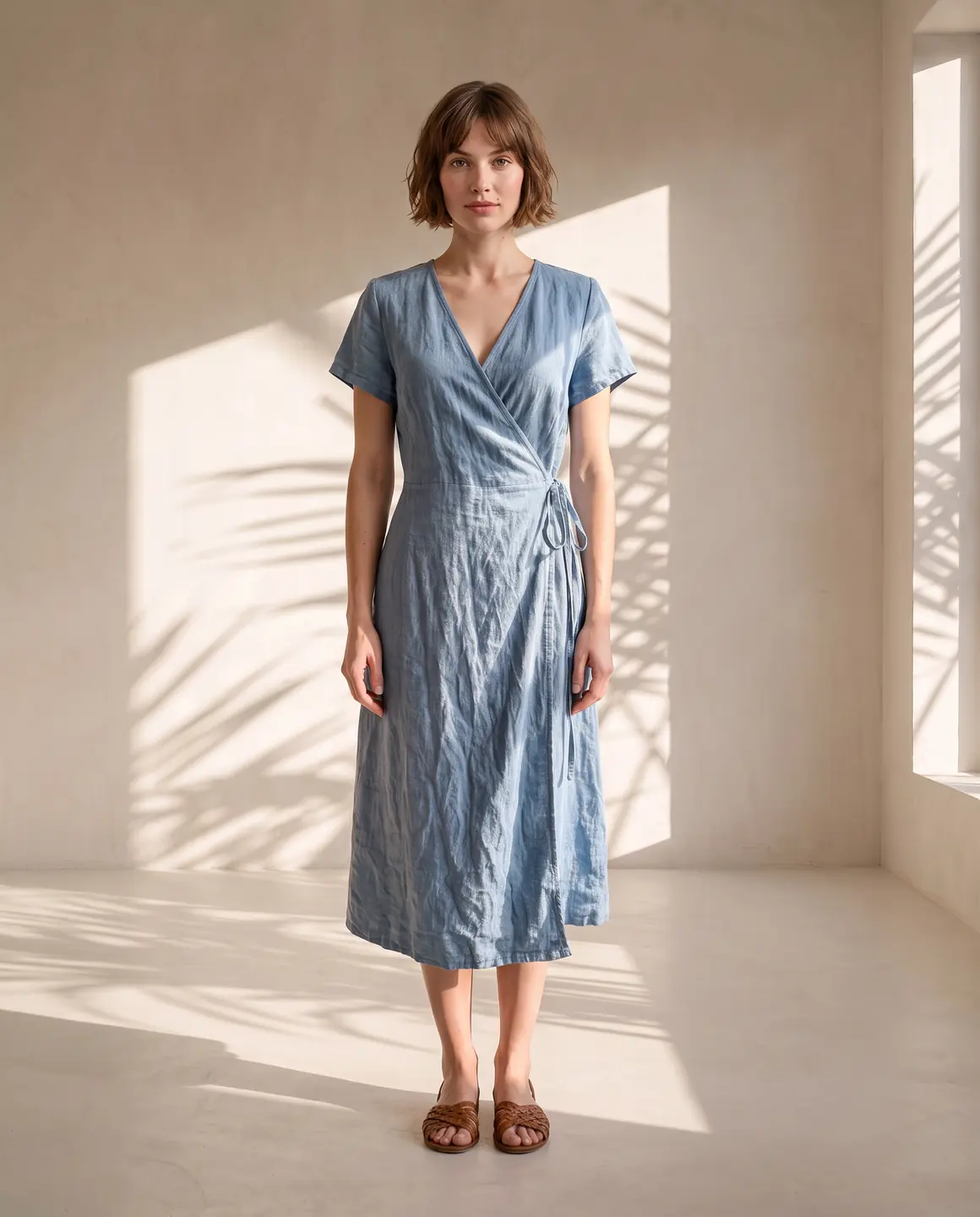
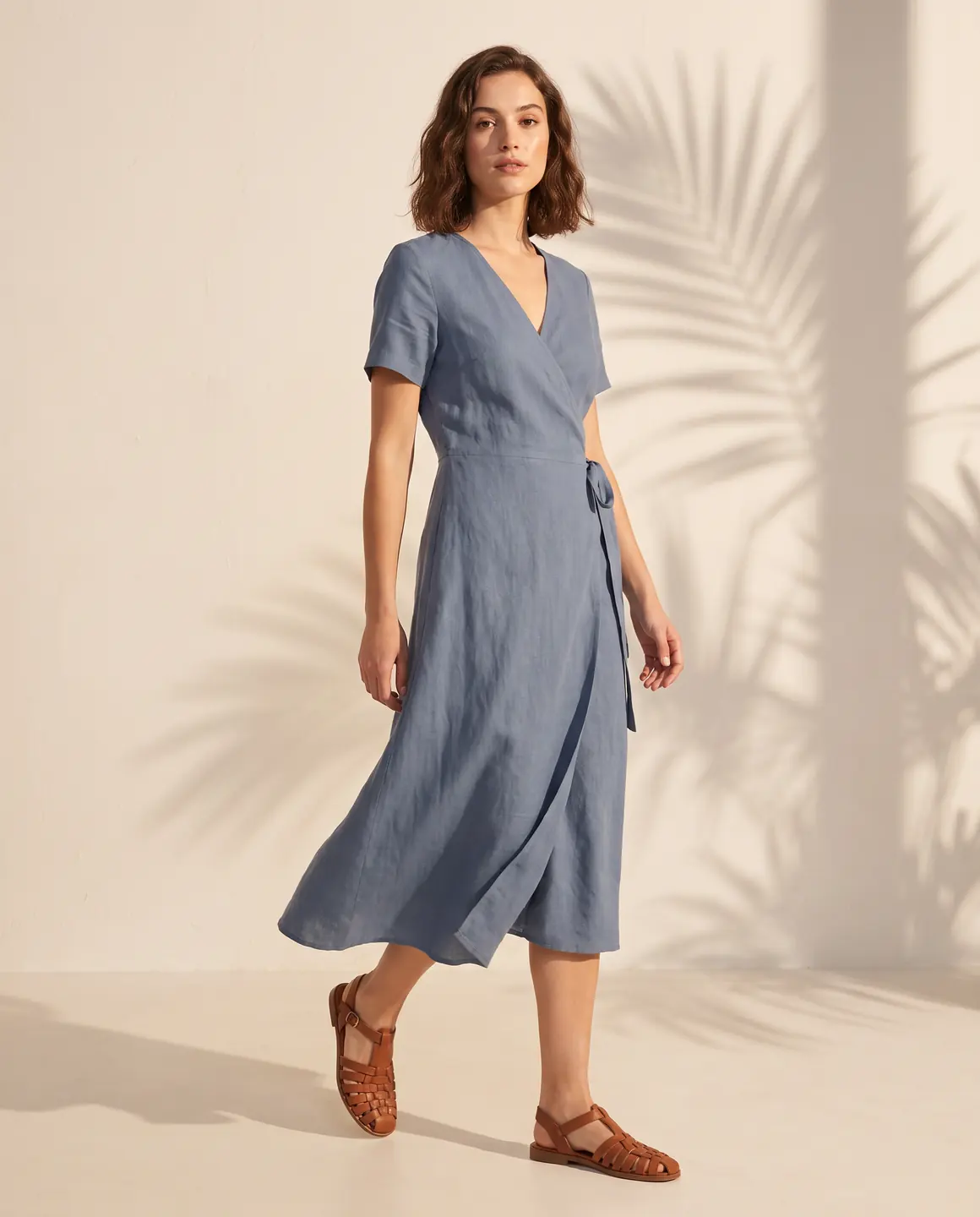
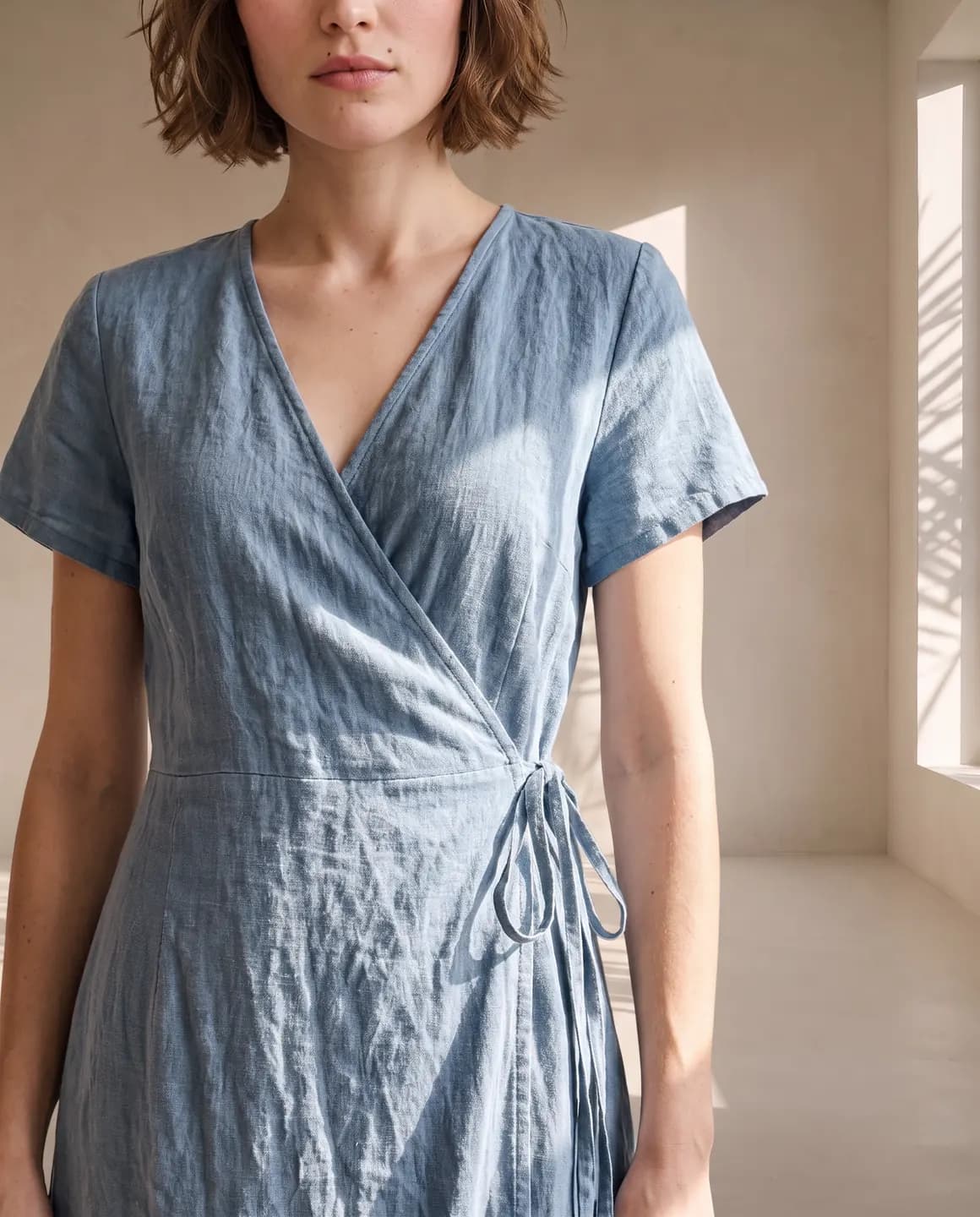
A sample photo and images made from it. Models are fictional and AI-generated.
Your week with Glammo
A delivery on Monday can be on your website and Instagram by Monday evening.
- 01
Unpack and photograph
Dress each new arrival on your shop mannequin or lay it flat by a window. A phone photo in good daylight is enough.
- 02
Shoot the drop together
Upload the whole delivery, choose one model and a scene that matches your shop, and generate the set in one go.
- 03
Pick the best frames
Choose a clean frame for each product page and the most striking ones for your new-arrivals post.
- 04
Post and list
Download on a paid plan, add the images to your website and share the drop on social.
Making a weekly drop look like a campaign
Small habits make a boutique's feed look planned rather than improvised.
One model and scene per season
Keep the same model and setting for a whole season's arrivals. Your feed reads as one collection, not a stream of single items.
Use your mannequin
Shop mannequins hold the shape of dresses, coats and tailoring well. They're the quickest source for structured pieces.
Portrait for the grid, vertical for stories
Use 4:5 frames for product pages and feed posts, and 9:16 for stories and reels.
Add a short video for the hero piece
A four-second clip of the week's standout piece gives your announcement post movement.
Tell customers what's in store
Mention sizes in stock and invite customers to try pieces on in your shop. The images bring them in; the fitting room closes the sale.
Which plan fits
Starter
$19/month
25 credits a month · 25 images, or 5 videos
Pro
Suggested$59/month
120 credits a month · 120 images, or 24 videos
Covers weekly deliveries across a season, with a model and scenes of your own so your boutique's look stays yours.
Studio
$149/month
375 credits a month · 375 images, or 75 videos
Every new account starts with 10 free credits, no card. On a plan, 10 more credits cost $9 any time. See full pricing
Common questions
Can I photograph new arrivals without a photographer?
Yes. Take a clear photo of each piece on a mannequin or flat, and Glammo turns it into on-model images with a fictional model and scene you choose.
Do I need special equipment?
No. A phone and daylight from a window are enough. The clearer and more even the light, the better the result.
Can the images match my shop's style?
Yes. Choose a scene and style that suit your shop and keep them for the season. On Pro and Studio you can create custom scenes too.
Will the clothes look exactly like the pieces in my shop?
Glammo is built to keep each garment's colour, print and construction, but AI can miss a detail. Compare every image with the piece before you post it.
Can I use the images on Instagram?
Yes, on any paid plan, which includes a commercial licence for your website, marketplaces, ads and social.
Read next
Bring this week's arrivals. See them on a model for free.
Try Glammo free with 10 credits. No card required.