Refine the image. Keep your product at the centre.
A promising image can still need another pass. Glammo AI lets you describe a change to a finished image, then review the new result alongside your product reference. Keep exploring until you have a frame that works for your brand.
Try Glammo free with 10 credits. No card required.
A softer studio light
Creative study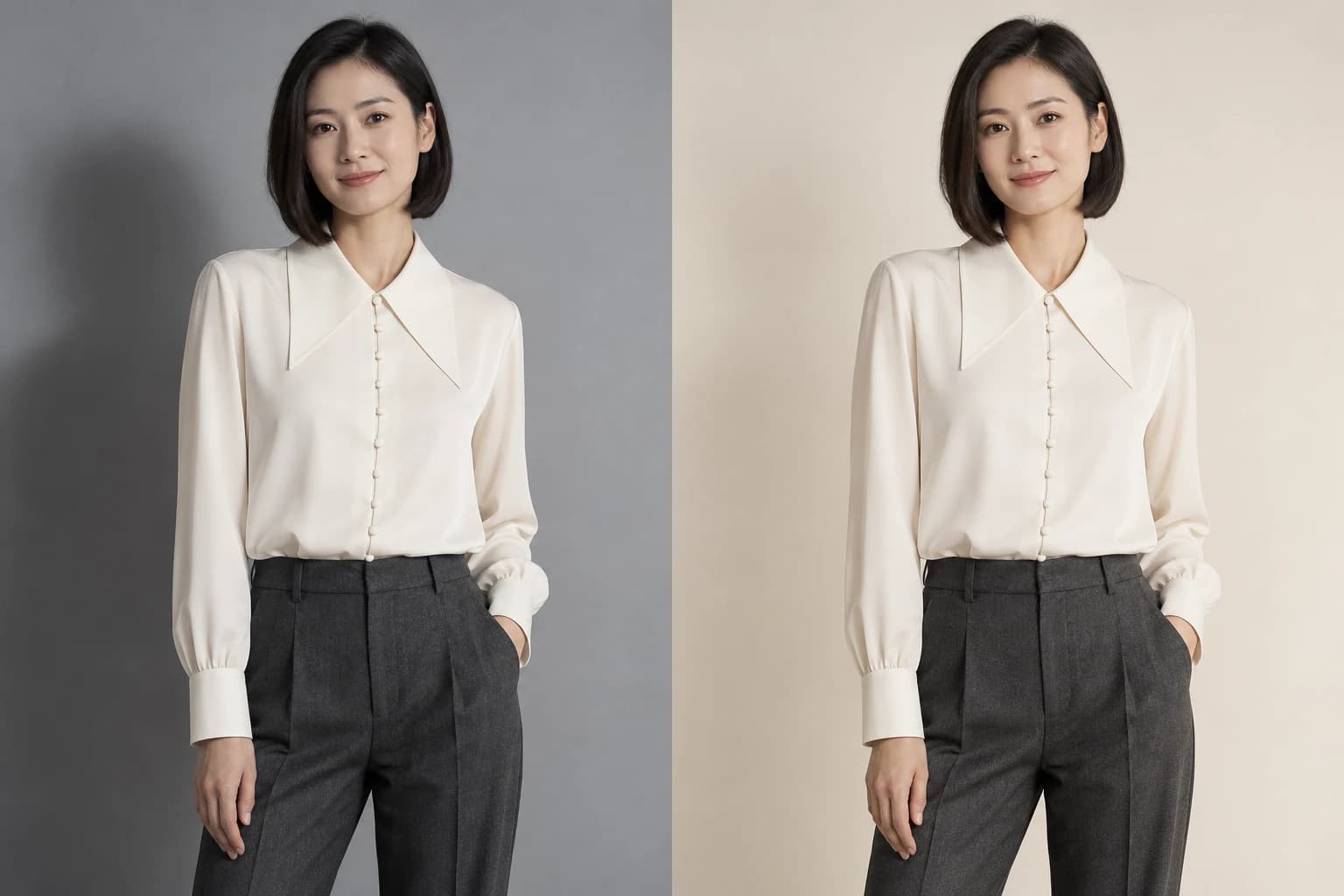
- 01Starting image
- 02Edit direction
Edit direction
“Warm up the background and soften the shadows.”
Give the image a clear direction
Make a specific request so you can judge whether the next version does what you wanted.
Adjust the setting
Ask for a brighter background, a different setting or the removal of a distracting object.
Refine the lighting
Describe a softer shadow or a change to the light around the product.
Change the composition or pose
Ask for a different crop or pose. Edits keep the original image's aspect ratio.
Correct a visible artefact
Point out a hand, face or background detail that needs another pass, then check the result closely.
From a finished image to a refined version
- 01
Choose an image
Open a completed Glammo image for editing. This workflow starts from a result already in your workspace.
- 02
Describe the change
Write a focused instruction, such as softening the shadow behind the model or removing an object from the background.
- 03
Generate the edit
Each delivered edit costs 1 credit. If generation fails, its reserved credit returns automatically.
- 04
Review before use
Compare the new frame with your garment photo. On a paid plan, download the version you choose for your store, campaign or social feed.
The garment remains your reference
Edits are designed to keep the product and model identity while changing what you request. They are not a way to redesign the garment, change its print or replace the model. Start a new on-model shoot when you want to choose a different model.
AI can still alter a detail unintentionally. Check the colour, logos, fabric, neckline and construction against your original. A completed edit uses a credit even if you decide not to publish it.
Common questions
Can I edit any uploaded photo directly?
This editing workflow starts from a completed Glammo image. To work from your own product photo, first upload it for an on-model shoot or a packshot.
Can I try editing on a free account?
Yes, using your free credits. Each delivered edit costs 1 credit. Downloads and commercial use require a paid plan.
Can I edit kidswear packshots?
No. Kidswear is supported for garment-only packshot generation, but this editing workflow does not support kidswear.
Read next
Your next drop. Make it a moment.
Try Glammo free with 10 credits. No card required.