Real-looking product photos from print-on-demand mockups
Every print-on-demand store starts with the same mockup templates. Glammo AI turns yours into on-model photos and campaign frames, with your design kept where you put it.
Try Glammo free with 10 credits. No card required.
Your design, out in the world
Creative study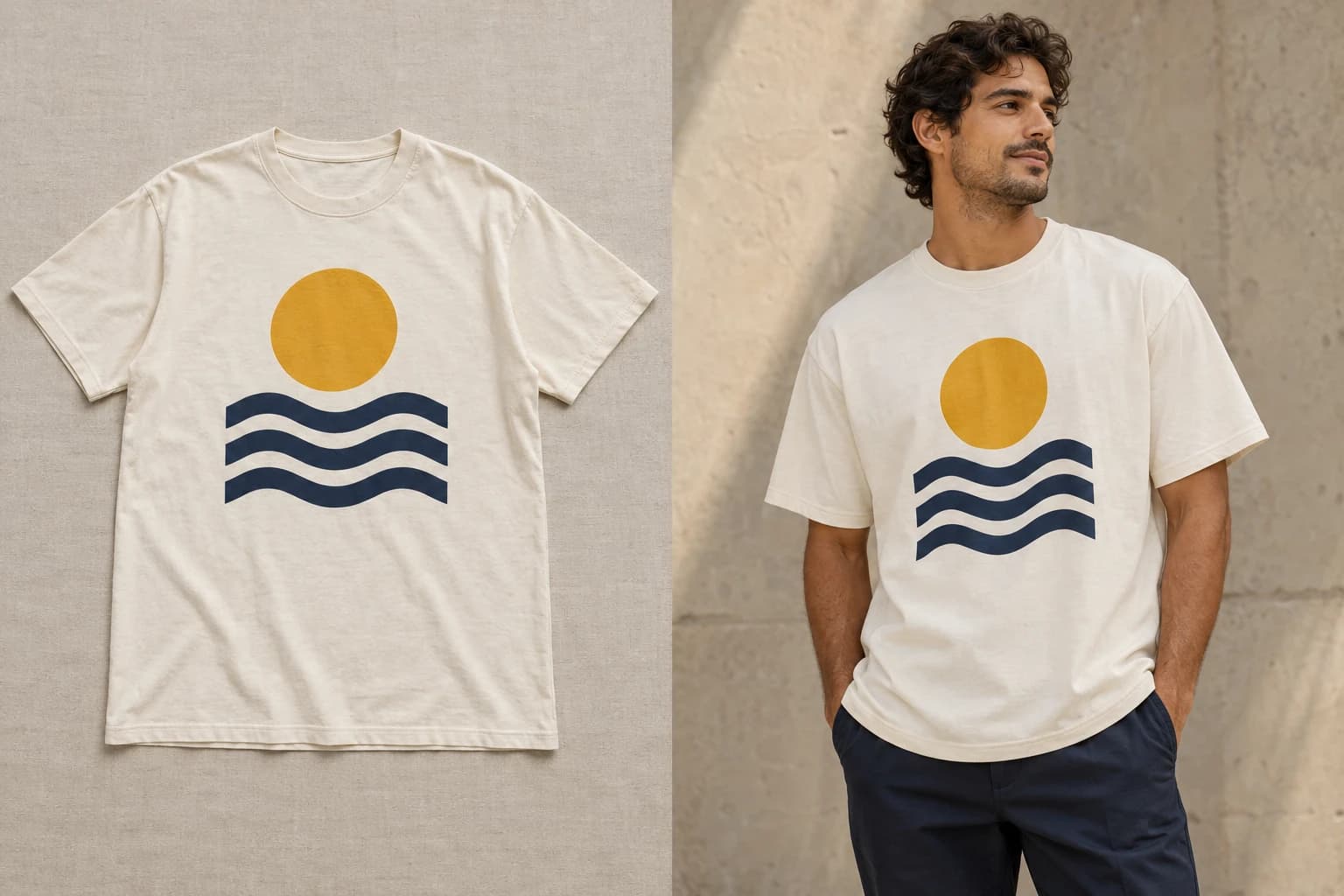
- 01Product mockup
- 02Styled on-model
Check the print. Placement, scale, colour.
The mockup problem
A mockup is a flat, centred garment on a template shared by thousands of stores. Shoppers recognise it instantly, and it tells them nothing about how the garment looks worn. It also can't be photographed differently, because there's no physical product to photograph.
Glammo turns that mockup into your product on a model, in a real setting, for the product page, a lookbook, or social. The design, colour, and shape stay as they are in your mockup.
From mockup to catalogue
- 01
Export the largest mockup
Use your POD provider's highest-resolution front view on a plain background, up to 10 MB. Sharper source, sharper print.
- 02
Upload the mockup
In Studio, choose On-model shoot and add the mockup, or a whole collection of them.
- 03
Choose a model and a style
Pick a model, poses, and a background. Under Style, Clean PDP Studio for the listing; Urban Street Drop or Minimal Luxury Lookbook for social.
- 04
Review the print, then download
The detail crop makes design placement easy to verify before you keep a frame. Download the set from your Gallery.
Prepare a mockup for the best result
Front-facing, full garment
Hem to collar, no angled or folded templates.
Plain background
Skip lifestyle mockup backgrounds; Glammo adds its own scene.
No model in the mockup
If your provider's mockup already has a person, it's an on-model reshoot instead.
Sharp print area
Export at the largest size so the design stays crisp in detail crops.
Mockup vs Glammo frame
| Mockup | Glammo frame |
|---|---|
| Flat template, centred design | Your design on a worn garment, where you placed it |
| Shared with thousands of stores | Your choice of model, scene, and pose — or a custom model on Pro or Studio |
| One angle, one crop | Product-page set, campaign still, motion |
| Free but generic | 1 credit per finished frame |
Your design stays where you put it
Print position, scale, and colour are kept as they are in your mockup. AI can still miss a detail, so use the detail crop to check before you keep a frame.
Common questions
Will my design stay sharp and in the right place?
That's the goal: placement, scale, and colour are kept as they are in your mockup, and the detail crop shows the print close up so you can check before keeping the frame. Export the largest mockup your provider offers, up to 10 MB, for the sharpest result.
Which POD products work?
Apparel: tees, hoodies, sweatshirts, tanks, long sleeves. Mugs, posters, phone cases, and other non-apparel items aren't supported.
Do I need a photo of a real person?
No. Glammo models are fictional and AI-generated; you never need your own model or a photoshoot.
Read next
Your next drop. Make it a moment.
Try Glammo free with 10 credits. No card required.