Supplier operations
A supplier photo brief that prevents another round of emails
The delivery says “all photos attached”, but nobody can tell which green belongs to which shirt. The problem started before the files arrived. A useful supplier brief defines the evidence, the product identifiers and what happens when something is missing.
Glammo AI5 min read
Updated
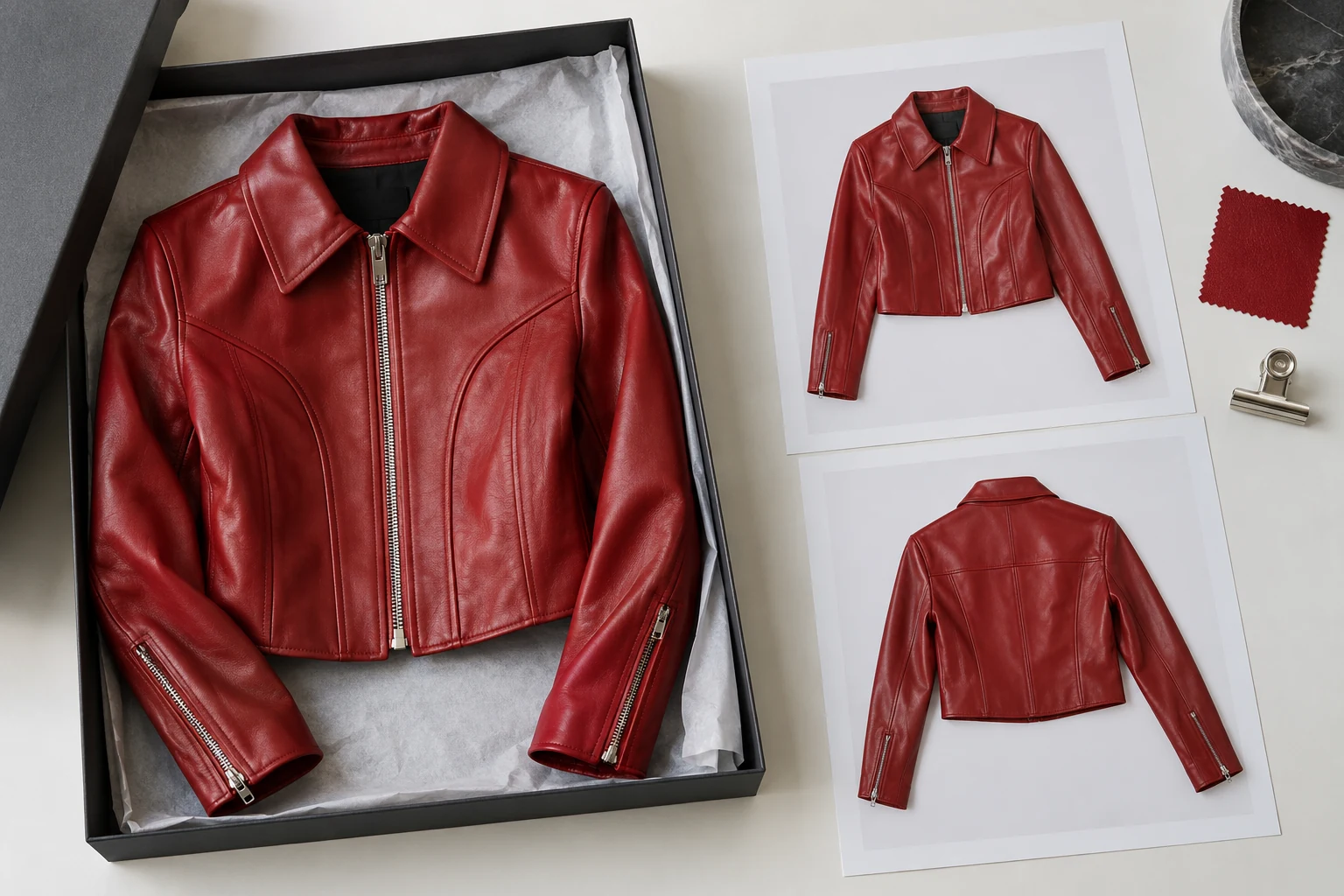
Ask for product evidence before campaign material
A supplier's styled campaign may be useful, but it is not a complete product record. Ask first for files that let you identify the exact garment and verify its details. A cropped photograph of an outfit can conceal whether the item has pockets, how the hem is finished, or whether an accessory is included. Those gaps travel downstream into retouching, generated images and product descriptions.
Separate three things in your request: images that establish the product, optional images that suggest a visual direction, and written product facts. A mood reference should never stand in for a missing back view. The photos should agree with the product specification, but neither should be silently corrected by guessing from the other.
Send a sample handoff for one product before asking for the whole collection. A small test gives both sides a chance to catch mismatched identifiers or a delivery format your team cannot use. It also gives the supplier a concrete example of what “complete” means, instead of another paragraph of aesthetic preferences.
Copy this into your next supplier brief
Identify the exact item
Provide our product identifier, your style code, colour name and colour code, plus the size photographed. Flag any sample that differs from the version customers will receive. One shared manifest should connect those identifiers.
Show the relevant construction
Send an unobstructed full front and back where available, plus the detail that distinguishes this item: fastening, embroidery, print, lining or hem. Tell us which views you cannot provide so we can arrange a sample shoot.
Send usable originals
Supply the original, sharp image files in a downloadable folder. Avoid screenshots, collages and files compressed by messaging apps. For Glammo AI, prepare JPG, PNG or WebP copies no larger than 10 MB each; keep larger originals separately.
Explain styling and alterations
Tell us if the garment was pinned, clipped, tucked, altered or photographed with an accessory not included in the sale. Identify any visible sample defect or known colour cast instead of editing it away without explanation.
Confirm permitted use
Confirm who supplied the images and which uses have been agreed, including editing or AI-assisted image creation if intended. Identify any restrictions involving the photographer, model, brand marks or sales channels. Keep the written confirmation with the files.
Agree the return path
Name the delivery contact, deadline, person who checks the files and time allowed for corrections. Ask for a missing-file list rather than treating a partly uploaded folder as a completed delivery.
Make the names do useful work
A hypothetical filename is SH042_sage_M_back_v01.jpg: style, colour, photographed size, view and version. Use the same identifiers in the manifest and product record. The naming convention does not have to look exactly like this; it has to mean the same thing to the supplier, the content operator and the person publishing the store.
Keep source files unchanged in an originals folder. Put prepared inputs and final images in separate folders, with the source filename recorded in the manifest. If a supplier replaces a file, ask for a new version rather than allowing two different images to share the same name. That makes it possible to trace an incorrect detail back to the right reference.
For colour variants, require a separate reference for each colour you intend to show. A written colour name is useful identification, not evidence of its precise appearance. Avoid asking a tool to turn one garment into an unphotographed variant and then treating that result as a checked product image.
Accept, query or hold each delivery
When files arrive, check them against the manifest before anyone starts creative work. Open the originals, inspect the garment edges and identifying details, and confirm that the front and back are the same item and colour. Mark each product accepted, query or hold. A mixed delivery can move forward product by product; it does not need an all-or-nothing decision.
Make corrections specific. “Please resend the back of SH042 in sage; the current file has a different collar” gives the supplier an action. “Photos aren't good enough” does not. Attach the relevant filenames and keep all requested changes in one reply so the supplier does not have to reconstruct the brief from several conversations.
Glammo labels each upload with its photo type; it does not certify quality, permissions or product accuracy. Once accepted source files are uploaded, check the label and correct it when needed. Keep your manifest outside the generation workflow so it remains your source record regardless of which production tool you use. What makes a good source photo
Close the loop before the next collection
After the first delivery, record which requests caused confusion. If the supplier consistently forgets photographed sizes, move that field into the filename example. If back images are unavailable, agree a sample deadline before the next launch. Fix the brief once instead of having the same conversation for every collection.
Give the person receiving the files permission to hold incomplete products. Otherwise the deadline turns missing evidence into a creative emergency, and the final reviewer inherits a problem that should have been resolved at intake. A good handoff ends with a clear answer: these products are ready, these need clarification, and this person owns the next step.
Read next
Your next drop. Make it a moment.
Try Glammo free with 10 credits. No card required.