Source photos
The source photo checklist: what works, what fails
The source photo establishes what Glammo AI can see about your product. Clear edges, readable details and even light give you a better reference for both generation and review. Fix missing information at the source before spending time on new compositions.
Glammo AI3 min read
Updated
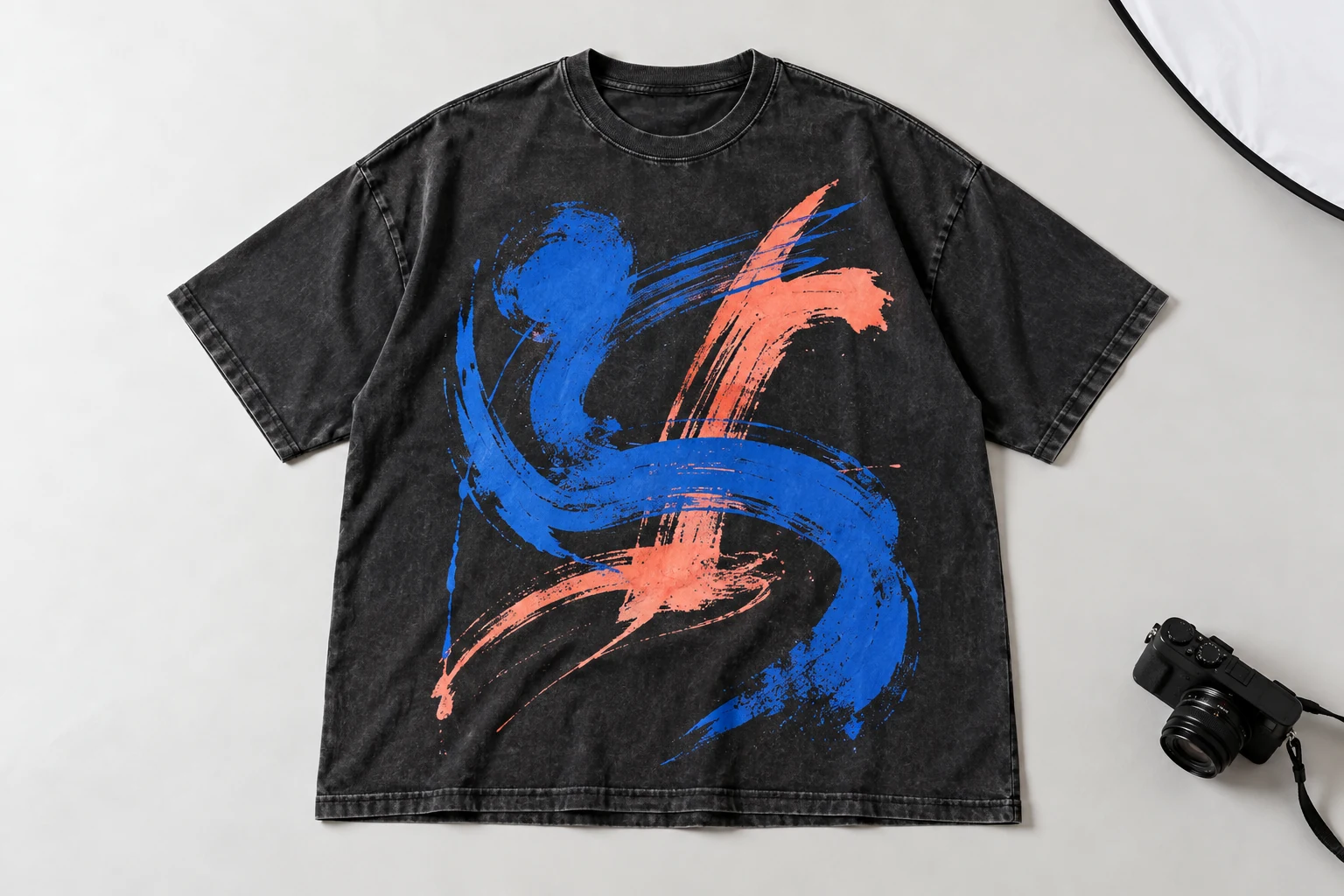
Works
Flat lays and hanging garments
Whole garment, flat not folded, even light, plain background.
Mannequin and ghost-mannequin shots
Useful when the whole garment is visible and the form does not hide the neckline, sleeves or hem. They show more shape than a flat lay, but do not establish measured fit.
On-model supplier photos
Use a photo you have permission to work with. Keep the whole garment visible; Glammo can create a new modelled composition, but the result still needs a detail and silhouette check.
Sharp, large, colour-true files
JPG, PNG or WebP, up to 10 MB per photo. Choose a sharp original with readable details instead of a screenshot or compressed preview.
Causes problems
Cropped garments
A missing hem or sleeve becomes a guessed hem or sleeve.
Heavy wrinkles
Wrinkles can carry into the result as if they were part of the garment.
Busy backgrounds
Patterns and clutter compete with the garment edge.
Low resolution or blur
Blur and compression can hide small print and trims. A larger export cannot restore evidence that was never captured.
Unsupported categories
Glammo supports adult apparel for on-model imagery. Kidswear is supported in garment-only Packshots. Footwear, jewellery, bags and eyewear are not supported.
Why the photo matters
A cropped hem, hidden fastening or colour cast can carry into a generated result. Before uploading, compare the file with the physical item or a reliable supplier reference and check that it represents the exact colour and version you sell.
Check the source at full size, not just as a thumbnail. Read any text, count visible fastenings and inspect the outline. If the reverse contains an important design, collect a real reverse-view reference instead of expecting a front image to supply it.
Fix it before you upload
| Problem | Fix |
|---|---|
| Hem or sleeve cropped | Reshoot with the whole garment in frame |
| Wrinkled fabric | Steam and lay flat; wait for the fabric to settle |
| Uneven or tinted light | Use diffuse, even light and check white balance against the real garment |
| Pins and clips visible | Remove or conceal them without hiding or distorting the garment, then reshoot |
| Tiny export | Request the sharp original, within the 10 MB upload limit |
Check the photo type
Each upload shows its photo type on the product card. If it's wrong, tap it and choose the right one.
Common questions
What resolution should my source be?
Use a sharp original in JPG, PNG or WebP, up to 10 MB. Check whether the smallest relevant print or trim is readable at full size. File dimensions alone do not guarantee useful detail.
Can I upload a photo with multiple garments?
A single clearly visible product is easier to review. If a photo contains an outfit, make sure you understand which garment is the intended subject and check the result for unwanted styling items.
Do uploads cost credits?
Uploading a photo is free. A completed image or edit uses one credit; a four-second video uses five. Credits return automatically for failed generations, but a completed image still uses credits if you decide not to publish it.
Read next
Your next drop. Make it a moment.
Try Glammo free with 10 credits. No card required.