Clean packshots from any product photo
Many product grids, and some marketplaces, want the garment on its own: no person, no mannequin, no props. Glammo AI's Packshots takes any photo of your product, even one with a model in it, and returns the garment alone, laid flat or floating, on a clean background.
Try Glammo free with 10 credits. No card required.
Just the garment
Creative study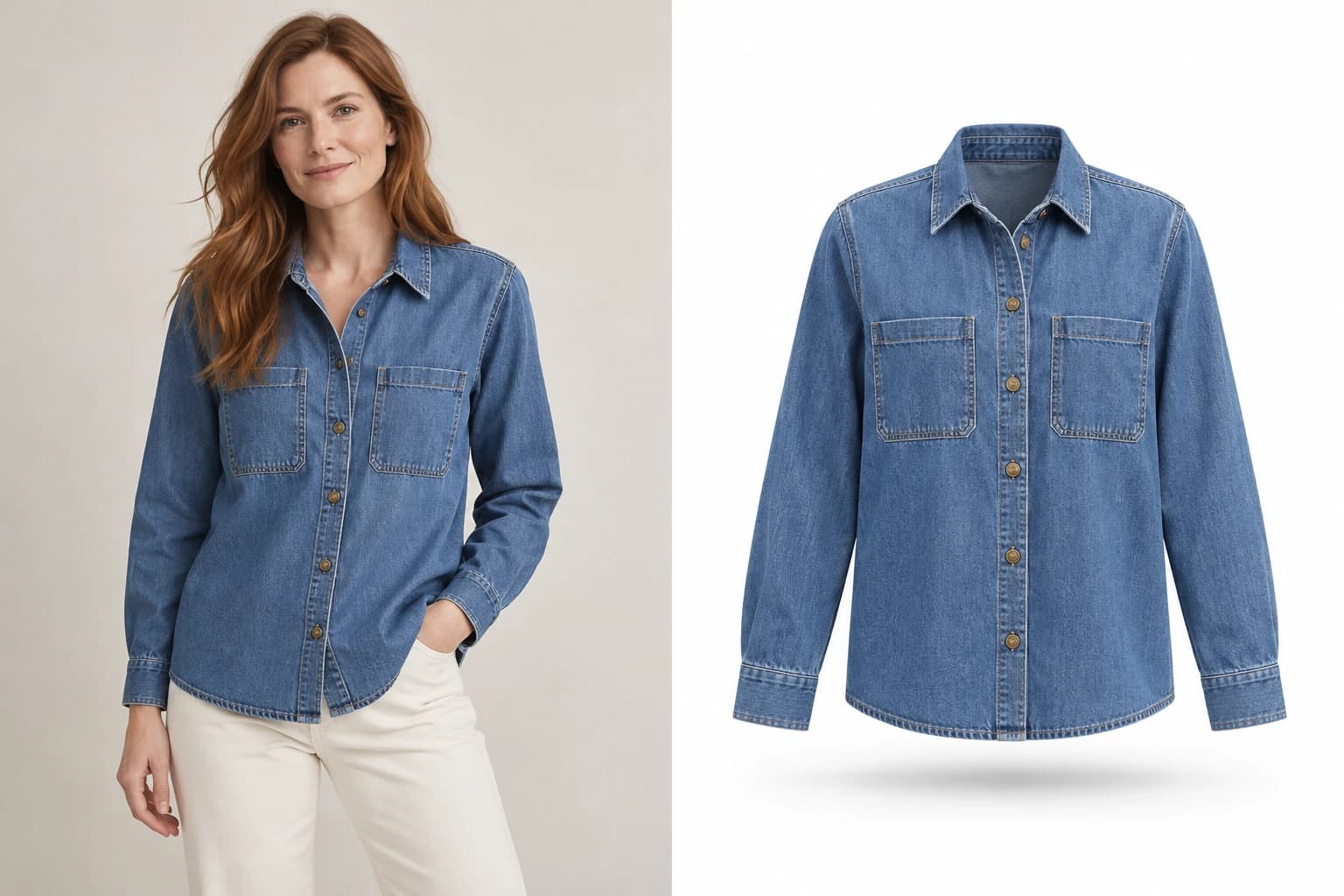
- 01On-model photo
- 02Floating packshot
- Presentation
- Floating
- Background
- White
One garment, nothing else
A packshot is the plainest, most useful product photo: the garment, evenly lit, on a clean background. Marketplaces often ask for one, and a grid of them makes a collection easy to compare.
Packshots gives you the garment by itself, with your colour, print, and logos as photographed, ready for a marketplace listing or a clean collection grid.
Choose the presentation
Flat lay
A clean, top-down layout with natural folds and even margins.
Floating
Front-facing with natural volume, like a ghost-mannequin shot.
Background
Pure white, warm ivory or light grey.
Shadow
A soft contact shadow, or none at all.
How it works
- 01
Open Packshots
In Studio, open the Packshots tab and add product photos of any type, or choose a finished Glammo image.
- 02
Set the presentation
Flat lay or floating, background and shadow, under Presentation. Add a note if an outfit should become a single garment.
- 03
Generate
One credit a packshot, square by default. Your shoot page opens at once and fills in as each image is saved.
- 04
Review and download
Check colour and print against the source, then download the set.
On-model shoot or Packshots?
| On-model shoot | Packshots |
|---|---|
| Your product on a Glammo model | Your product on its own |
| Product pages, lookbooks and social | Marketplaces, grids and size guides |
| Adult apparel | All apparel, kidswear included |
| 4:5 by default | 1:1 by default |
Kidswear belongs here
Glammo never puts children's clothing on a model. Kidswear works in Packshots, as clean garment-only images.
Common questions
Can I make a packshot from a photo of someone wearing the garment?
Yes. The person is removed and only the garment is kept. Anything the photo hides, such as the back, can't be shown, so check each packshot against the source.
Can I use a finished Glammo image as the source?
Yes. Choose it as the source photo in Packshots, and the garment is lifted from the finished image.
Are packshots marketplace-ready?
Pure white backgrounds are there for marketplaces that require them. Each marketplace has its own image rules, so check them before you list.
How much does a packshot cost?
One credit each, the same as an on-model image. Failed generations cost nothing.
Read next
Your next drop. Make it a moment.
Try Glammo free with 10 credits. No card required.