Reshoot existing model photos with a new model
If your supplier shot the garment on a person, that photo is a great source. It's also the exact photo your competitors use. A reshoot keeps the garment and its fit, and changes everything around it.
Try Glammo free with 10 credits. No card required.
Same piece. A new perspective.
Creative study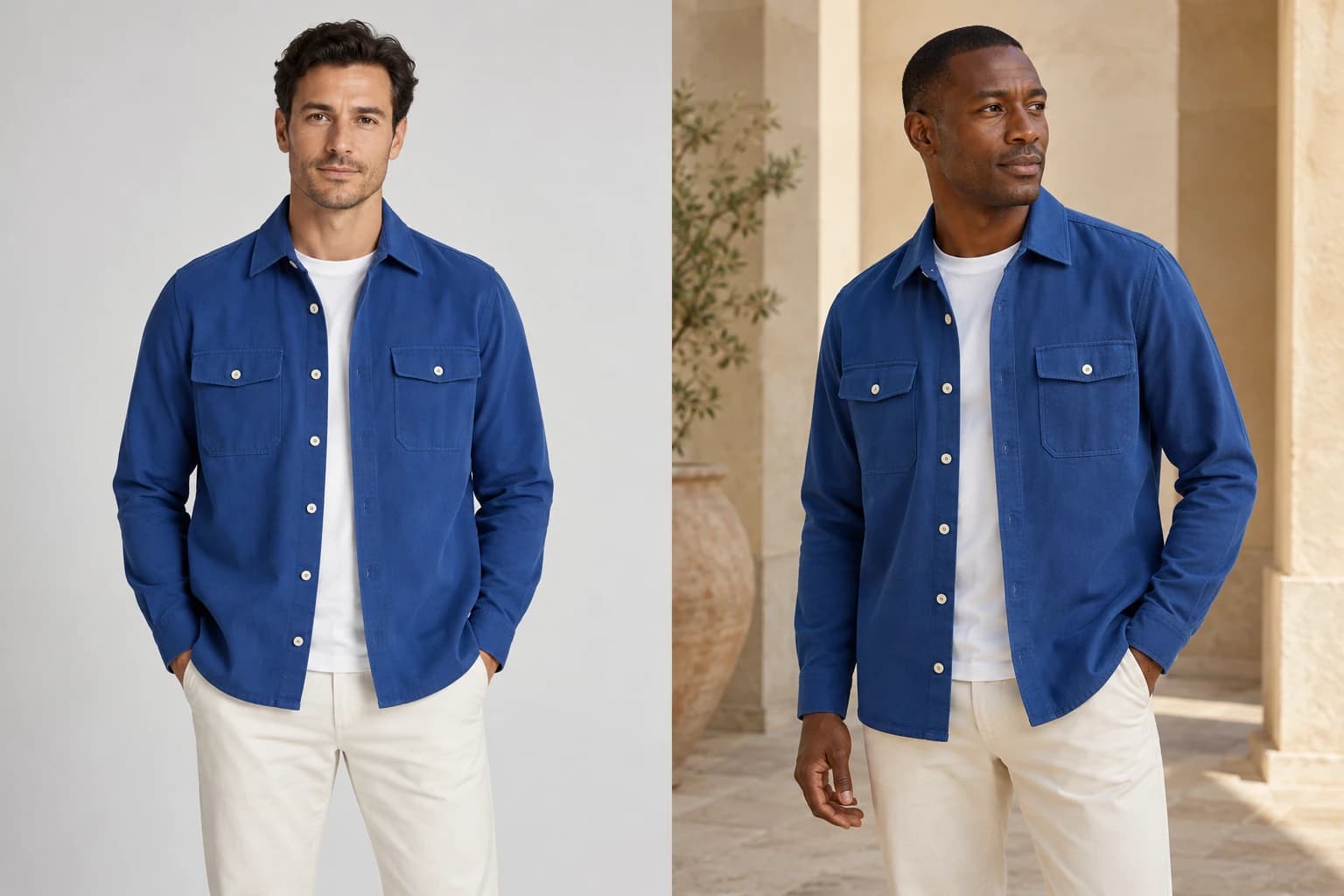
- 01Existing model photo
- 02New cast & setting
Model to model, garment to garment
A photo of the garment being worn already shows its fit and drape. A reshoot keeps all of that and puts it on a fictional, AI-generated model of your choice, kept consistent across your catalogue. Check each image as it comes in.
The original person isn't meant to appear: Glammo AI is built not to copy their face, body, or likeness. Only the garment and its fit carry over. Check each frame, and discard any that resembles them.
You decide how much of the original pose survives. Keep it, or choose catalogue poses and let the source softly guide the drape.
Two ways to handle the original pose
Keep the original pose
An option under Poses when every photo in the shoot is on-model. The model takes a similar natural pose with the same garment orientation: one image per photo and model, closest to the original.
Choose new poses
The default. Library poses lead, and the source's drape softly informs how the garment behaves. Best when you want a full set of angles from one photo.
How it works
- 01
Upload the supplier photo
In Studio, choose On-model shoot and add the photo, or a whole collection of them.
- 02
Choose your model
Pick from the cast — or, with Pro or Studio, a custom model that only your store uses.
- 03
Set the scene and poses
Auto-generate a scene for the product or reuse a saved one. Keep the original pose, or choose new ones.
- 04
Review and download
Compare against the supplier photo, then download. The garment is the one you sell; the photo is finally yours.
When to reshoot
The supplier photo is on a hundred other stores
The background or styling is off-brand
Your catalogue mixes different models and lighting
You need more angles than the supplier shot
A note on likeness
Glammo models are fictional, AI-generated adults. A reshoot is built not to reproduce the person in your photo. Check each frame before you publish it.
Common questions
Will the result look like the original model?
It shouldn't. Glammo is built not to reproduce the person in your photo; only the garment and its fit carry over. The image shows the fictional, AI-generated model you chose, so discard any frame that looks too close.
Can I change only the background and keep the pose?
Yes. Under Poses, choose Keep the original pose (offered when every photo is on-model), then pick a scene. The pose stays close to the original while the setting changes.
Does it work with lifestyle photos that have props?
Yes, as long as the garment is clearly visible. Props and other people in the source aren't meant to carry into the frame.
What about photos that crop the model at the waist?
A cropped source limits the frames to what it shows. Portrait and detail crops work well; full-body frames need a full-body source.
Read next
Your next drop. Make it a moment.
Try Glammo free with 10 credits. No card required.