Garment review
How to review garment fidelity in AI product photos
A convincing fashion image still needs to represent the product you sell. Check colour, print, construction and silhouette against the source before approving a frame. Here is a practical review process for spotting changes and deciding what to do next.
Glammo AI4 min read
Updated
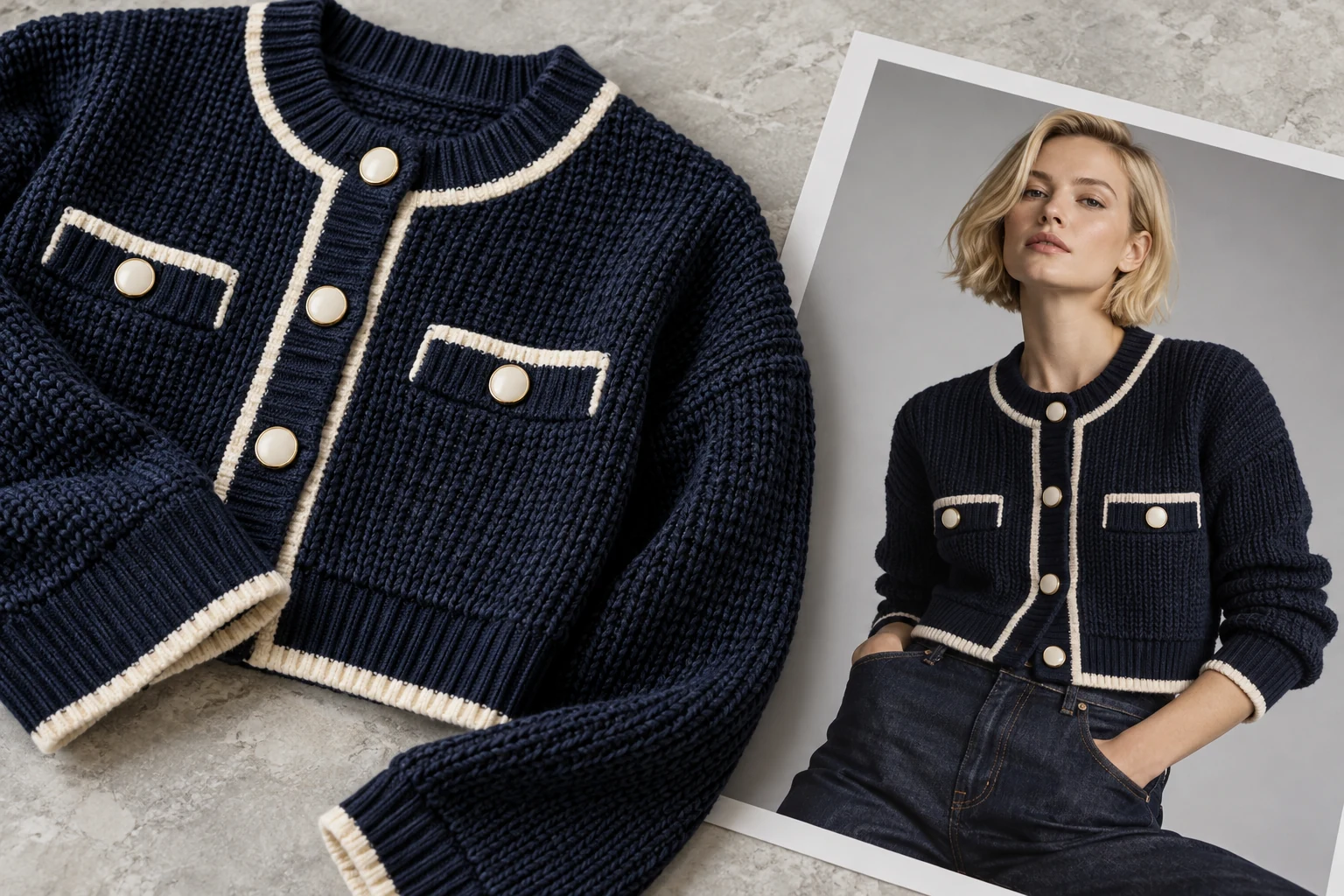
The garment comes first
A good-looking image of the wrong garment is worse than no image. Glammo AI is built around one job: your product should look like your product, in a setting it was never photographed in.
That includes colour and print, plus details such as the neckline, hem, buttons and visible texture. Glammo uses your garment photo as a reference and is built to preserve those details, but generated images can alter them. Treat preservation as something to inspect in the result.
Check these details against your source
AI can still miss a detail, so compare each frame with your original before you publish it.
Colour and visible surface
Look for unwanted colour shifts or invented sheen, texture or transparency. Use a real close-up when a finish is important to the purchase.
Print and logo
Read the text and compare position, scale and line breaks. A plausible-looking logo can still be wrong.
Trims and fastenings
Count visible buttons, inspect pocket placement and compare piping or hardware with the original.
Neckline, sleeves and hem
Check that the shape and length have not changed with the new pose or crop.
Silhouette and styling
Look for invented layers, accessories or changes in drape. A modelled image does not establish measurements or fit.
The review loop
- 01
Compare with the source
Check the whole composition, then zoom in on print, construction and edges. Use the original source rather than an earlier generated draft as your reference.
- 02
Edit what's small
Request a hand correction, a cleaner background, a softer shadow or a different crop — one credit per delivered edit. Review the garment again after each change.
- 03
Redo what's wrong
Run a new shoot of just that product and pose — one credit — instead of the whole batch.
- 04
Download what's right
Download accepted frames on a paid plan and add them to your store. A completed image uses credits even if you reject it; failed generations return credits automatically.
What an edit can and can't do
| You can request | Keep as the reference |
|---|---|
| Correct a hand or face artefact | The model's identity |
| Clean or change the background | Garment colour and print |
| Adjust the crop within the same aspect ratio | Garment construction and fabric |
| Soften a shadow or change the pose | The product in your source photo |
Catalogue visualisation, not a fit guarantee
Frames visualise the garment on a model; they don't measure it. Keep your size and fit information where it is.
Give each frame a clear decision
Mark the image accepted, needs an edit, or needs a new source or draft. Record the specific issue rather than a general comment about quality. “Chest print enlarged” is a useful decision; “not quite right” is hard to act on.
A background or hand correction may be a reasonable edit request. When the garment itself is substantially wrong, first check the source and pose. Generate again only with a clear reason to expect a better reference or composition. A real product photograph remains useful when the detail cannot be represented reliably.
Review the garment again after every edit, even when the request only concerned the background. Keep the accepted filename and source together so a later campaign does not accidentally reuse an earlier rejected version.
Common questions
Will the colour shift?
It can. Compare the result with a colour-true source and, where possible, the physical product. A source with a colour cast makes that comparison harder.
What about text and logos on the garment?
Glammo is built to keep logos and prints in place, but AI can change them or soften small text. Compare those details with your source photo before publishing.
Can a frame ever add accessories or layers?
It can. Styles guide the composition but generated images may introduce unwanted accessories or layers. Reject or correct anything that obscures the garment or misrepresents what is included.
What happens when a frame is wrong?
You can request an edit, generate another draft or use a better source. A completed image or edit costs one credit, including a draft you choose not to use. Failed generations return their credits automatically.
Read next
Your next drop. Make it a moment.
Try Glammo free with 10 credits. No card required.