Flat lay to on-model product photos
The photo you have is a garment on a table. The photo your product page needs is that same garment on a person, lit and framed like the rest of your catalogue. Glammo AI makes the second from the first, without inventing what the first doesn't show.
Try Glammo free with 10 credits. No card required.
From laid out to styled
Creative study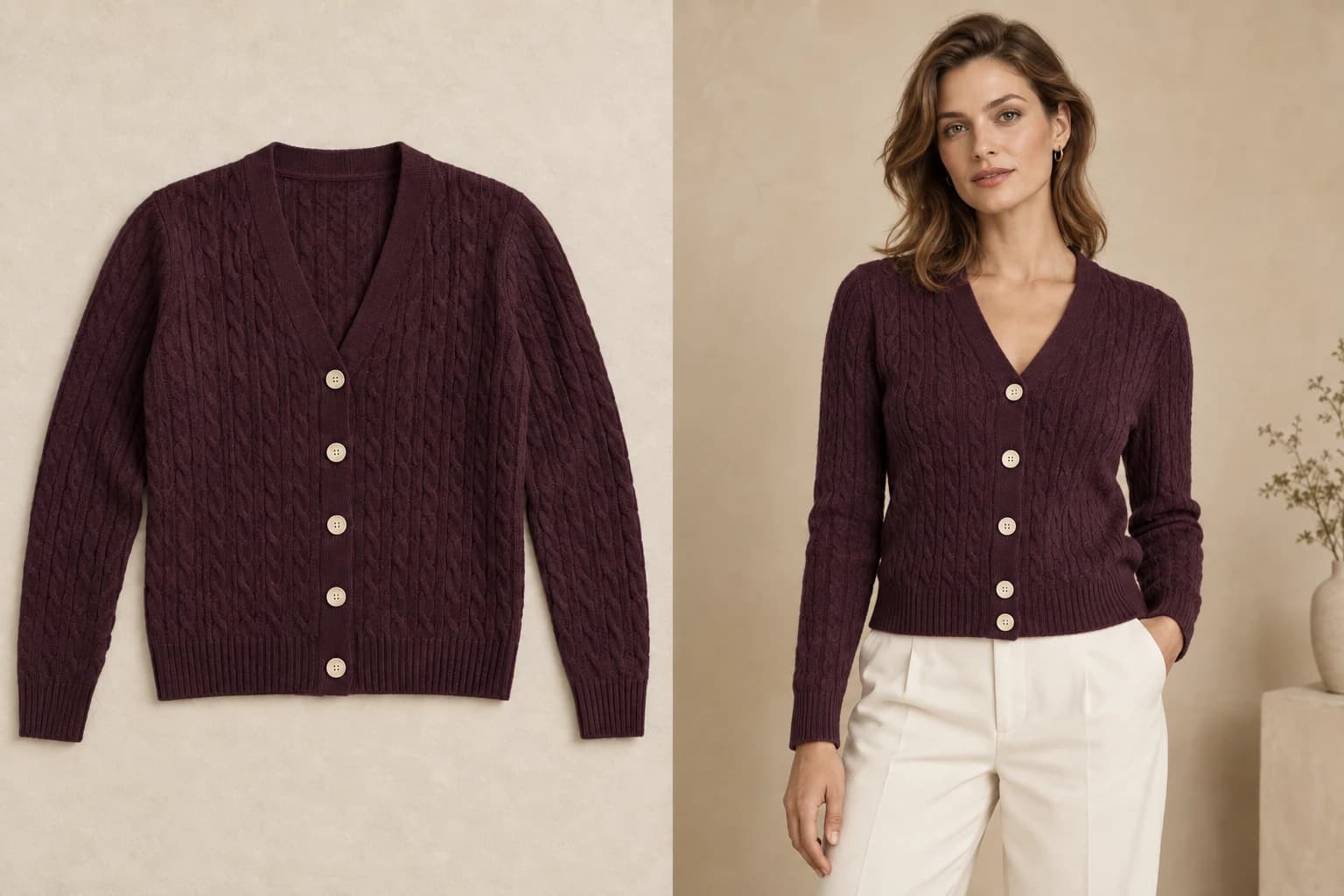
- 01Flat lay
- 02On-model direction
What a flat lay can and can't tell us
A flat lay shows colour, print placement, neckline, sleeve length, hem, seams, trims, and logos with total clarity. Those are exactly the details shoppers check, and they're what Glammo carries onto the model.
What a flat lay can't show is how the fabric hangs on a body, so Glammo keeps the fit honest: a boxy tee stays boxy, and a sweatshirt doesn't turn into knitwear. The on-model image reads as your product, not an interpretation of it.
Detail crops are where flat-lay photos shine: the neckline, the print, and the trim are already sharp in your photo, so the close-up stays sharp too.
How it works
- 01
Open Studio and upload
Choose On-model shoot and drop in the flat lay, or a whole collection of them.
- 02
Choose a model, poses, and a style
Pick a fictional, AI-generated model from the cast, then your poses and a background. Under Style, Clean PDP Studio is the product-page default.
- 03
Generate the set
From a flat lay, a product-page set is front, three-quarter and a detail crop; side and back views need a photo that shows them. Your shoot page opens at once and fills in as each frame is saved. One credit a frame.
- 04
Review, then download
Compare each frame with the flat lay, and fix a stray hand with an edit. Then download the set for your store.
What makes a good flat-lay source
Glammo works from the photo you upload, so the best results start with a good one.
The whole garment in frame
Hem to collar, both sleeves. A cropped hem is a guessed hem.
Flat, not folded
Sleeves out, front fully visible. Folded garments hide the shape Glammo needs to read.
Even light, true colour
Soft daylight or a lightbox. Warm room light shifts colour before Glammo ever sees it.
A plain background
White, grey, or a clean surface. Busy backgrounds compete with the garment edge.
Sharp and large
The larger the source, the sharper the print and trim in the detail crop. JPG, PNG, or WebP, up to 10 MB a photo.
Supplier flat lay vs Glammo frame
| Supplier flat lay | Glammo frame |
|---|---|
| A garment on a table | The same garment on a model, in your scene |
| Different lighting from every supplier | One model and one light across the catalogue |
| Print and trim visible | Your print, trim, neckline, and hem, kept as photographed |
| The same photo as every competitor's listing | Your model, your scene, your poses |
- credit per image
- 1
- frames in a flat-lay product-page set
- 3
- default product-page ratio
- 4:5
- products in one shoot
- 20
Print-on-demand sellers start here
A POD mockup is a flat lay by another name — and the strongest before-and-after in the category.
Mockup tips for print-on-demand sellersCommon questions
Will the print stay in the same place?
That's the goal of every image: print placement, scale, and colour are kept as photographed. AI can still miss a detail, so compare the frame with the source before keeping it; a detail crop makes the print easy to check.
Does it work for hoodies, dresses, and trousers?
Yes: adult apparel across tops, shirts, hoodies, dresses, trousers and activewear. Footwear, jewellery, bags and eyewear aren't supported. Kidswear is never put on a model; it works in Packshots, as garment-only images.
Can I mix flat lays with other photos in one shoot?
Yes. On-model shoot takes flat lays, mannequin and on-model photos together, and handles each one by its own type.
What about the back of the garment?
A front flat lay can't show the back, so back and side views aren't offered from flat lays. If the back has print or detail that matters, photograph it on a mannequin or a person and upload that as its own source.
My garment is photographed on a hanger. Is that a flat lay?
Yes. A garment on a hanger works just like a flat lay.
Read next
Your next drop. Make it a moment.
Try Glammo free with 10 credits. No card required.