Product pages
How to plan a product-page photoshoot for apparel
A product page should help someone judge a garment they can't touch. Build the shot list around their questions: what does it look like, what details matter, and what does the source actually show? A small, considered set is a useful starting point.
Glammo AI4 min read
Updated
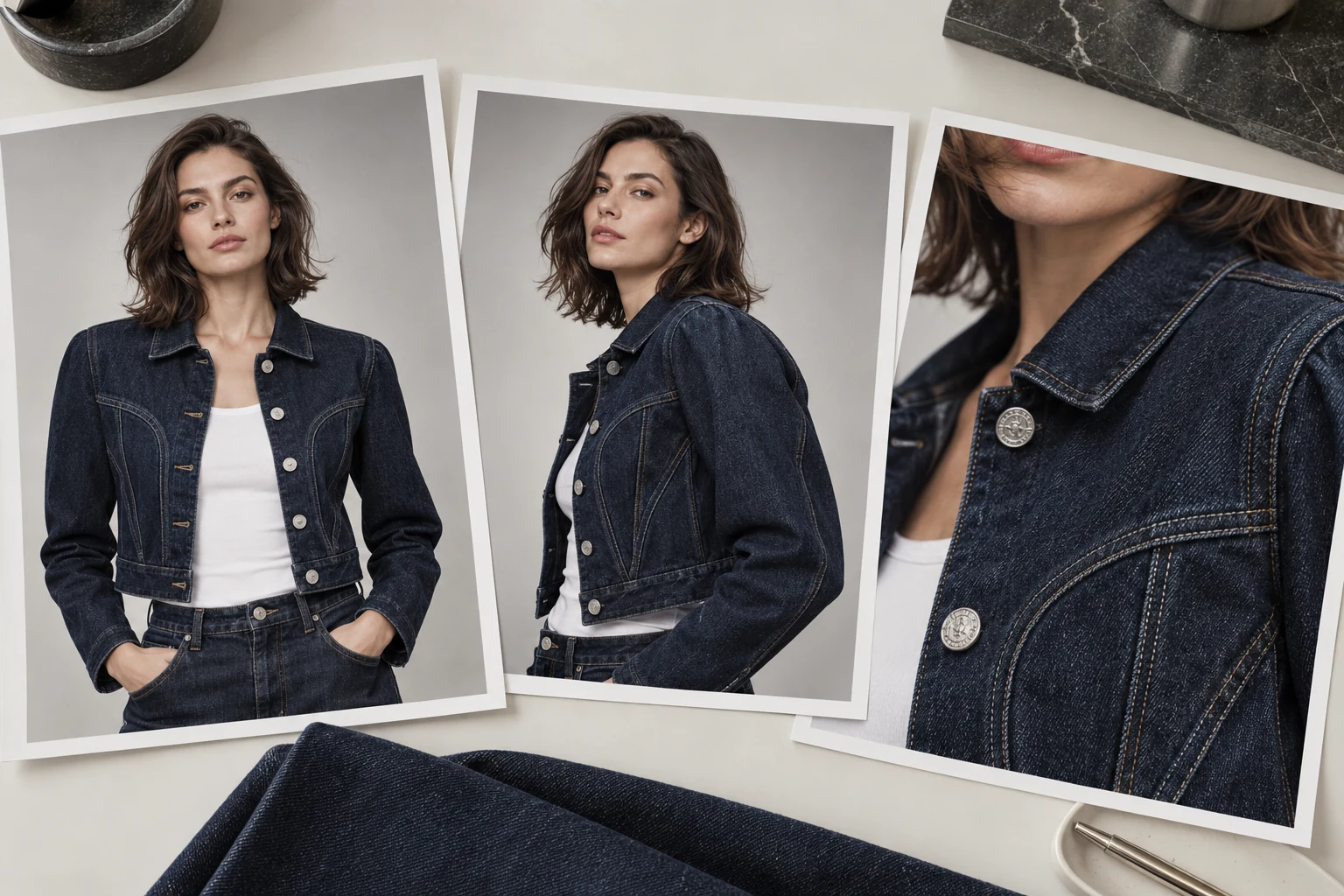
Four useful views to consider
Adapt this starting list to the garment and the photographs you have. Not every product needs every view.
A clear front view
Show the complete garment at a size that reads in the product grid. Full body can suit trousers or dresses; a closer crop may serve a jacket better.
Three-quarter
Add a different perspective when it reveals something useful about the shape, sleeves or neckline.
Side or back, when supported
Use a real reference for important details on the reverse. A front-only photo does not establish a back print, fastening or seam.
A meaningful detail
Choose a print, trim, fastening or fabric feature worth inspecting. Use a real close-up when the exact finish matters; an AI crop is not evidence of material composition.
Order and ratio
Choose the image ratio against your actual storefront theme and test its product-card crop on mobile. Glammo AI offers 4:5 as one option, but there is no single ratio that suits every theme. Keep the accepted gallery consistent where possible without cutting off relevant garment details.
Lead with the view that identifies the product most clearly. Follow with images that answer new questions. A back print may deserve the second position; a basic tee may need fewer angles than an elaborate dress. Keep measured size and fabric information in the product description.
Consistency rules across the catalogue
Reuse a model and scene when they suit the collection
Keep lighting and background direction consistent, then compare the results
Check crop height and garment scale across the product grid
Give each additional view a clear purpose
Do it in Glammo
- 01
Open Studio → On-model shoot
Add your product photos and choose the model you'll use for the whole collection.
- 02
Pick the poses and a background
Choose the useful views your source supports. A greyed-out pose needs more information than the photo provides. Use a clean studio background when you want the garment to lead.
- 03
Choose the style, then Generate
Under Style, choose Clean PDP Studio and your intended ratio. Each completed image costs one credit, so four completed frames use four credits. Allow for review and any additional drafts.
- 04
Review in Gallery and download
Compare each finished frame with your source. Download accepted images on a paid plan, then upload them to your store and check the live gallery.
Do and don't
| Do | Don't |
|---|---|
| Keep the whole garment in the identifying view | Let a hand or crop hide the feature being sold |
| Choose each additional image to answer a question | Add near-duplicates just to reach a file count |
| Compare the set at phone and full-screen size | Approve only a small thumbnail |
| Use source photographs to verify construction | Treat an invented back view as product evidence |
Common questions
How many images does a product page need?
Start with a clear front view and add the angles or details this garment needs. Four views can be a planning template, but the useful number depends on the product and the information already available.
Do I need a white background?
Your own store can use a background that suits its design. Marketplace rules vary by platform, category and image position, so check those requirements separately.
Which frames work for trousers?
Consider a complete front view, a side or three-quarter view when supported, and an actual close-up of the waistband or hem. Check that the images do not imply measured fit or dimensions.
Read next
Your next drop. Make it a moment.
Try Glammo free with 10 credits. No card required.