Put clothes on AI models from one photo
To put clothes on AI models, upload a photo of the garment to Glammo AI and choose a model: the garment then appears on a fictional adult AI model, in a scene you pick. Glammo is built to keep its colour, print and construction, and a flat lay, hanger shot, mannequin photo, supplier photo or print-on-demand mockup can all be the starting photo.
Try Glammo free with 10 credits. No card required.
What happens to a T-shirt photographed on a table?
An olive T-shirt with a small sun motif on the chest was laid flat on a wooden table and photographed from above. These frames put it on a model on wide concrete steps.
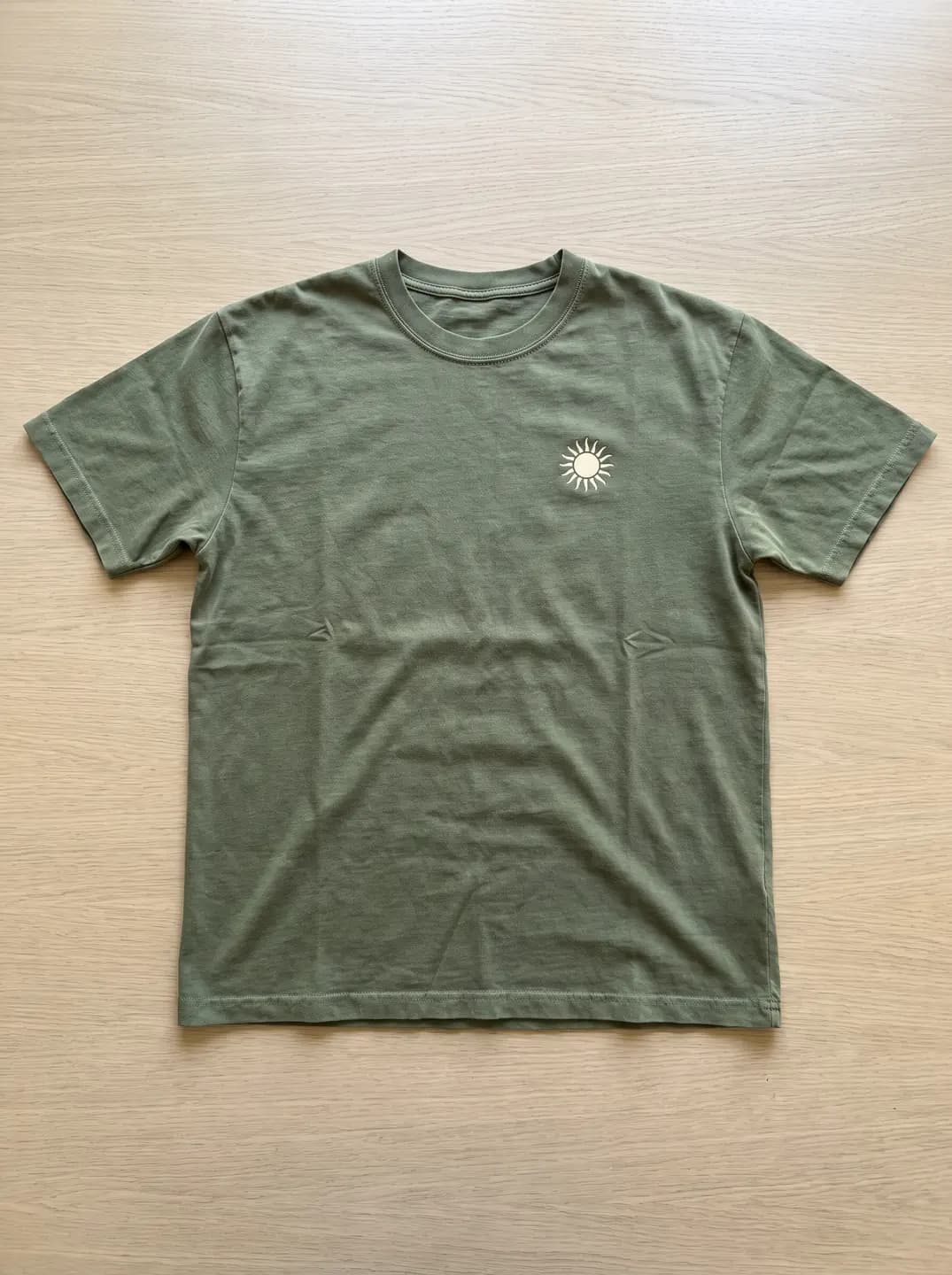
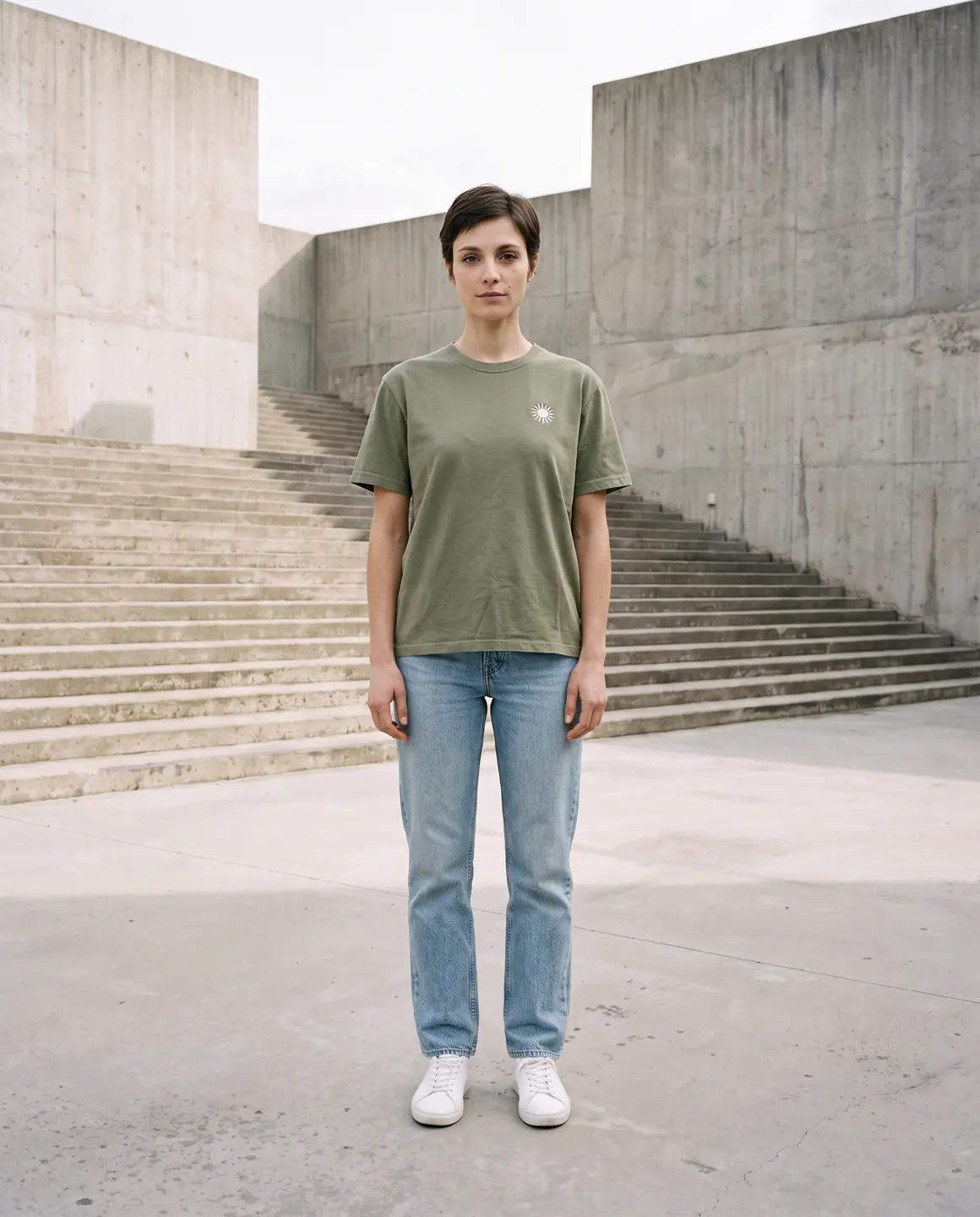
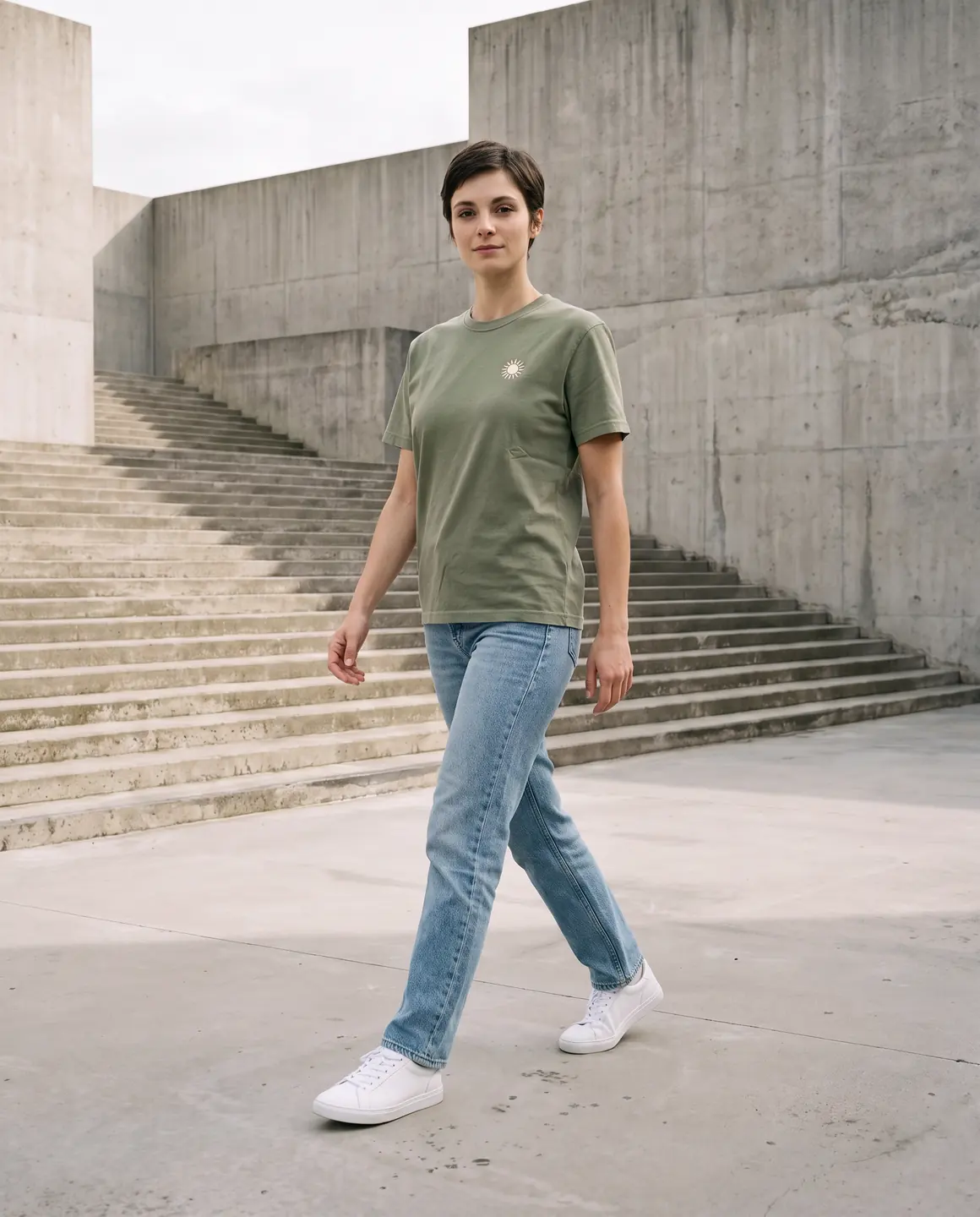
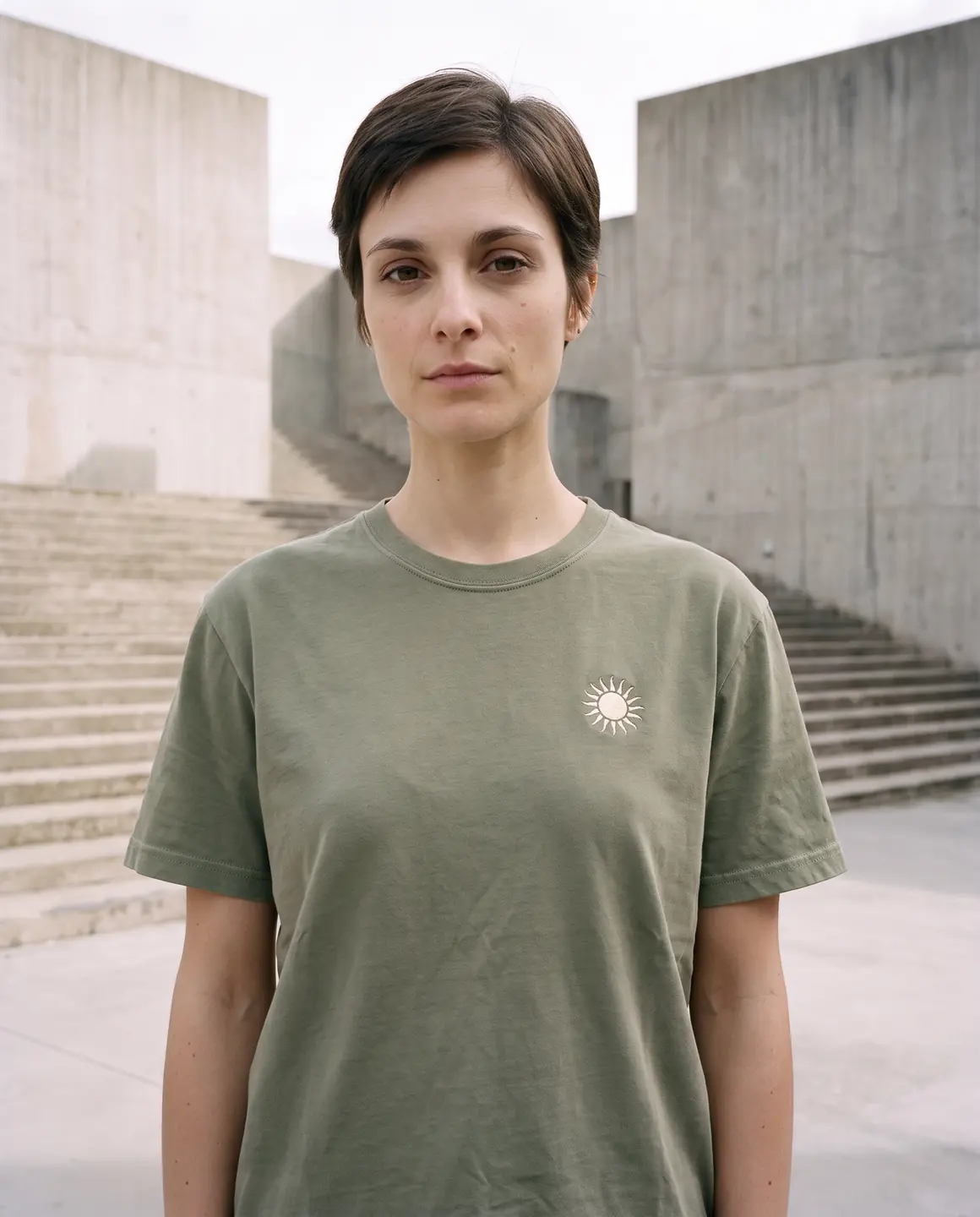
A sample photo and images made from it. Models are fictional and AI-generated.
How do you put clothes on an AI model?
Four steps take a garment from your photo to a finished image.
- 01
Photograph the whole garment
Lay it flat, hang it or dress a mannequin, and take one sharp photo from collar to hem in even light.
- 02
Upload and choose a model
Add the photo to an on-model shoot and pick one of 60 fictional adult AI models.
- 03
Pick a scene and frames
Choose the setting, from a plain studio to a city street, and the frames you need: full length, another angle or a detail.
- 04
Check, then download
Compare the result with your photo, fix anything that's off, and download the image on a paid plan.
Which photos work for putting clothes on AI models?
Each of these starting photos works. The tips help the garment's details come through clearly.
| Photo you have | Works? | Tip |
|---|---|---|
| Flat lay | Yes | Smooth the fabric and lay the sleeves out so the full shape shows. |
| Hanger shot | Yes | Use a slim hanger against a plain wall, with nothing covering the neckline. |
| Mannequin or dress form | Yes | A good choice for coats, tailoring and dresses that hold their shape. |
| Ghost mannequin | Yes | Shows the garment's shape in three dimensions, with no form in view. |
| Supplier photo on a model | Yes | Your chosen model replaces the person shown, because Glammo is built not to reproduce them. |
| Print-on-demand mockup | Yes | Export the biggest front view available, on a plain background. |
| Screenshot or collage | Avoid | Crops, overlays and compression hide edges and details you'll need to check. |
What should you check on the finished image?
Put the result beside your photo and work down the garment from neckline to hem.
Colour
Compare on a bright, well-lit screen. Dark navy, black and marled grey deserve a second look.
Print placement and scale
A chest print should sit at the same height and size as in your photo, and the right way round.
Collar, buttons and zips
Count the buttons, follow the zip and check the collar shape. Small hardware needs a close look.
Length at the hem and cuffs
A cropped top should stay cropped and a midi should stay midi. Check where the cuffs end, too.
Logos and lettering
Read any text letter by letter and compare brand marks with the original.
Fabric texture
Ribbing, cable knits, faded denim and satin sheen should look like your photo.
What can't you put on an AI model?
Footwear, jewellery, bags and eyewear
Glammo doesn't support these. It's built for adult clothing.
Children's clothing
Kidswear becomes garment-only packshots on white, ivory or light grey and never goes on a model. Images of children are never made.
A photo of a real person
Glammo dresses its fictional adult AI models, not photos of you or anyone else. If your photo shows someone wearing the garment, the result shows the model you chose.
A size recommendation
The image shows how the garment looks on a model. It doesn't tell a shopper which size to order.
Common questions
How do I put clothes on an AI model?
Upload a clear photo of the garment to Glammo, choose a fictional adult AI model and a scene, and generate the image. Check the result against your photo, then download the image on a paid plan.
Can I put clothes on an AI model from a flat lay?
Yes. Glammo works from flat lays as well as hanger, mannequin, supplier and mockup photos. Lay the garment smooth with the sleeves out and photograph it from directly above.
Can I put clothes on a photo of myself?
No. Glammo puts garments on fictional adult AI models only and is built not to reproduce the person in a source photo. To show your clothes on a person, choose a model from the cast, or create your own on Pro or Studio.
How much does it cost to put clothes on an AI model?
Each on-model image on Glammo costs 1 credit. A new account gets 10 free credits once, with no card, and downloads come with a paid plan from $19 a month.
Can AI models wear shoes, jewellery or bags?
No. Glammo doesn't support footwear, jewellery, bags or eyewear. Glammo works with adult clothing, and with kidswear only as garment-only packshots.
Will the clothes on the AI model look exactly like mine?
Glammo is built to keep your garment's colour, print and construction, though AI can miss a small detail. Compare each image with the garment before you publish, and remake any frame that doesn't match.
Read next
Bring one garment photo. See it on a model for free.
Try Glammo free with 10 credits. No card required.