Kidswear packshots from any product photo
Glammo AI turns a photo of children's clothing into a clean, garment-only packshot on white, ivory or grey, and it never puts kidswear on a model.
Try Glammo free with 10 credits. No card required.
From your photo to a packshot
A packshot shows the garment on its own: no model, no mannequin, just the clothing on a clean background.
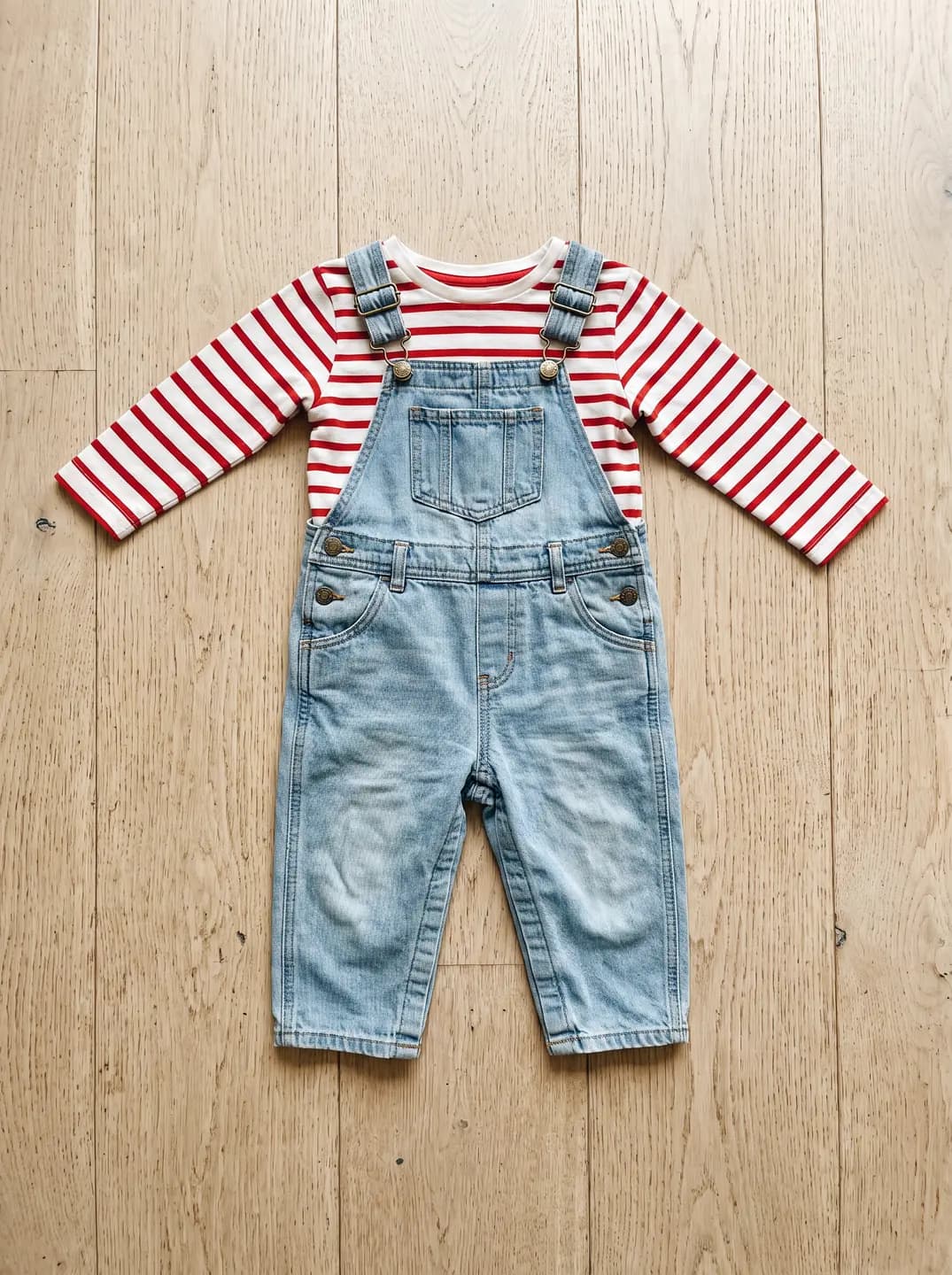
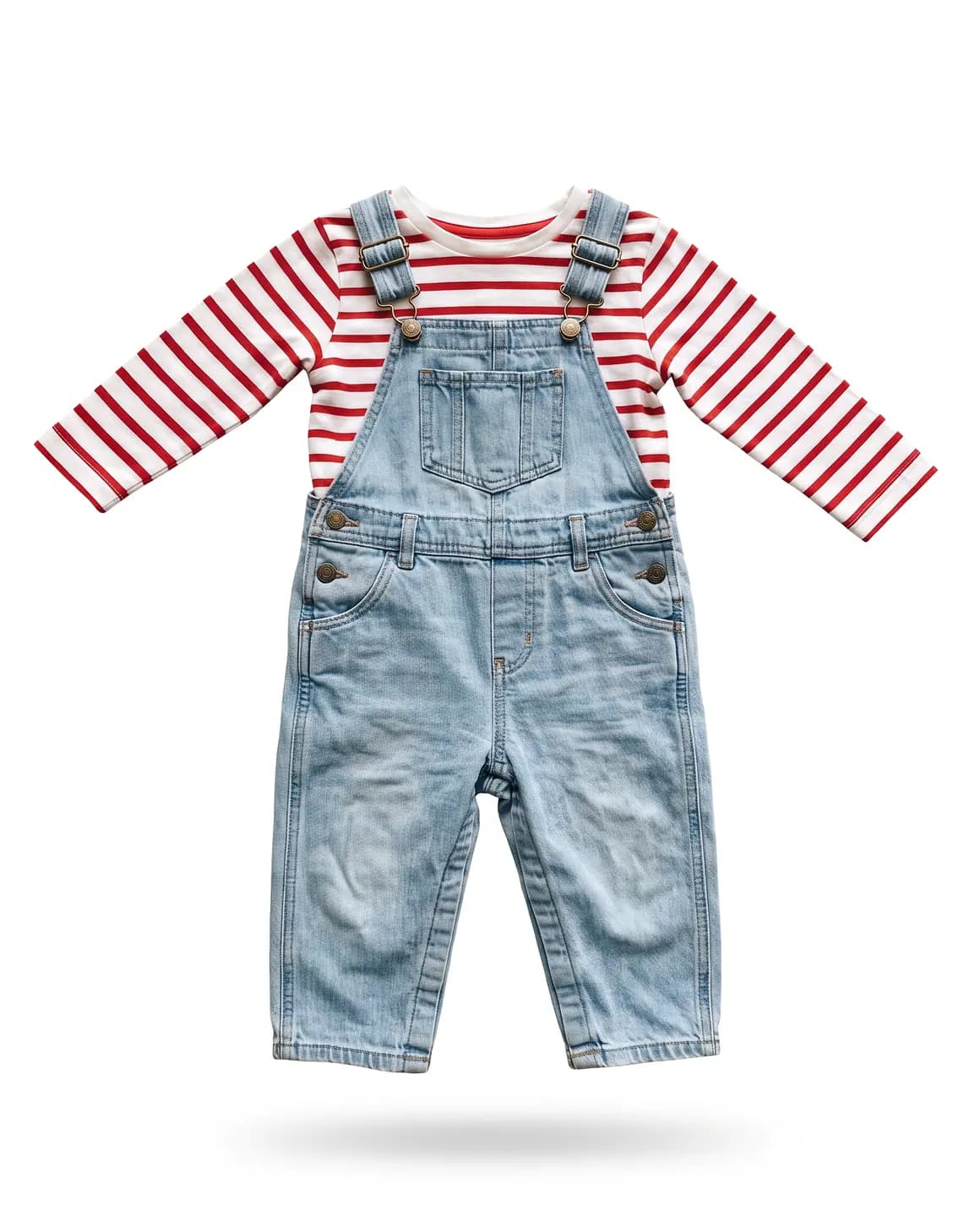
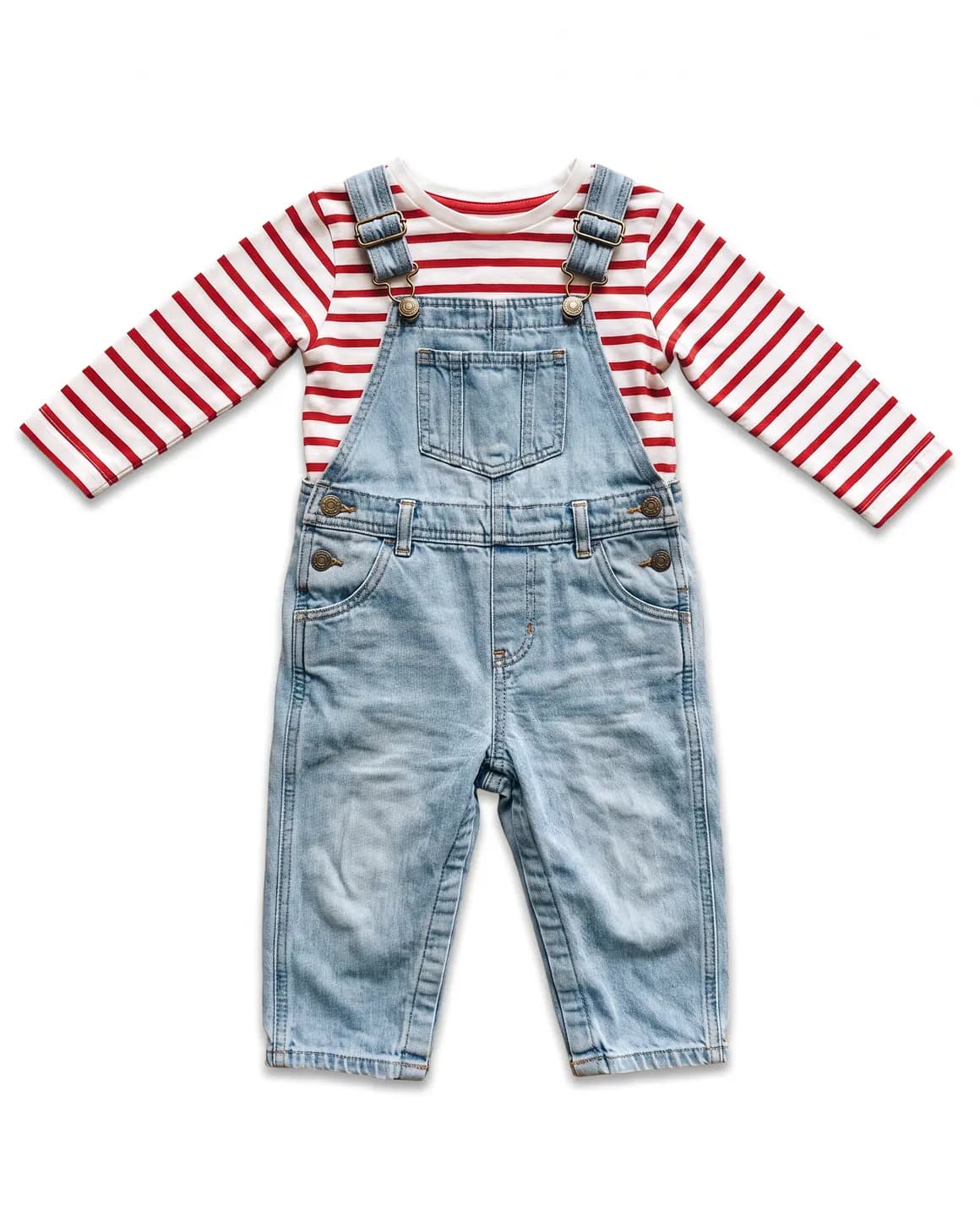
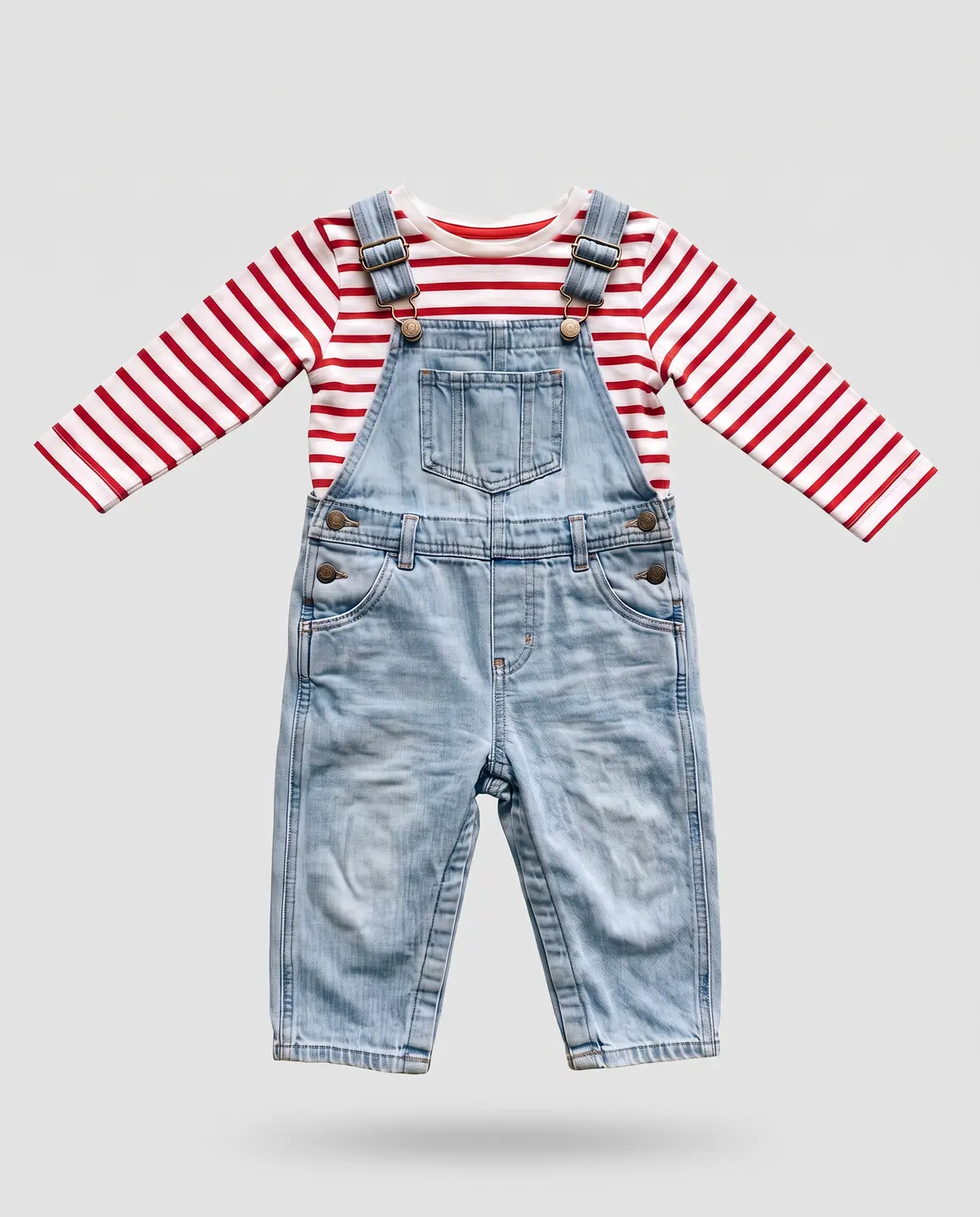
A sample photo and images made from it. Models are fictional and AI-generated.
Which photos work best for kidswear packshots
We don't create images of children, under any circumstances. It's a safety line we hold for every account, so kidswear is always shown as the garment on its own. Here's how to give it the best start.
Start from a flat lay or a hanger shot
Lay the piece flat on a plain surface, or hang it against a plain wall. Both make clean packshots.
Shoot the whole garment
Keep sleeves, hems and any feet or mitts on sleepsuits fully in frame, with space around the edges.
Smooth small garments carefully
Babygrows and small tees crease easily. Press or steam them so the packshot looks fresh.
Show snaps, buttons and appliqué
Poppers, buttons and sewn-on details are what parents check. Keep them sharp and visible.
One photo per colourway
Kidswear often comes in several colours. Photograph each so every listing has its own packshot.
Packshots worth making
Every kidswear image is a packshot, so the choice is about presentation and background.
Floating front view
The garment with gentle volume, as if worn but with no one in it. The standard main image for most stores.
Laid flat
A neat flat presentation, popular for baby clothes and sets.
White for marketplaces
Many marketplaces ask for a plain white main image. Use ivory or grey for your own store if it suits your brand.
Square by default
Packshots come square, which fits most collection grids and marketplace listings.
What you get
Garment-only packshots
Clean, garment-only images of each kidswear piece. Each packshot is 1 credit, square by default, on white, ivory or grey.
No model, ever
Children's clothing is never put on a model, real or generated. Every kidswear image is the garment on its own.
Ready for every listing
Download the files on a paid plan and add them to your store or marketplace listings yourself.
What to check before publishing
Compare each image with your original before you use it. AI can miss a detail, and you know the garment best.
Size of print and appliqué
Small garments carry proportionally large prints. Check the motif hasn't grown or shrunk.
Snaps and fastenings
Count the poppers and buttons and check their placement.
Colour against your sample
Pastels and brights are common in kidswear and both drift easily. Compare on a good screen.
Shape of the garment
Rompers, sleepsuits and dresses should keep their proportions, including any built-in feet.
Labels and care tags
Make sure no label text was invented, and remove any you don't want shown before you photograph.
Reviewing garment fidelity
Our guide walks through checking colour, print, construction and proportion against your source photo, one image at a time.
Read the review guideCommon questions
Why can't I put kidswear on a model?
Because we don't create images of children, under any circumstances. It's a safety line we hold for every account. Kidswear is always shown as a clean, garment-only packshot instead.
What photo should I start from for kidswear?
A flat lay or a hanger shot of the garment on a plain background. Make sure the whole piece is in frame.
Which backgrounds can I choose?
White, ivory or grey. White suits most marketplaces; ivory or grey can match your own store.
Can I edit a kidswear packshot afterwards?
Not with the editing workflow. If a packshot needs another try, generate a new one from your photo.
Can I make packshots of adult clothing the same way?
Yes. Packshots work for any apparel, and adult garments can also be shown on a model.
Read next
Bring one kidswear photo. See it as a packshot for free.
Try Glammo free with 10 credits. No card required.