AI model photos for skirts
Glammo AI turns a photo of your skirt into on-model images where the length, waistband and pleats match the original, so shoppers can see where a mini, midi or maxi actually falls.
Try Glammo free with 10 credits. No card required.
From your photo to a product-page set
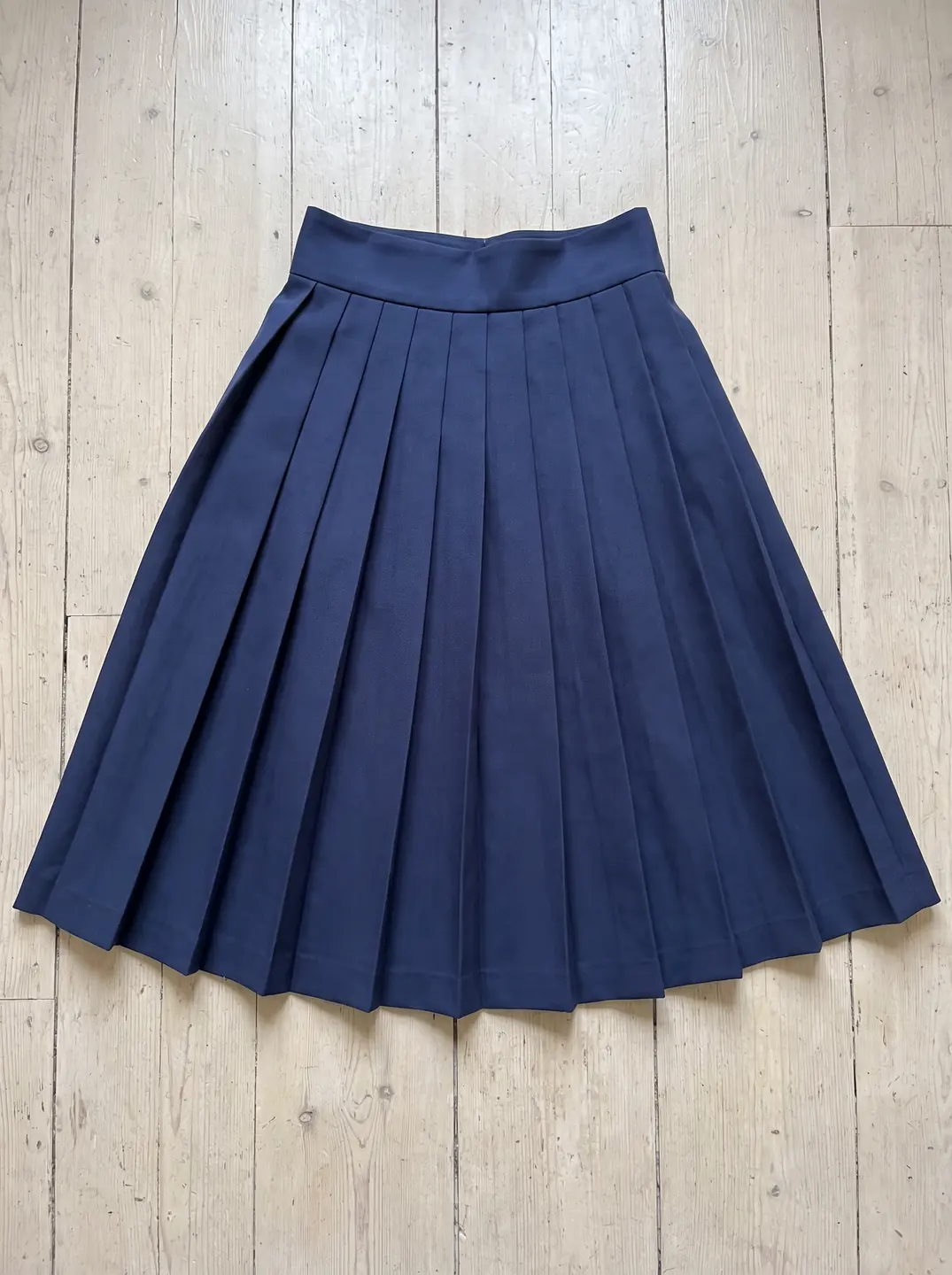
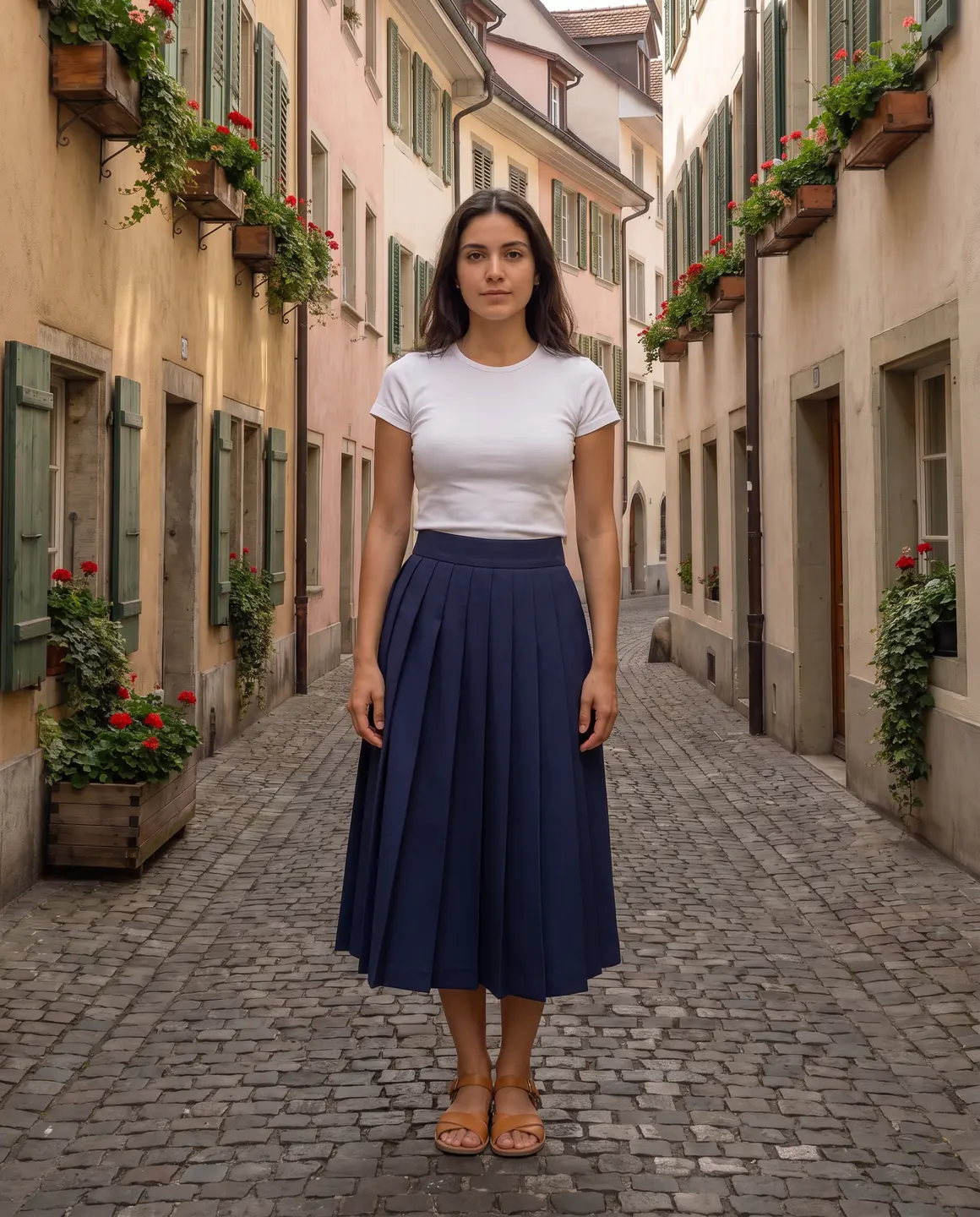
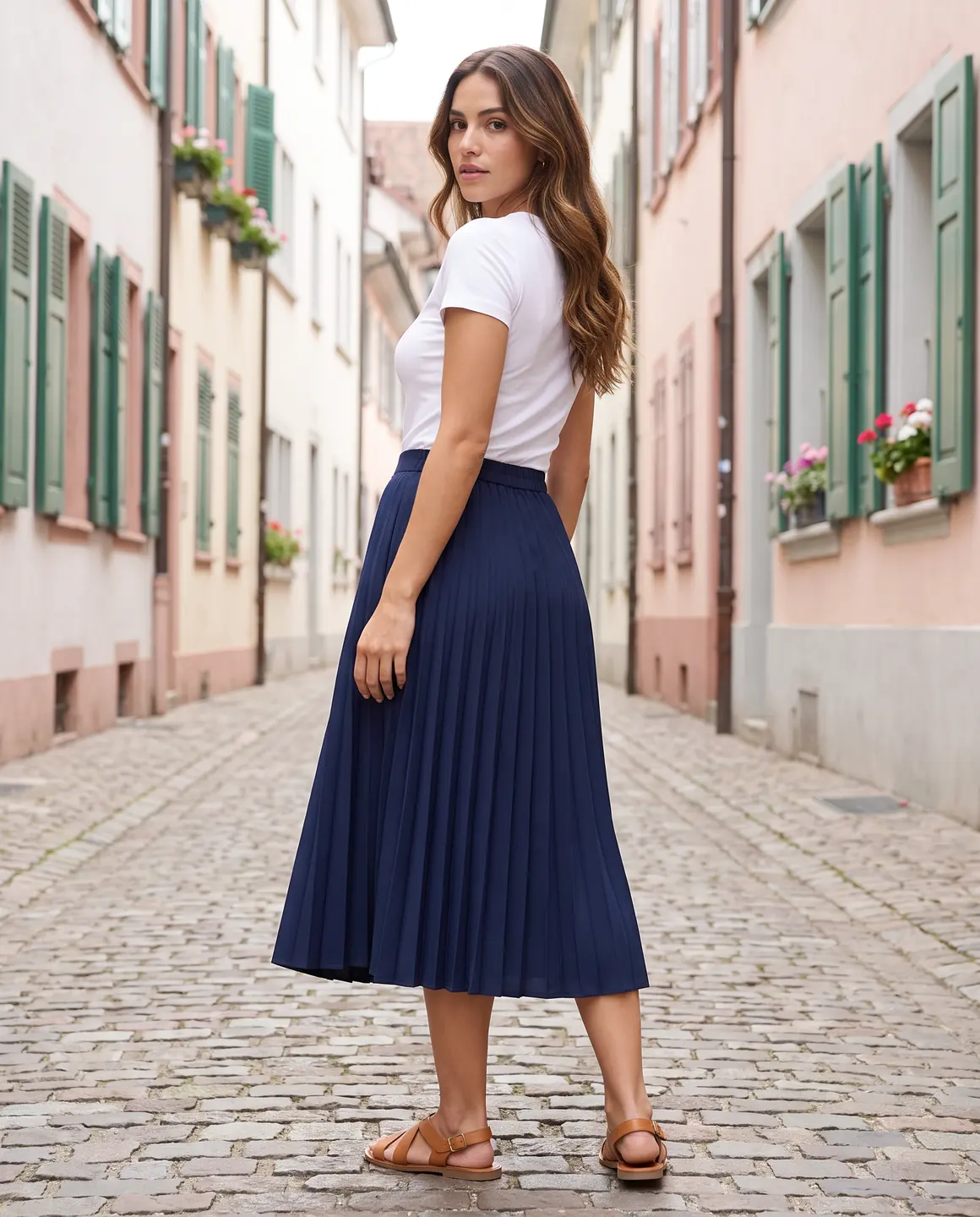
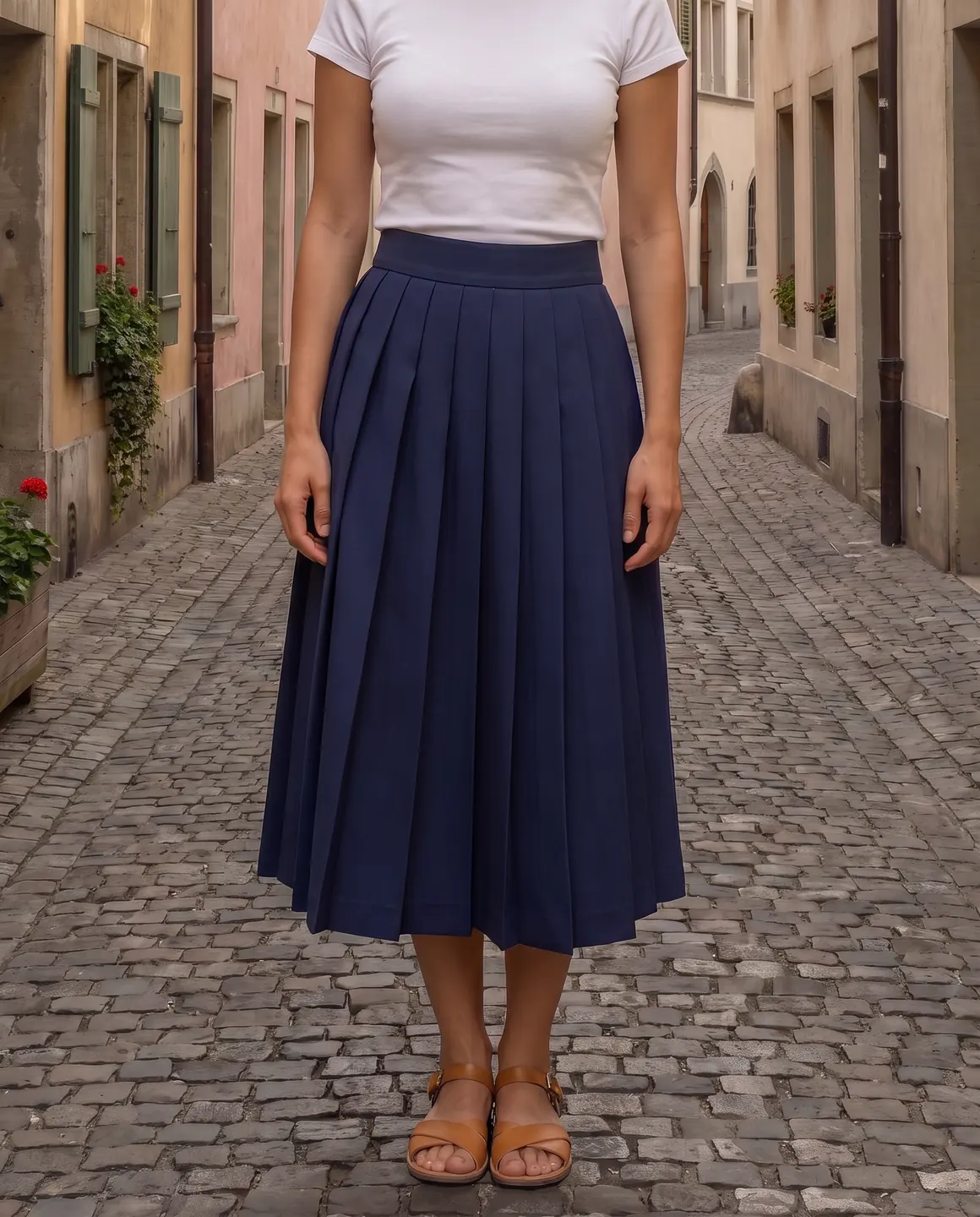
A sample photo and images made from it. Models are fictional and AI-generated.
Which photos work best for skirts
Skirts depend on two things a photo can easily lose: the hemline and the fullness.
Lay the skirt out at its natural shape
Fan an A-line or circle skirt into its natural curve and let pleats fall in their folds. Pressed flat into a rectangle, it reads as a pencil skirt.
Keep pleats in order
Knife and box pleats should lie the way they were pressed. Messy pleats come back messy.
Show the waistband and closure
Elastic, zip, buttons or a wrap tie: the waistband tells shoppers how the skirt fastens and sits.
Hem in frame, with space below
Mini, midi and maxi are defined by length. If the hem isn't in your photo, the length can't be judged on the model.
Shoot slits and wrap openings
A front slit or wrap overlap is part of the design. Make sure the photo shows where it opens.
The shots worth choosing
The frames that sell a skirt show its length on the body and how it moves.
A full-length frame to the floor
Shows exactly where the hem lands, mid-thigh, knee, mid-calf or ankle.
A frame with movement
Pleated, bias-cut and tiered skirts are bought for their swing. A moving frame shows it at a glance.
A waist-down detail
A closer frame of the waistband, pleats and fabric for shoppers who zoom in.
Styled with a top from your range
If you sell the matching top, show them together. It's how co-ord sets and separates sell.
What you get
An on-model set
Full-length and detail frames of your skirt on one fictional model, 4:5 by default for product pages. Each image is 1 credit.
A packshot for marketplaces
The skirt laid out on a plain background, for listings that ask for a garment-only image. One packshot is 1 credit, on white, ivory or grey.
A short video
A short clip with a turn or a few steps, the best way to show pleats and flowing fabric. A four-second clip is 5 credits.
What to check before publishing
Compare each image with your original before you use it. AI can miss a detail, and you know the garment best.
Hem length on the body
Compare where the hem falls with your source. A midi that turns into a maxi changes the product.
Pleat count and direction
Pleats should run in the right direction and at the right spacing.
Waistband and fastening
Check buttons, zips and ties are where they are on your skirt.
Print alignment
Stripes and prints should keep their direction around the body.
Lining and sheerness
Make sure a lined skirt doesn't read as sheer, and a sheer one is styled the way you intend.
Reviewing garment fidelity
Our guide walks through checking colour, print, construction and proportion against your source photo, one image at a time.
Read the review guideCommon questions
Can AI show my skirt on a model without a photoshoot?
Yes. Upload a flat lay or supplier photo that shows the whole skirt, choose a fictional model and scene, and Glammo makes on-model images. Check the length and pleats before you publish.
Will pleats look right?
Glammo is built to keep the pleats your photo shows, so press them neatly before the photo. Count and check them on each image.
How do I show how a skirt moves?
Choose a frame with movement, or turn an image into a four-second video. A clip shows pleats and flowing fabric better than a still.
Does it work for mini, midi and maxi lengths?
Yes. Keep the hem in your photo with some space below it, so the length carries over.
Can I photograph a skirt and a top as a set?
Yes. Upload both pieces and pick the same model and scene, so the set looks like one outfit across both product pages.
Read next
Bring one skirt photo. See it on a model for free.
Try Glammo free with 10 credits. No card required.