Print on demand
Check the sample before you build the campaign
A campaign can make a printed T-shirt look considered and distinctive. It can also make a modest print look larger, sharper or more textured than the item you ship. Establish what the physical product looks like before asking an image tool to give it a new setting.
Glammo AI5 min read
Updated
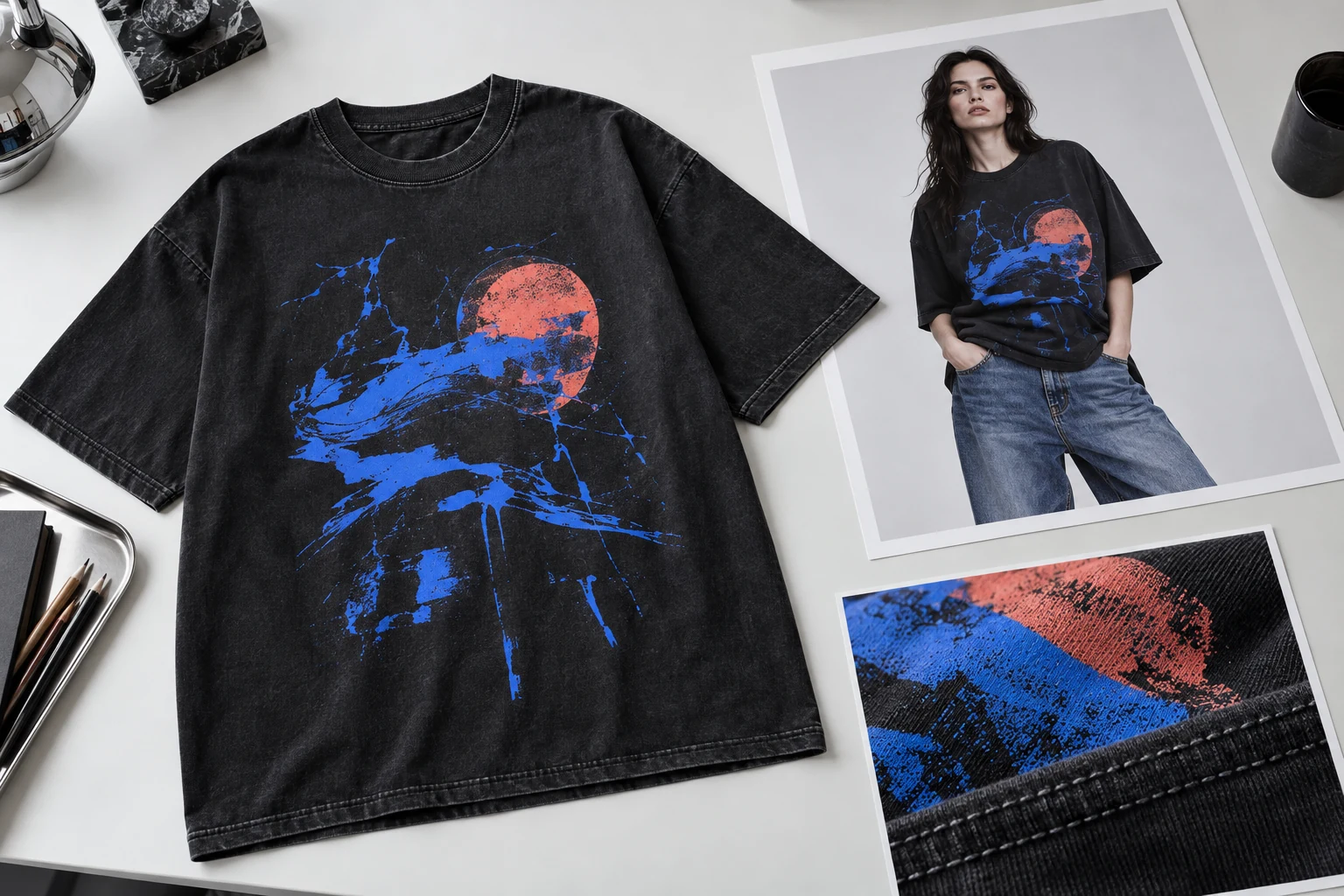
Keep the print file, mockup and sample separate
Your print file tells the fulfilment provider what to produce. A mockup visualises the design on a product. A physical sample lets you inspect what was actually made. Printful describes its mockups as references for printing and says the correct print file still matters. Keep all three in your product record; a polished mockup is not a substitute for the other two. Printful: what mockup images represent
For each product, record the blank or garment model, colour, size, artwork version, print method and placement you ordered. If you later change provider, blank or artwork, mark the old sample reference as needing review. Otherwise an image can remain attached to the right product name while representing a product you no longer sell.
Order the sample early enough to act on what it reveals. Printful's sample programme is intended in part for checking print quality, but availability and eligibility vary by account. Check the provider's current order options rather than building a launch schedule around an assumed discount or allowance. Printful: sample-order availability
Make a reference set you can inspect later
Photograph the whole sample in even light, then photograph the print close enough to read its smallest meaningful detail. Add the reverse if the design continues there. Include a separate internal reference with a ruler if you need to record placement or width. Keep that measurement image out of the customer gallery unless it serves a clear explanatory purpose.
Write down where the print sits in relation to the neckline, seams and garment edges. Record the photographed size. You are not promising that every size has the same apparent print proportions; you are creating a specific reference that another person can check. A front photo of one size should not silently become proof of every other size and colour.
Keep one unedited copy of each reference. An image brightened for a campaign may be easier to read, but it should not replace the evidence used to judge colour and print detail. If you adjust exposure or white balance in a working copy, record that change and compare it with the physical item before approving the result.
Review the design, then the garment
Use this checklist on every candidate image, including the hero and small campaign crops.
Read every word
Check spelling, punctuation, letter shapes and line breaks against the artwork and sample. Decorative text is still product detail. Reject a frame that invents or merges characters, even if it looks convincing at thumbnail size.
Check scale and position
Compare the print with the neckline and side seams. Account for pose and perspective, but investigate a design that appears enlarged, moved or wrapped onto an area that is blank on the sample.
Inspect the print surface
Do not accept invented embroidery, raised ink, metallic shine or distressing. Use an actual sample close-up for details where texture or finish is part of the purchasing decision.
Match the blank
Check collar width, sleeve shape, seams, hem and garment colour. A correct graphic on a different-looking T-shirt still describes the wrong product. Check accessories too: viewers should understand what is included.
Compare every variant
Verify each displayed colour and design version against its own reference. Keep uncertain variants unpublished until you have enough evidence; changing an image's tint is not a sample check.
Choose the right image for each job
Use your provider's mockup when it accurately represents the configured product and gives the customer the view they need. Use physical photography when the print finish, fabric or construction needs direct evidence. Consider a generated editorial view when you want a setting or modelled composition that the existing assets do not supply, and you can review it against your references.
In Glammo AI, an uploaded garment image can be used to create a modelled composition. Glammo is built to keep the garment as photographed, but small text and print detail can drift. Start with one product and a straightforward pose, then compare the saved result with the sample record. This is a manual image workflow; it does not imply a Printful connection or automatic print approval. Understand garment-fidelity limits
For example, imagine a cream tee with a small two-line chest graphic. This is a hypothetical review: the campaign frame looks good, but one letter has changed and the graphic is wider. Reject it for product use. A new draft is an option; a real sample photograph is another. Repeated generation is not an obligation when a simpler image already tells the truth.
Keep a release record beside the files
A useful approval row contains the product identifier, source sample, artwork version, final filename, intended placement, reviewer and unresolved issue. Use approved, replace or needs evidence as the decision. Avoid “looks fine” as the entire review; it tells the next person nothing about which version was checked.
Before publishing, put the candidate beside the real sample image at both full size and phone size. Keep accurate size and material information on the product page: a generated person does not establish the garment's measurements or fit. If the illustration could be mistaken for an actual photographed wearing test, explain its generated nature where the image is used. The campaign should help someone imagine the product without becoming your evidence for how it was made.
Read next
Your next drop. Make it a moment.
Try Glammo free with 10 credits. No card required.