AI fashion model generator: choose a model, or create your own
An AI fashion model generator gives a clothing store someone to wear its products without casting anyone: Glammo AI lets you choose from 60 fictional adult AI models, or create your own on Pro and Studio. The cast has 35 women and 25 men, aged from their early 20s to their early 50s, including a curve model and a petite model.
Try Glammo free with 10 credits. No card required.
Who is in the cast?
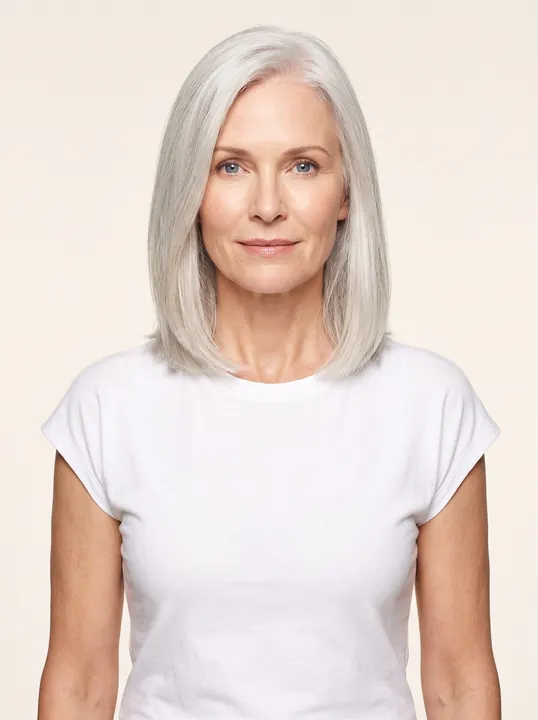
Ingrid · early 50s
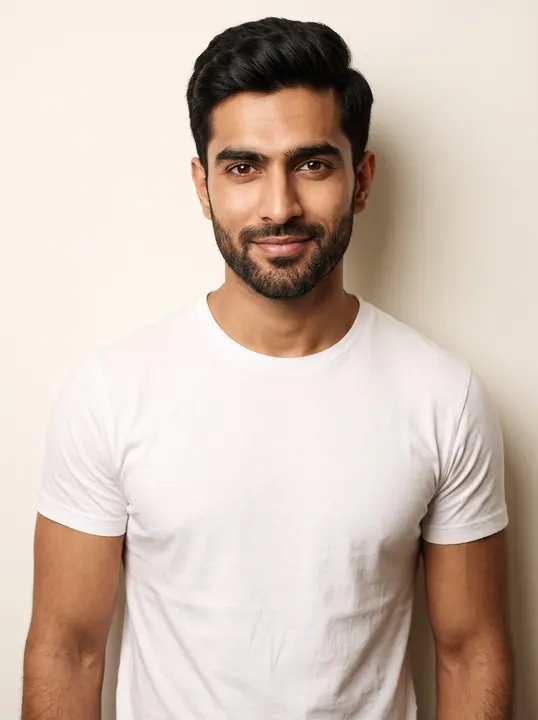
Arjun · late 20s
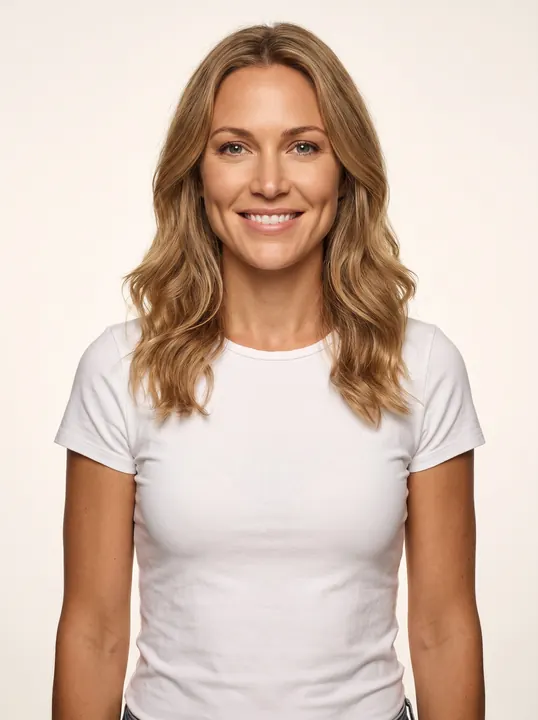
Clara · early 30s
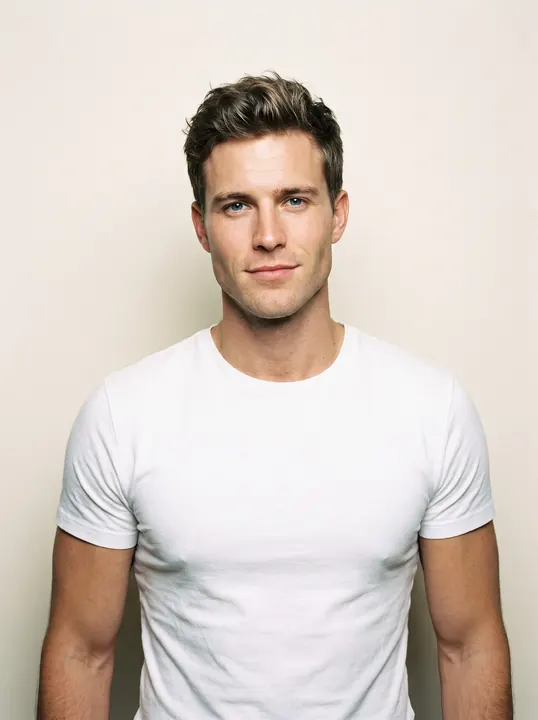
Leon · mid 20s
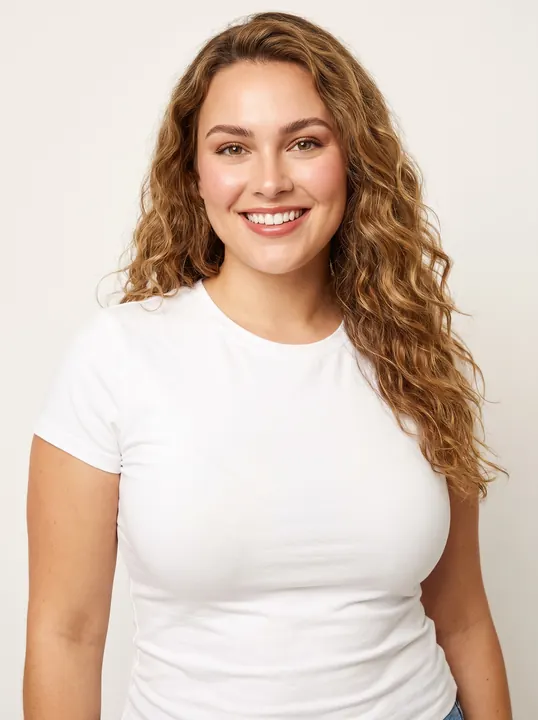
Nell · late 20s · curve
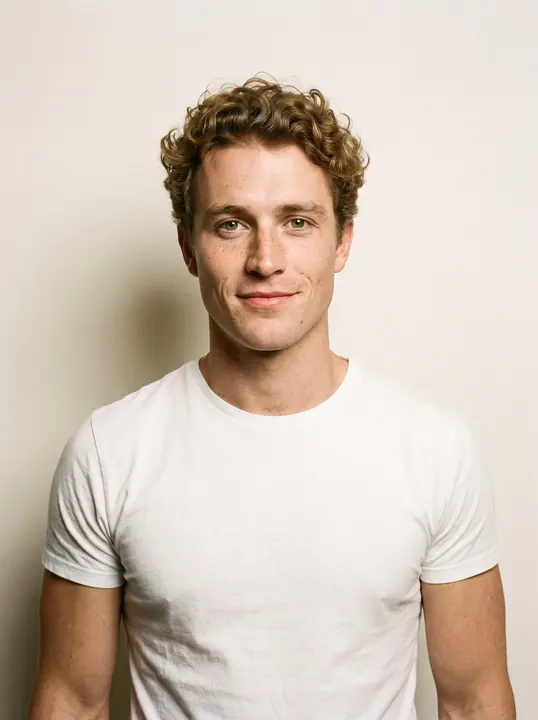
Callum · mid 20s
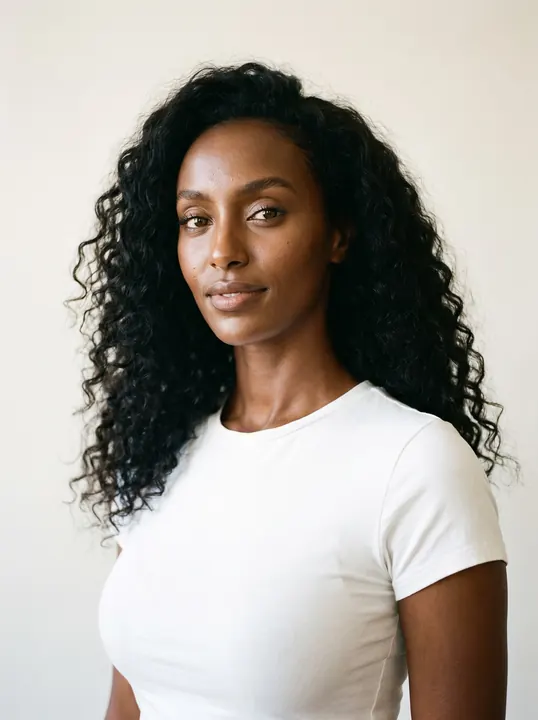
Nia · mid 20s
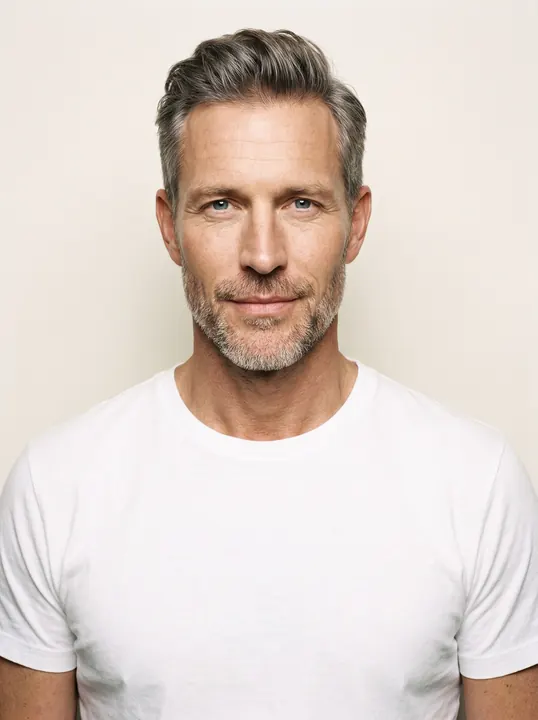
Elias · early 50s
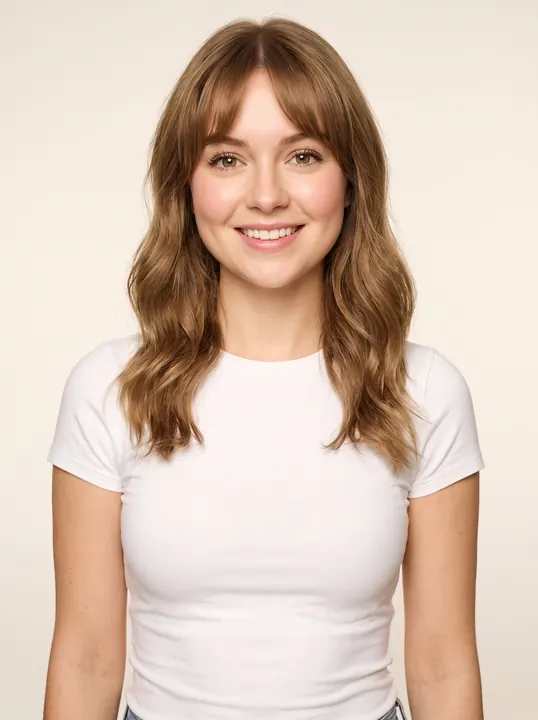
Lily · mid 20s · petite
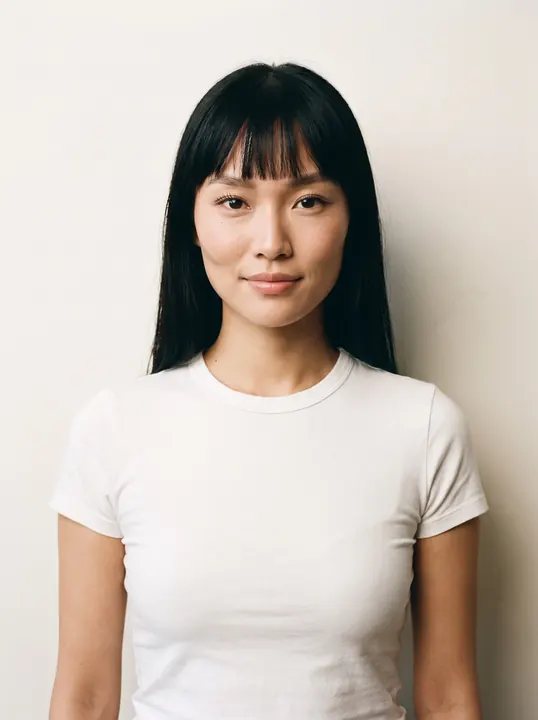
Mei · early 20s
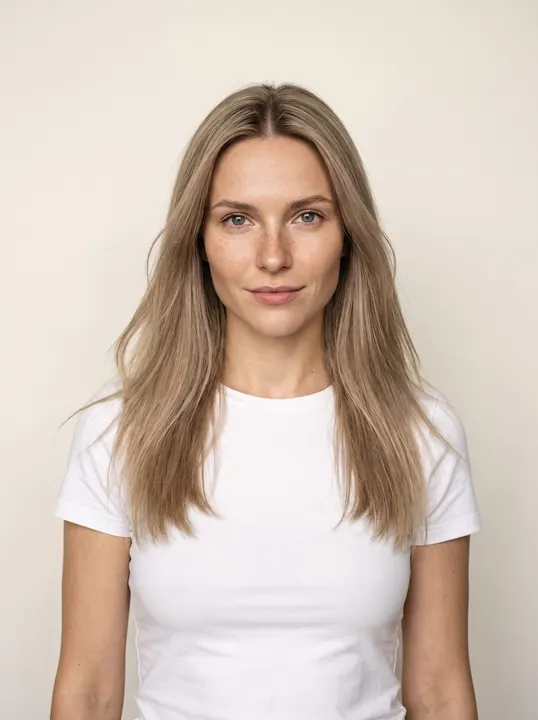
Daria · mid 20s
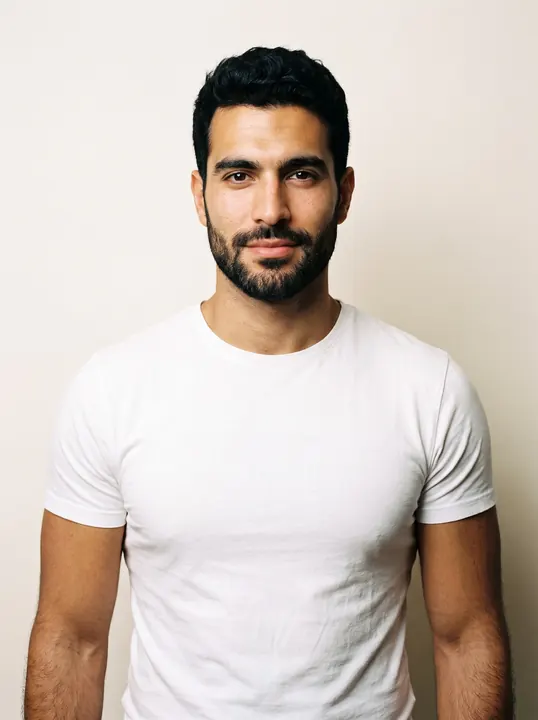
Karim · late 20s
What does an AI fashion model generator do?
An AI fashion model generator replaces the casting call. Instead of booking a model for each shoot, you pick a fictional adult AI model once and show your garments on that model in any scene.
Glammo offers two routes. Every account can use the catalogue cast of 60 models. On Pro and Studio, you can also create models of your own in your workspace and choose them for later shoots, while Starter uses the catalogue only.
The model pages group the cast into menswear, womenswear, over-40, curve and petite, and diverse casting. Browse the cast
How is the cast made up?
Every model is a fictional adult, and ages describe how each model appears.
| Group | In the cast | Suits |
|---|---|---|
| Women | 35 models | Dresses, tailoring, knitwear, basics and eveningwear |
| Men | 25 models | Shirting, tailoring, outerwear, denim and streetwear |
| Ages | Early 20s to early 50s | Young ranges through to grown-up and 50+ collections |
| Curve | Nell, late 20s | Curve and extended-size ranges, dresses and everyday wear |
| Petite | Lily, mid 20s, 5'4" | Petite ranges, everyday dresses and casualwear |
| Heritage | European, East Asian, South Asian, African, Latino, Middle Eastern and mixed | Stores whose customers come from many backgrounds |
How do you choose a model for your brand?
Pick the model your customer would picture in the clothes, then stay with that choice.
Match your customer's age
A range bought mostly by women in their 40s looks different on a model in her early 20s. With ages from early 20s to early 50s in the cast, choose one close to your buyers.
Fit the build to the cut
Curve and extended sizes belong on a curve model, and petite cuts on a petite model. A petite trouser on a tall model hides the very length a shopper is checking, and no image measures fit, so keep the size chart on the page.
Shortlist by category
Some faces suit tailoring and outerwear; others suit knitwear, denim or summer dresses. Start with two or three that match what you sell.
Test before the whole drop
Put one bestseller on each shortlisted model in the same scene. Two test frames cost 2 credits.
Vary the cast across lines
One model per drop keeps a collection consistent. Different models for different lines let more of your customers see themselves.
How do you use a model in a Glammo shoot?
- 01
Shortlist from the cast
Browse the models by group and note two or three who suit your customer and category.
- 02
Run a test frame
Shoot one product on each shortlisted model in the same scene, then compare the frames side by side.
- 03
Shoot the drop
Choose the winner for the whole shoot, with up to 20 products on that one model, in one scene and one look.
- 04
Reuse the model
Pick the same model for restocks, new colours and next season, so returning shoppers recognise your store.
How do you keep the same model across a catalogue?
Repeat the same choices. Use one model, one scene and one format for every product in a collection, and note them down for the next drop.
Review a collection's frames side by side before publishing. AI can vary small details from one image to the next, such as a strand of hair or an expression, so leave out any frame where the model looks noticeably different. Check the clothes as closely as the face, because a garment detail can slip too.
A model you create on Pro or Studio can then be chosen for any shoot, just like a catalogue model, which suits a brand that wants one recognisable face.
Can an AI fashion model look like a real person?
No. These rules apply to the catalogue cast and to any model you create.
The cast is fictional
Every catalogue model is a fictional adult created for Glammo, not the likeness of anyone.
Models you create stay fictional too
Never use a custom model to copy a celebrity, an influencer, a client or anyone else.
People in source photos aren't copied
When a supplier photo shows a real model, Glammo is built not to reproduce that person. The result shows your garment on the model you chose.
Adults only
The cast has no children. Kidswear works as garment-only packshots and never appears on a model.
Which plan fits
Starter
$19/month
25 credits a month · 25 images, or 5 videos
Pro
Suggested$59/month
120 credits a month · 120 images, or 24 videos
The first plan that lets you create models and scenes of your own, alongside the full catalogue cast.
Studio
$149/month
375 credits a month · 375 images, or 75 videos
Every new account starts with 10 free credits, no card. On a plan, 10 more credits cost $9 any time. See full pricing
Common questions
How many AI fashion models does Glammo have?
Glammo has 60 fictional adult AI models: 35 women and 25 men, aged from their early 20s to their early 50s. Every account can choose from the full cast.
Does Glammo have plus-size and petite AI models?
Yes. Glammo's cast includes Nell, a curve model for curve and extended-size ranges, and Lily, a petite model at 5'4" for petite ranges. Nell and Lily are fictional adult AI models, like the rest of the cast.
Can I create my own AI fashion model?
Pro and Studio let you create AI fashion models of your own and choose them for any shoot, while Starter uses the catalogue cast.
Can an AI fashion model generator copy a real person?
Glammo's AI fashion model generator is for fictional adults only. Catalogue models are fictional, a model you create must be fictional too, and Glammo is built not to reproduce the person in a source photo.
Will the same AI model look consistent across my catalogue?
Choosing the same model for every shoot keeps one face across your catalogue. Compare frames side by side before you publish, because AI can vary small details between images.
Can AI fashion models wear children's clothing?
No. Glammo never puts kidswear on a model and makes no images of children. Children's clothing works as garment-only packshots on white, ivory or light grey.
Read next
Find the face of your store. Try a model on your product for free.
Try Glammo free with 10 credits. No card required.