Curve and petite AI models
Glammo AI has one curve model and one petite model: Nell, made for curve and extended-size ranges, and Lily, a petite model who is 5'4" (163 cm). Both are fictional adult AI models. Two models is a short list, so on Pro and Studio you can create your own models to cover more sizes.
Try Glammo free with 10 credits. No card required.
How do Nell and Lily compare with the rest of the cast?
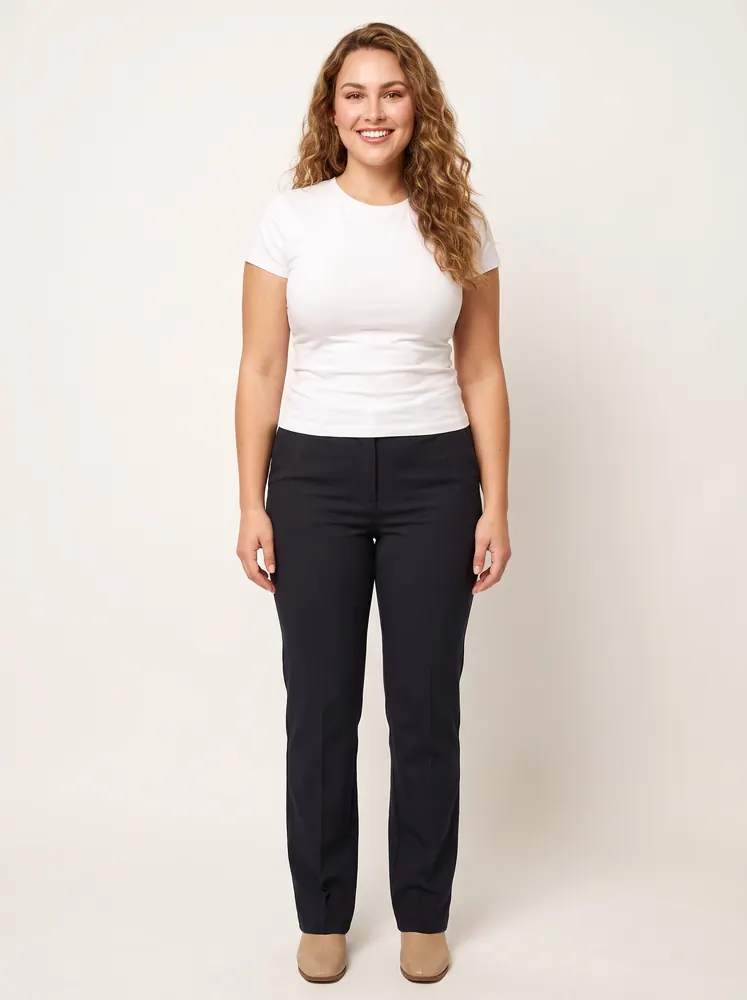
Nell · late 20s
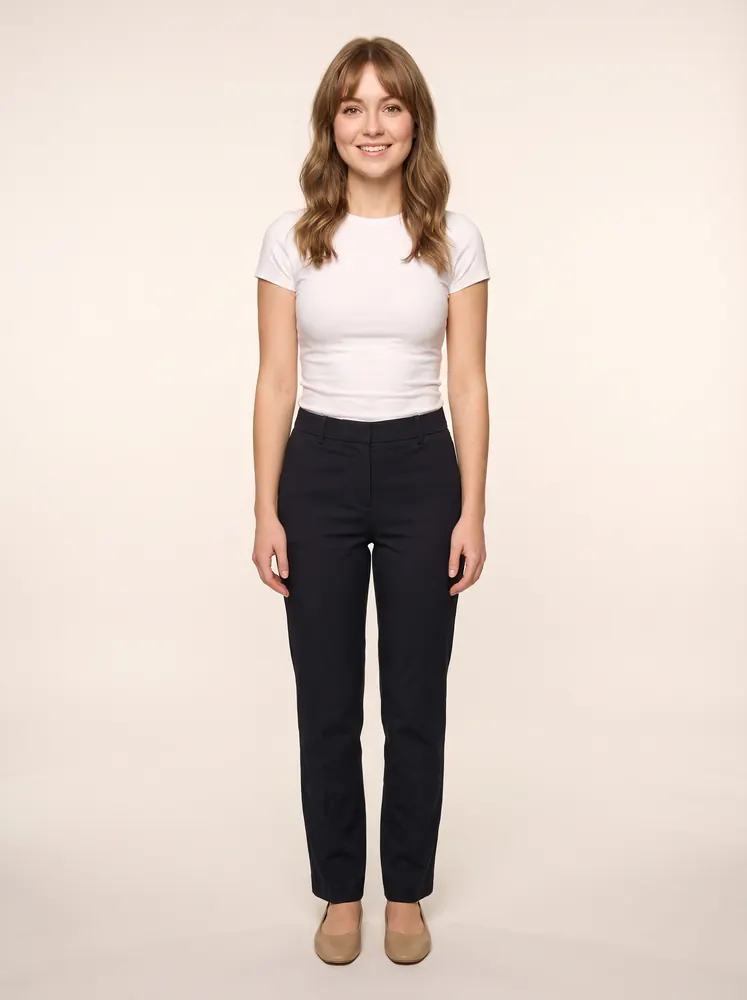
Lily · mid 20s
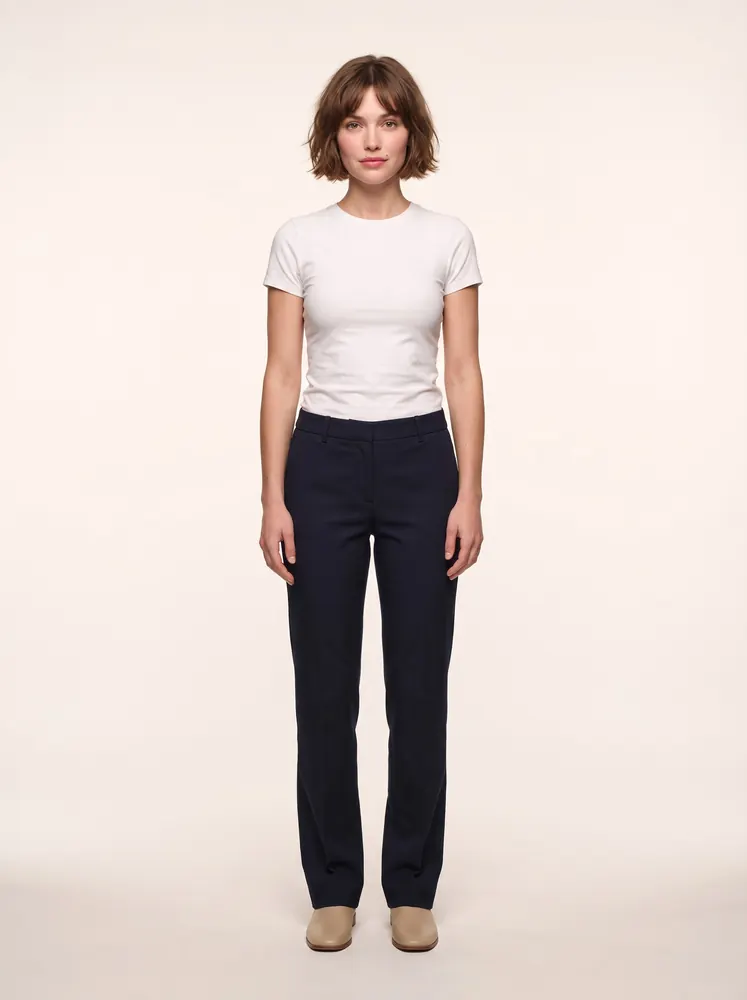
Margaux · mid 20s
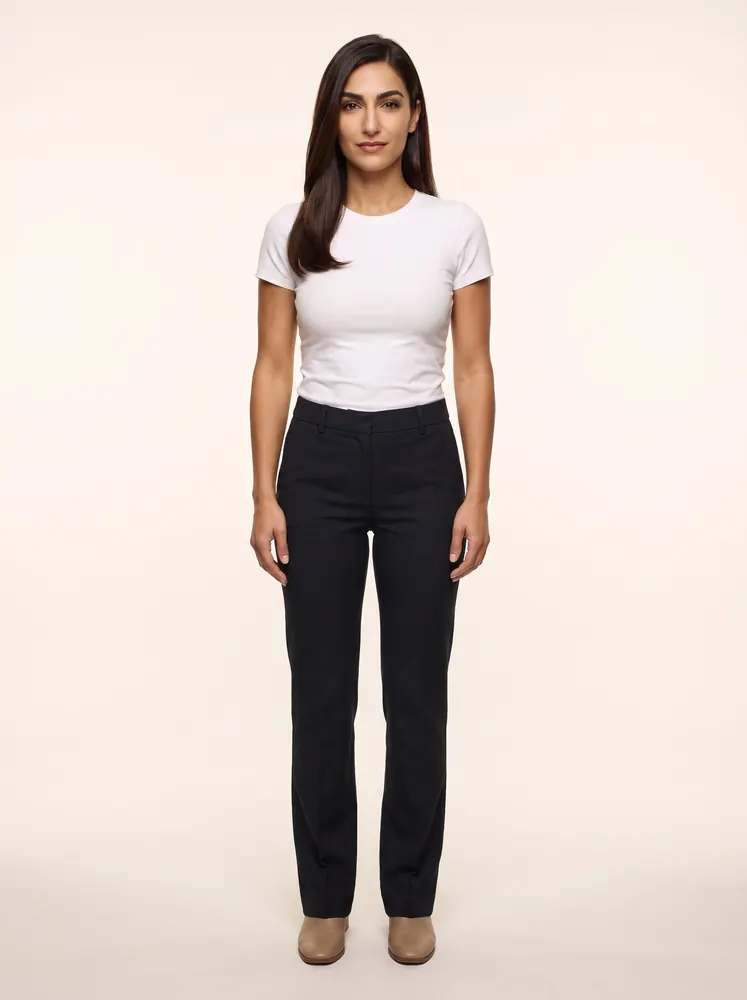
Valentina · mid 20s
Who are Glammo's curve and petite models?
Nell is a British curve model in her late 20s, listed as average height, with long curly hair and a wide smile. She is made for curve and extended-size ranges, dresses and everyday wear.
Lily is an English petite model in her mid 20s. She is 5'4" (163 cm), with curtain bangs and a bright smile, and she is made for petite ranges, everyday dresses and casualwear.
Beside them are Margaux, listed as average height, and Valentina, listed as tall. Each full-length photo is framed on its own, so don't compare heights from one frame to another; the listed heights are the facts.
Nell and Lily are both women. The catalogue has no curve or petite male model.
How do you show fit honestly with an AI model?
An AI image shows a garment's style on a fictional body. It measures nothing, so the facts about fit have to sit beside it.
Garment measurements for every size
List the bust, waist, hip, length and inside leg for each size, in centimetres and inches. Measurements answer the question a photo can't: will this fit me?
The size you photographed
Your source photo shows one sample. Say which size it was, for example ‘Sample shown: size 18’, so shoppers know what the image is based on.
The model's size, as height and build
Write ‘Shown on Lily, a fictional petite model, 5'4" (163 cm)’ or ‘Shown on Nell, a fictional curve model’. A fictional model has no dress size of her own, so describe her rather than inventing a number.
Size words shoppers search for
Put ‘petite’, ‘curve’ or ‘plus size’ in product titles, filters and alt text where they apply, so shoppers find the right range.
Lengths on Lily, shape on Nell
On petite images, check where hems, sleeves and inside legs fall. On curve images, check the neckline, the waist and how the fabric falls. AI can miss a detail, so compare each frame with your sample.
A fit promise you can keep
Let your size chart, your returns policy and reviews that mention size do the measuring. The image's job is to show the style.
How to shoot a curve or petite range
- 01
Photograph the right sample
Use a curve-size sample for curve listings and a petite-length sample for petite ones, laid flat, on a hanger or on a form. The image starts from your photo, so the sample you photograph is the one shoppers see.
- 02
Shoot the range on its model
Put the curve range on Nell and the petite range on Lily. Each shoot takes up to 20 products on one model, scene and look.
- 03
Check every frame against the sample
Look at the hem, sleeve, rise, neckline and print scale before you keep an image.
- 04
Publish with the fit facts
Add the measurements, the sample size and the model's height and build to every product page.
What if your sizes go beyond Nell and Lily?
On Pro and Studio you can create your own fictional models: a second curve model with a different look, for example, or a petite model for another range. You describe the person in your own words, and the model stays in your library for every drop.
The description must be of a fictional person, never a real person or a celebrity. A model you create is AI-made like the rest of the cast, so the same honesty rules apply: measurements in writing, and no invented dress size.
Starter and free accounts use the catalogue, where Nell and Lily are the curve and petite choices.
Which plan lets you create your own models?
Starter
$19/month
25 credits a month · 25 images, or 5 videos
Pro
Suggested$59/month
120 credits a month · 120 images, or 24 videos
Pro adds your own models and scenes, so you can create curve or petite models in the builds your size range needs and keep them for every drop.
Studio
$149/month
375 credits a month · 375 images, or 75 videos
Every new account starts with 10 free credits, no card. On a plan, 10 more credits cost $9 any time. See full pricing
Common questions
Does Glammo have plus-size AI models?
Glammo has one curve model, Nell, made for curve and extended-size ranges, dresses and everyday wear. On Pro and Studio you can create more fictional models in other builds.
Is there a petite AI model?
Yes. Lily is Glammo's petite model: an English fictional adult AI model in her mid 20s, 5'4" (163 cm) tall, made for petite ranges, everyday dresses and casualwear.
Can an AI model photo show how a garment fits?
No. An AI model photo shows a garment's style and cut on a fictional body, but it doesn't measure fit. Put the garment measurements, the sample size and the model's height and build next to every image.
What should I write next to a curve or petite product photo?
Write the garment's measurements for each size, the size of the sample you photographed, and the model's height and build. Don't give an AI model a dress size: she is fictional, so the number would be invented.
Are there curve or petite male models?
Not in the catalogue. Nell and Lily are both women, so a menswear brand with big-and-tall or short sizes would need to create its own model on Pro or Studio.
Read next
See your range on Nell or Lily. Start with 10 free credits, no card needed.
Try Glammo free with 10 credits. No card required.