Collections
Seasonal product photos without a reshoot
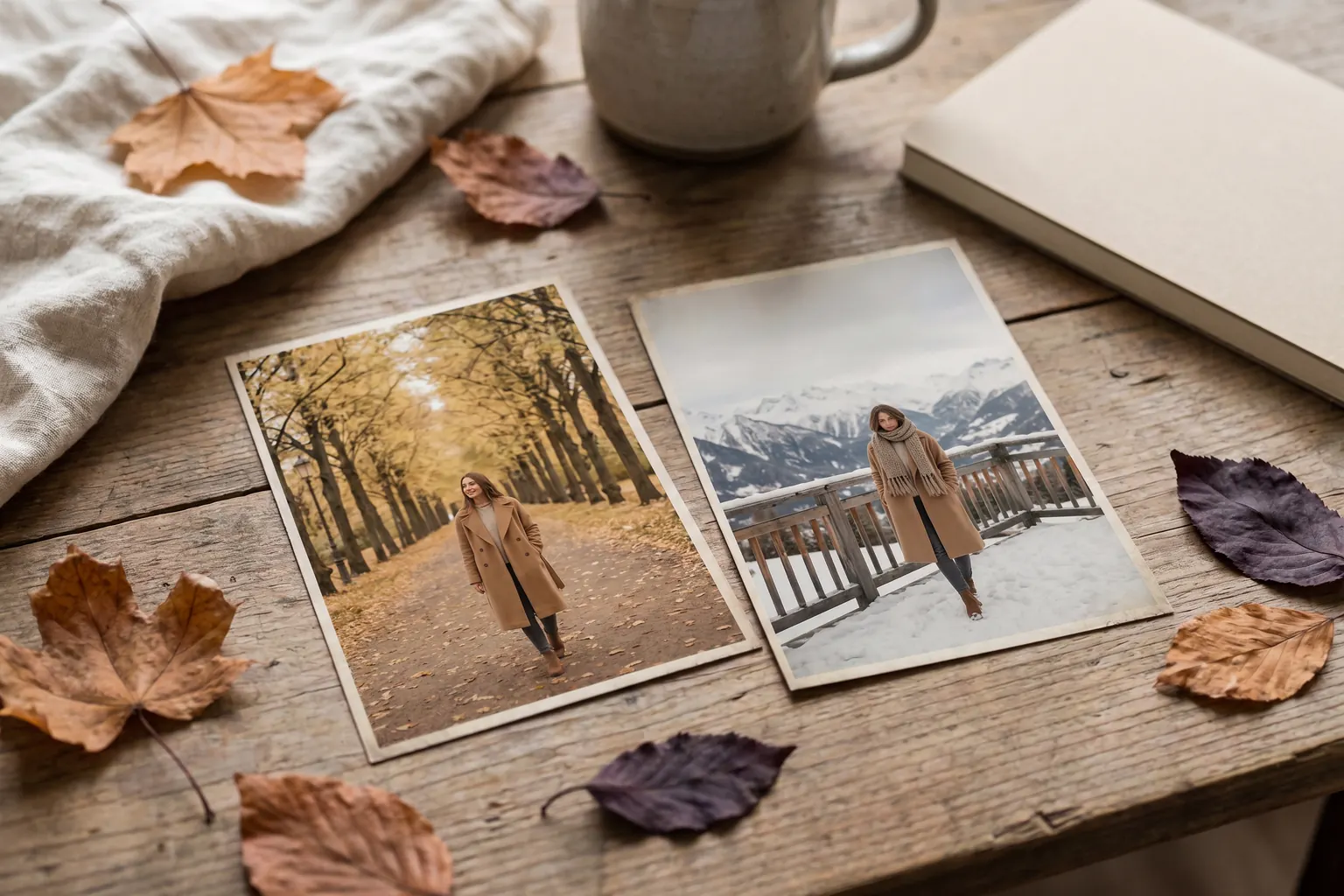
You can make seasonal product photos without a reshoot by keeping the garment and the model and changing only the scene: a tree-lined avenue in October, a snowy terrace in December, a terrace above the sea for resort. Glammo AI makes the new images from the product photos you already have, so a coat photographed once can appear in several seasons.
Glammo AI6 min read
What changes in a seasonal refresh, and what stays?
Change the setting and the light: an avenue of turning leaves instead of a studio wall, a snowy terrace, a sunlit courtyard. Keep what makes the catalogue recognisable: the same fictional adult AI model, the same framing and aspect ratio, and neutral packshots on white, ivory or light grey all year round.
The garment doesn't change either. You are not photographing it again, so the source photo you used in spring is the source photo for autumn. Glammo is built to keep each garment's colour, print and construction in every new scene, and each new image still needs checking against the product. A refresh therefore costs only the new images, not another round of samples, models and locations.
Which scenes suit which season?
Ideas from Glammo's 60 scenes, which run from 22 studios to interiors, outdoor, city and architectural settings, and resort and lifestyle sets.
| Season | Scene ideas | Garments that suit them |
|---|---|---|
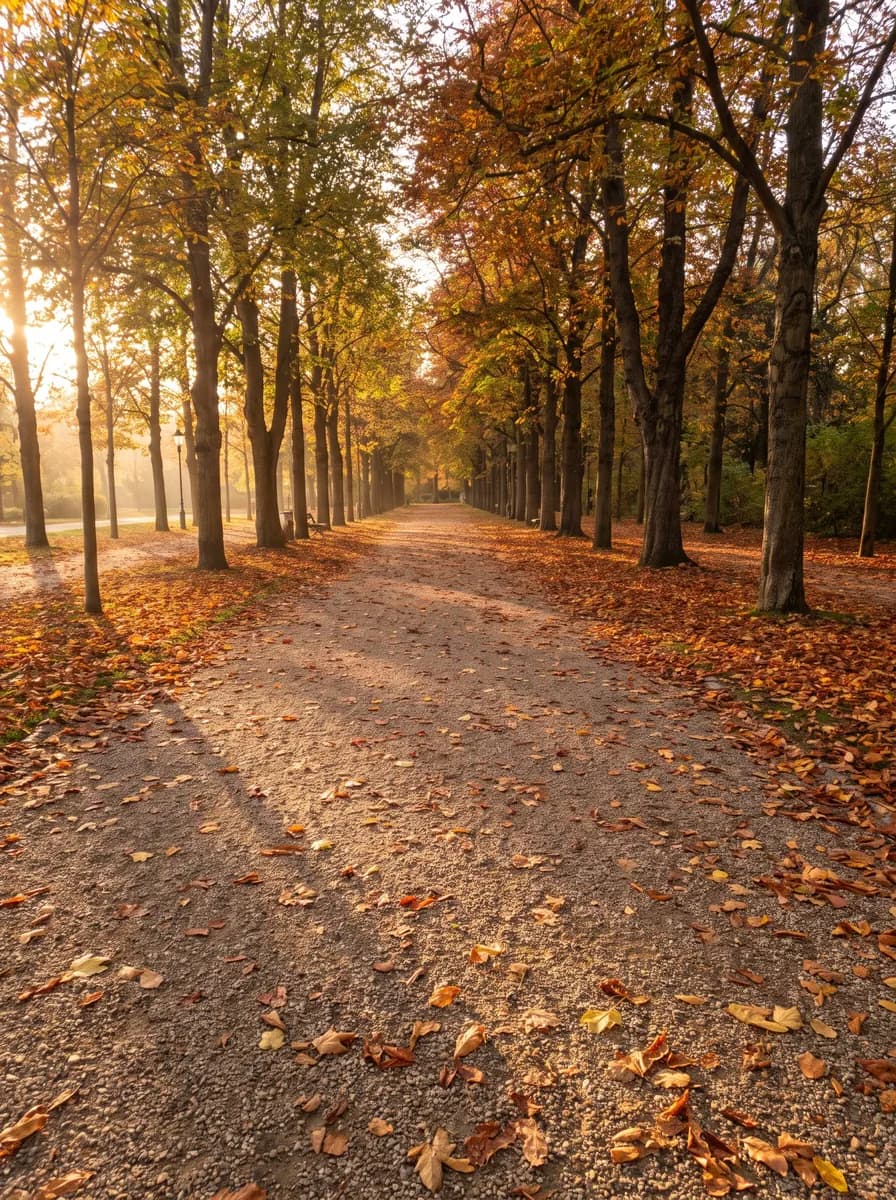
| Autumn | A tree-lined avenue in autumn colour, a mossy woodland path, a panelled library | Coats, knitwear and tailoring |
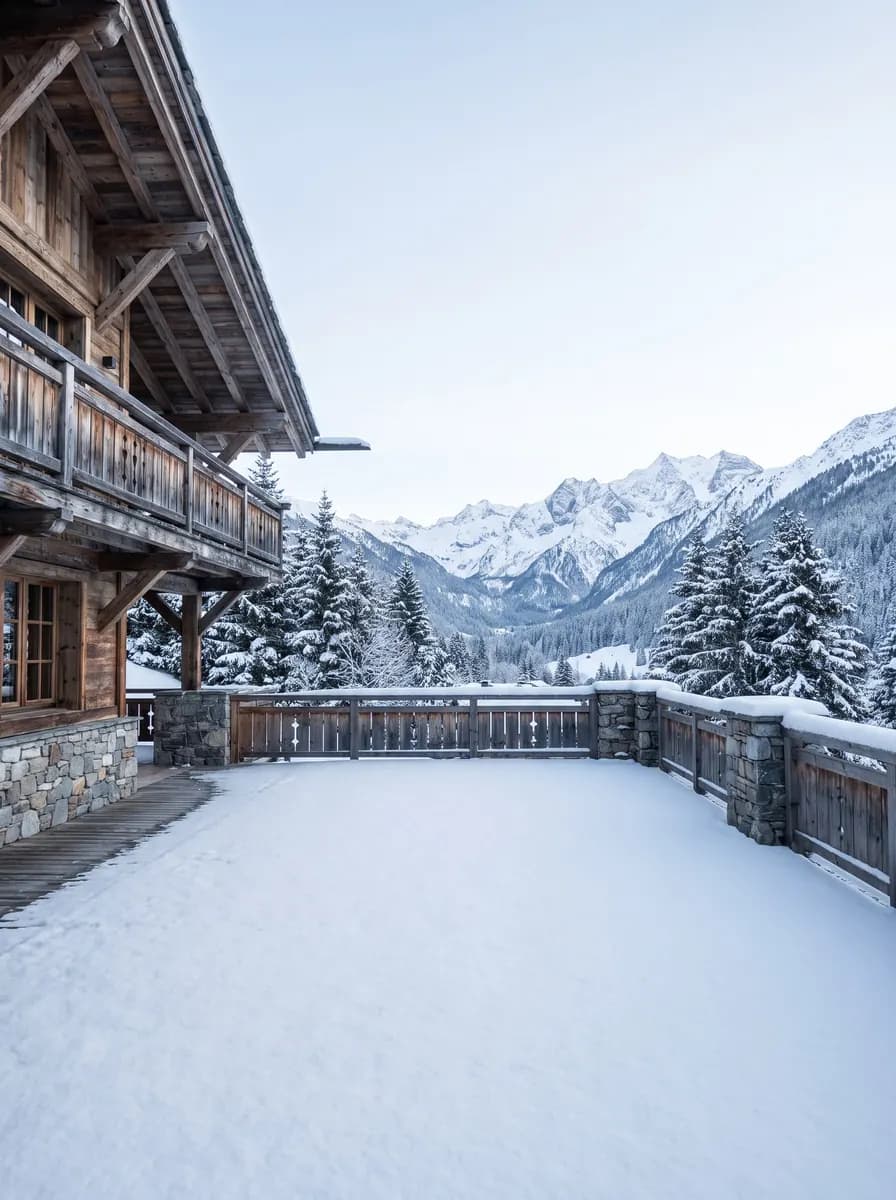
| Winter | A snowy chalet terrace, a misty lake dock, a warm cocoa-brown studio | Coats, knitwear and loungewear |
| Party season | A rain-slick city street at night, a gilded ballroom, a black studio with a single spotlight | Evening dresses, satin and tailoring |
| Spring | A pastel old-town lane, a Victorian glasshouse, a sage-green studio | Dresses, shirts and light jackets |
| Resort and summer | A limestone terrace above the sea, a beach at golden hour, a lakeside villa terrace | Linen, summer dresses and shirts |
Autumn avenue
Snowy terrace

Resort terrace

Warm studio
Should product pages change with the season?
Keep product pages steady, because shoppers compare products in a grid. A good default is to keep each main image in your usual scene all year and add one seasonal frame further down the gallery. Seasonal frames then do most of their work on the homepage, collection banners, emails and social posts.
If you do want seasonal main images, change a whole collection at once, never one product, so the grid stays even. On Amazon, keep the main image on pure white, where the rules for adult clothing put it; seasonal scenes belong among the supporting images.
Look through the seasonal scenes before you plan the drop, and choose one per season rather than several. Autumn and winter scenes · Resort scenes
When should you start a seasonal refresh?
Before the season, not during it. Make autumn frames while summer stock is still selling, so they are ready for the first cool week, and make resort frames in late winter if your customers book their holidays early.
Leave time for review as well. A seasonal drop is still a shoot, and every new frame needs the same garment check as the first set did. If you're unsure where to begin, our refresh-priorities guide helps choose a small first batch. Which products deserve new photos first?
How to refresh a season without a reshoot
- 01
Choose the products
Pick the pieces you will promote this season, not the whole catalogue. Last season's best sellers and this season's arrivals are a sensible start.
- 02
Keep the house look, change the scene
Use your usual model and aspect ratio, and choose one seasonal scene for the whole drop.
- 03
Shoot from the photos you have
Put up to 20 products in one shoot, using the same product photos as before.
- 04
Review, then place the images
Check each image against the garment, then use the frames on banners, emails and social posts, and on product pages if you are changing a whole collection.
How do you keep the model the same across seasons?
Use the model from your product pages, and keep the crop height and aspect ratio from your house look. Put the new seasonal frames side by side with last season's approved images: the face, the build and the framing should read as the same person and the same brand.
Check colour with extra care. A warm autumn scene or a cool snowy one changes how a colour reads, and a camel coat can look more orange in golden light. Hold the real garment by a window and compare before you approve each frame. If a seasonal frame drifts from your model's usual look, make it again rather than publishing a near match.
What should you check in every seasonal frame?
The colour, by daylight
Compare the frame with the real garment, not with last season's image of it.
The garment's edges
Snow, leaves and bright sky can blur where a pale or dark garment ends.
The model
The same face, build and crop height as your product pages.
The crop for the placement
The product clear of any text you will add, with nothing important cut off at the edge of a story or banner.
What else can a seasonal refresh include?
For a single image, an edit can change the background for 1 credit; for a whole drop, a new shoot in the seasonal scene keeps every product consistent. Make 9:16 frames for stories and 16:9 frames for website banners.
A four-second clip made from a finished seasonal image costs 5 credits and gives a social post some movement. Clips are 720p and silent, so add music in your editing tool if the post needs it.
Keep the frames you make in a folder for each season and swap them in as the year turns. A coat sold all year can show autumn leaves in October and snow in December without a new shoot each time. Take seasonal frames down when the season ends, so a snowy banner isn't still on the homepage in spring.
Then plan next year while this season runs: note which scene you used and where each frame went, so the next refresh starts from a record rather than from memory. Keep one model across your catalogue
Your own seasonal scenes on Pro and Studio
Pro and Studio let you create your own scenes as well as models, so a season's look can match your brand rather than the catalogue. Starter uses Glammo's catalogue scenes.
Compare plansCommon questions
Can I change the background of product photos for a new season?
Yes. In Glammo, an edit changes the background of a finished image for 1 credit, and a new shoot puts up to 20 products into a seasonal scene on the same model. Check the garment's colour again in each new image.
Do I need to reshoot clothes every season?
No, if you have clear photos of the garments. Glammo makes new on-model images in a seasonal scene from the product photos you already have, keeping your model and framing. New photos are needed only for new products or colours.
Which scenes suit autumn and winter clothing?
Autumn and winter clothing suits warm, textured settings: a tree-lined avenue in autumn colour, a woodland path, a snowy terrace or a panelled interior. Glammo's catalogue also has warm studio colours for product pages that want a seasonal note without a location.
Can an Amazon main image use a seasonal scene?
No. Amazon's rules put an adult clothing main image on a standing model against pure white, so seasonal scenes belong in the supporting images. Amazon's rules change, so read the current version before listing.
Read next
Your next drop. Make it a moment.
Try Glammo free with 10 credits. No card required.